





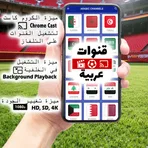
Arabic Live TV review
 Analysis by Appsdrops
When I open a live-TV app, the first thing I want to know is whether it can keep up when the match matters. Arabic Live TV is aimed at viewers who want Arabic-language television and live football on a phone, so its appeal is clear: it can put a broadcast within reach without making a television the centre of the occasion. The trade-off is just as important. Live viewing depends on a steady connection, and the experience can be much less enjoyable when mobile reception is weak or unpredictable.
What the app is for, and who it suits
This is an events app developed by Hajar Lamlih, with a focus on Arabic live TV and football viewing. I would consider it for someone who follows matches while away from home, or who wants a phone-based way to watch Arabic programming. It is free, rated for Everyone, and has reached over 500,000 installs. Its average rating is 3.6 from around 5,500 ratings, which suggests it has attracted a sizeable audience but may not deliver a smooth experience for every viewer.
The app’s version is 1.0.16, and it was released on April 8, 2025. Those details matter less than the practical question: can you rely on it at the moment you want to watch? I would treat it as a convenient viewing option rather than assume it will replace a familiar television service in every situation. Live streams are especially sensitive to network quality, and a phone’s connection can change as you move between rooms, buildings, or mobile coverage areas.
That makes the app a better fit for flexible viewing than for anyone who needs a guaranteed, polished broadcast setup. If your priority is Arabic live content on a portable screen and you have dependable internet, it is worth considering. If you need a particular channel, a specific match, or uninterrupted playback for an important occasion, check that the content you want is available before making it your only plan.
Why connection quality changes the experience
With live TV, a strong connection is not merely a convenience: it shapes how watchable the stream feels. A stable home Wi-Fi connection is usually the sensible place to start, especially before settling in for a full match. If the picture hesitates or the stream stops, I would first check whether other devices are using the network heavily and whether the phone has switched to a weaker connection. Those simple checks can help distinguish a local network problem from an issue with the stream itself.
There is also a timing consideration. A live broadcast can already be behind the action happening elsewhere, and interruptions make that delay more noticeable. If friends nearby are watching through another service, avoid relying on their reactions as a cue while your own stream is catching up. For a casual watch, a short pause may be tolerable; for a match where following each moment matters, even small interruptions can be frustrating.
I would not start watching at the exact second a big event begins if the connection has not been tested. Open the app beforehand and give the stream a moment to settle. That modest habit can reveal whether the current spot has reliable reception while there is still time to move closer to a router or choose another connection. It is a practical precaution, not a promise that every stream will behave perfectly.
Using it around home, work, and travel
On a phone, portability is the obvious advantage, but the best viewing spot may not be wherever you happen to be. At home, I would begin near the router and then move only if the stream remains stable. In a room with weak Wi-Fi, sitting down for a long match before checking reception can turn a convenient plan into repeated interruptions. A larger screen may be more comfortable for an extended watch, but the app’s appeal is that it lets you follow along when a television is unavailable.
On the move, reception can change from one stretch of a journey to the next. That makes a live match a poor choice when you cannot tolerate pauses, such as during a commute through areas with inconsistent coverage. It can still work for checking in on a broadcast when the connection is good, but I would avoid assuming that a stream will remain steady simply because it started well. A route, building, or crowded public space can affect the connection without warning.
A realistic use case is watching a match while dinner is being prepared: keep the phone in a spot with solid Wi-Fi, glance over between tasks, and avoid carrying it into a dead zone just to keep the picture in view. Another is following a broadcast in a hotel or shared accommodation. In that case, test the connection before the event begins, since shared networks may become busier as more people come online. These are small choices, but they can make phone-based viewing less annoying.
When playback falters and how to respond
If a stream stalls, I would resist repeatedly tapping around without first checking the basics. Give the connection a moment, confirm that the phone still has internet access, and try a more stable network if one is available. If other online services are also struggling, the issue is more likely to be the connection than the app alone. If only the live video is affected, reopening the stream may be a reasonable next step, though it cannot guarantee that playback will recover.
There is a useful distinction between a brief interruption and a recurring problem. A one-off pause during a network handover may not tell you much. Repeated freezes in the same location, on the other hand, are a sign to change where or how you watch rather than expect the app to overcome poor reception. If the event is important, switching to a more dependable viewing option is often wiser than spending the match troubleshooting.
I would also plan for the possibility that a stream may take a moment to resume after an interruption. That matters if you are watching while multitasking: a notification, a call, or briefly leaving the app can pull your attention away just when the action continues. Keep the phone somewhere you can check it easily, and avoid treating a mobile stream as a perfect substitute for a stable television setup when you cannot afford to miss anything.
Watching with mobile data in mind
Live video can use a meaningful amount of mobile data, so I would be cautious about starting a long viewing session on a limited plan. The exact usage can vary with stream quality and viewing time, and I would not assume that a short test accurately represents an entire match. If you are unsure about your allowance, use Wi-Fi where possible or check your phone’s data-usage controls before settling in.
A practical approach is to decide in advance whether the event is worth using mobile data for, rather than discovering the cost to your allowance afterward. For a brief check-in, cellular viewing may be convenient. For a full match, a reliable Wi-Fi connection is the more sensible default. If you do watch on mobile data, keep an eye on your device’s usage information during the session and stop if it is consuming more than you are comfortable with.
There is a trade-off between convenience and control. Watching wherever you are is useful, but a phone connection may be less predictable and may count against a data plan. I would not rely on the app for viewing away from internet access; live broadcasts need connectivity, and a weak signal can undermine the very flexibility that makes mobile viewing attractive. Planning around network availability is therefore part of using the app well, not an optional technical detail.
How it compares with other ways to watch
Compared with a television-based service, Arabic Live TV has the advantage of being close at hand and easier to use when you are away from your usual setup. A conventional TV experience may be more comfortable for a group or a long match, while a phone is better for personal viewing and quick access. The app’s focus on Arabic live content gives it a clear purpose, but viewers who want a particular channel lineup or dependable coverage for every fixture should compare it with the services they already know.
Compared with general video platforms, live-TV apps are useful when the goal is to follow a broadcast rather than choose a recorded clip. That also makes them less forgiving: a saved video can wait for a better connection, while a live event continues whether your stream is stable or not. I would choose this app when portability and Arabic live viewing matter more than having the most controlled viewing environment.
It is not the right choice for someone who needs offline viewing, a guaranteed stream during poor reception, or a specific programme that has not been checked in advance. It also may not suit a viewer who dislikes troubleshooting on a small screen. In those cases, a home television service or another established option with the channels and reliability you need may be a better match.
My connectivity verdict
Arabic Live TV makes the most sense as a flexible way to follow Arabic television and football when a good connection is available. Its free access lowers the barrier to trying it, while its reach of over 500,000 installs shows that it has found an audience. Still, an average rating of 3.6 is a reminder to keep expectations practical: the experience can depend heavily on your network and viewing situation.
My advice is to test it on Wi-Fi before relying on it for an important match, choose a viewing spot with consistent reception, and be deliberate about mobile data. If you want portable access and can accept that live streaming is only as steady as the connection behind it, this app is worth a try. If uninterrupted playback is essential, or you need certainty about a particular event, keep a more dependable alternative ready.For this kind of app, connection planning is part of the viewing experience.
What we like
- Offers a focused selection of Arabic-language television channels.
- Can help viewers keep up with programs from across the Arab world.
- Live broadcasts provide a more immediate viewing experience.
- Useful for Arabic speakers living outside their home country.
- The app is easy to explore for users familiar with live TV streaming.
What could be better
- Channel availability may vary by region.
- A stable internet connection is needed for uninterrupted viewing.
- Streaming quality can fluctuate when network speeds are low.
- Some channels may be unavailable or stop working without notice.
- The app may not offer program guides or replay options for every channel.





