



AP News: World & Local review
 Analysis by Appsdrops
I reach for AP News when I want a quick, grounded view of a developing story without committing to a long news session. It is a news app from The Associated Press, built around reporting that spans local communities, the United States, and international events. In my experience, its clearest strength is that it gives a busy reader a direct route into current coverage; its main trade-off is that a broad news feed can still feel demanding when several major stories are unfolding at once.
How quickly it gets me to the news
The app’s appeal is easiest to understand in small moments: checking headlines before work, catching up during a commute, or opening a story after hearing a brief mention of it elsewhere. AP News is designed for breaking coverage and live updates, so it suits readers who want to follow events as they develop rather than wait for a scheduled broadcast or a daily paper.
I would treat it as a useful first stop, not a promise that every story will instantly be fully explained. Breaking reports can change as more information becomes available, and a short update may leave important context for a later article. My practical approach is to use a quick glance to learn what has happened, then open the fuller coverage when the subject matters to me.
That distinction also helps set realistic expectations for speed. A headline feed can make it easy to scan, but reading carefully still takes time, especially when a fast-moving event has multiple updates. If I have only a minute, I can use the app to identify the main developments; if I need a considered understanding, I make room to read beyond the first alert or summary.
When a live story becomes a longer session
A useful way to follow a major event is to separate updates from explanation. I check the latest reporting first, then return to a more complete article once the situation is clearer. This avoids treating each new update as a complete account and makes it easier to notice what has actually changed since the previous check.
For example, on a morning when a significant local or national story is developing, I might scan the app while making breakfast, read the relevant report before leaving, and check again later only if the situation affects my plans. That is a more manageable routine than repeatedly refreshing a feed throughout the day. The app’s mix of local, U.S., and world coverage makes that pattern practical when one event has both immediate community impact and wider consequences.
Heavy use and the value of a deliberate routine
During a major news day, the challenge is less about finding something to read and more about deciding what deserves attention. Breaking stories, live updates, and coverage from different regions can quickly turn a short check into a long session. I find it helps to begin with a question: am I checking what happened, looking for local consequences, or trying to understand the broader background? That simple choice keeps the feed from becoming an open-ended stream.
When I follow one event over several hours, I avoid assuming that every new item adds a major development. I compare the update with what I already know, then look for reporting that supplies context rather than merely repeating the latest change. This is a particularly useful habit with live coverage, where details can evolve and early accounts may be incomplete.
AP News is a sensible choice for someone who wants a general news source available throughout the day. It is less suited to readers who want a quiet, highly curated experience with very little exposure to breaking events. If headlines make you anxious or distract you from work, I would use it at set times rather than keeping it open as a constant companion.
Reliability means checking the story, not just the alert
The Associated Press has a long-standing identity as a news organization, and the app’s focus on trusted reporting is central to its role. Still, no news app should be treated as a substitute for reading carefully. A brief alert is useful for orientation, but the full report is where I look for the details, qualifications, and context that a short notification cannot carry.
My reliability routine is straightforward: open the article behind a headline, note whether it is a developing account, and revisit it if the event is still unfolding. This matters especially for local incidents, public decisions, and international crises, where early details may be revised. Rather than reading each update as a final verdict, I treat the sequence as a record of what is currently known.
That approach also helps when several reports describe the same event from different angles. AP News can give me a dependable starting point, while a specialist publication or a local outlet may be better for a narrow subject or neighborhood-level detail. I would not expect one broad app to replace every source I use; I value it most as a consistent way to stay oriented.
What to expect on a constrained device
The app is free and is rated Everyone 10+, so it is accessible to a wide range of readers. Its current version is 6.31.2 PROD, and it requires Android 9 or later. Those details matter if you are installing it on an older Android phone: checking the operating-system requirement first can save time before you try to download it.
I would not make strong claims about battery use, data consumption, or how the app behaves on every device without testing that exact setup. For anyone watching mobile data, the sensible habit is to be cautious with frequent live-news checks, particularly away from Wi-Fi. A text-focused reading session is naturally easier to keep brief than repeatedly opening updates throughout a long day, whatever device you use.
On a phone with limited storage or an older operating system, the key decision is compatibility and whether a dedicated news app fits your routine. If your needs are occasional headline checks, a general browser or your existing news source may be enough. If you regularly follow developing stories, having AP News ready on your phone can make that routine more direct.
How it compares with other ways to follow the news
Compared with television or radio, the app gives me more control over when I check a story and how long I spend with it. Compared with a newspaper, it is better suited to updates that change during the day. A social feed may surface a headline sooner in a conversation, but it can mix reporting with reaction and commentary; AP News is a more focused place to read news coverage itself.
There is a trade-off in that focus. Readers who want deep analysis on one subject, a highly personalized set of topics, or extensive local reporting for a specific neighborhood may prefer a specialist publication alongside it. AP News is strongest as a broad, steady news companion, not as a complete replacement for every local, financial, cultural, or investigative source.
The app has an average rating of 4.3 from around 145,000 ratings, with roughly 34,000 written reviews and more than 1 million installs. I see that reach as a sign that it serves a substantial audience, but popularity alone does not settle whether its style fits you. The useful question is whether you want a broad mix of current reporting in one place and are comfortable choosing how deeply to follow each story.
Who I would recommend it to
I would recommend AP News to readers who want a practical way to check major events, follow live developments, and move between local, U.S., and world coverage. It is especially useful if your day has short gaps for news rather than one long reading block. The app can also help people who want a straightforward starting point before exploring a subject in more depth elsewhere.
I would hesitate to recommend it as the only source for someone who needs specialized reporting or detailed coverage of a particular community. It may also be a poor fit for anyone who prefers to avoid frequent breaking-news exposure. In those cases, a local newsroom, subject-specific publication, or a more deliberately limited reading routine may serve better.
My performance verdict
My overall view is that AP News is most valuable when I use it with intention: scan for what matters, open the full report, and return to a developing story when there is a real reason. Its breaking coverage and broad reach make it convenient for everyday checks, while its greatest limitation is the same one found in any fast-moving news feed: a steady flow of updates can consume attention without necessarily adding equal amounts of understanding.
The app is free, from The Associated Press, and has a strong audience for a news product. I would install it if I wanted one accessible place to keep up with current events, while keeping a specialist or local source nearby for deeper coverage. For a quick, dependable news check that can grow into fuller reading when a story matters, it earns a place on my phone.
What we like
- Personalized feeds make it easier to follow topics you care about.
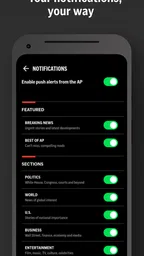
- Breaking news alerts help you keep up with major developments.
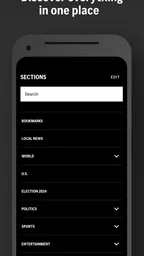
- Coverage spans international news and local reporting.
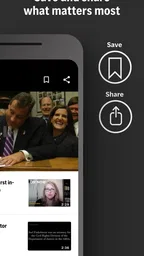
- Saved stories are convenient for reading later.
- The clean layout makes headlines easy to scan.
What could be better
- Frequent alerts can feel distracting if not carefully managed.
- Some articles may require a subscription to read in full.
- Local coverage may vary depending on your location.
- The amount of news can feel overwhelming at times.
- Personalized recommendations may narrow the range of stories you see.





