





AntiVirus Clean Master-Cleaner review
 Analysis by Appsdrops
I tend to notice storage trouble at the least convenient moment: a shared tablet is nearly full just as someone wants to save a photo, or an older phone feels cluttered after several people have used it. AntiVirus Clean Master-Cleaner brings together a few common maintenance jobs—file management, junk cleanup and virus scanning—in one free Android tools app from Blooming Techno. That combination can be useful in a household, but I would treat it as a practical helper, not as a substitute for thoughtful device habits or a guaranteed fix for every slowdown.
One shared phone, several kinds of clutter
The app’s appeal is easiest to understand on a device that gets passed around. One person may save documents, another may take photos, and someone else may install apps for a short-term task. When storage becomes tight, it is helpful to have a single place to review files and look for removable clutter instead of jumping between unrelated utilities.
In that situation, I would use the cleanup tools as a prompt to inspect the device, not as permission to delete everything labeled unnecessary. A file that looks disposable to a cleaning tool may still matter to the person who saved it. On a shared phone, the sensible sequence is to review suggested items, ask whose they are when that is unclear, and remove only what the household recognizes as safe to discard.
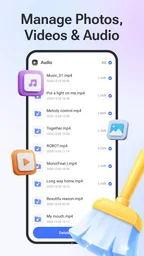
The file-management side also fits ordinary jobs such as locating a downloaded document or checking what is occupying space before recording a video. That is a more grounded benefit than expecting a cleaner to make every phone feel new. If the real problem is a large collection of wanted photos, removing them blindly would solve the storage warning while creating a more serious problem.
A realistic example is a family tablet used for school materials and entertainment. Before deleting anything, I would check whether the space issue comes from old downloads, duplicate-looking files, or apps that are no longer needed. Then I would leave anything tied to a current class or another person’s account alone until its owner confirms it is safe. The app can help organize the task; household communication still does the important protecting.
What the all-in-one approach changes
Compared with installing separate tools for storage cleanup, file browsing and security checks, an all-in-one utility is convenient because it keeps those tasks together. That matters when a person wants a quick overview rather than a collection of apps with overlapping purposes. It also makes the app easier to explain to a less technical relative: open one utility, inspect the relevant area, and make a careful choice.
The trade-off is that a bundle can encourage people to expect one button to handle every maintenance problem. I would resist that expectation. Cleanup, file organization and virus scanning are different jobs, and a result in one area does not prove that the other two are complete. I would use each function for its own purpose and judge whether it helps with the specific issue in front of me.
For a household that already uses the phone’s built-in storage controls and is comfortable with them, those native options may be enough. A separate cleaner is more appealing when someone wants the tasks gathered in one interface. If you mainly need a specialist security product, a dedicated security app may be a better fit than relying on a tool whose focus also includes cleanup and file management.
Set boundaries before cleaning or scanning
On a shared device, the first setup decision is less about tapping through screens and more about agreeing who is allowed to remove files. I would make that clear before a cleanup session, especially if a child or a less experienced family member uses the same phone. A simple household rule—check with the person who saved it before deleting an unfamiliar item—prevents a convenience tool from becoming a source of conflict.
It is also worth deciding who should handle a virus scan and what the family will do if it raises a concern. The useful workflow is to pause, read the result carefully, and avoid making a rushed change simply because a warning sounds urgent. I would not treat a scan as proof that a device is perfectly safe, nor would I treat a clean result as a reason to ignore suspicious messages or unsafe downloads.
People often want to know whether this kind of utility will make an old phone faster. My expectation would be modest: clearing unwanted files can ease a storage shortage, but it cannot repair a damaged battery, make unsupported apps compatible, or create hardware capacity that is not there. If the phone is slow because it is old or because one app is misbehaving, addressing that cause directly is more useful than repeatedly running a cleaner.
Another practical boundary is keeping personal accounts separate wherever the device allows it. This app should not be mistaken for a way to create separate household profiles or control what each person can access. If several people use one device, account sign-ins, saved passwords and private documents still need to be managed through the phone’s own account and privacy settings.
Coordinate the work, not just the scan
When more than one person relies on a device, maintenance works better as a small shared routine than as a surprise cleanup. I would tell other users before removing downloads or reorganizing files, then give them a chance to save anything they still need. That is especially useful for school assignments, travel documents and photos that may not be backed up elsewhere.
A helpful, non-obvious habit is to use a cleanup session to identify where the household’s important files live, rather than simply chasing a lower storage number. If a document matters, confirm whether it is stored locally or somewhere the owner can retrieve it before removing the local copy. The app can help surface file-management work, but it should not be treated as a backup service.
For coordination, I would also avoid having several family members run cleanup actions one after another without knowing what the previous person changed. One person can review the clutter and explain the choices; another can confirm which files belong to them. That small handoff reduces duplicate work and makes it easier to notice if an important folder has been moved or deleted.
There is a limit to this approach: if each person needs private storage, separate permissions or dependable parental supervision, a cleaning utility is not the right solution. Use the operating system’s account and privacy features, or choose a tool designed specifically for those needs. The practical value here is maintenance in one place, not household administration.
Age, trust and realistic expectations
The app has an Everyone age rating, which makes it suitable for a broad audience in the store’s content-rating sense. I would still guide younger users through file deletion and security warnings. An age label does not mean every cleanup choice is obvious, and a child may not know that a seemingly old download is needed for homework or a shared project.
Trust is also about understanding what the app is being asked to do. Before using a tool that scans files or offers cleanup suggestions, I would read the on-screen explanations and make decisions deliberately. I would not grant or approve anything automatically just to reach a result faster. This is a sensible habit with any utility that works around files or security checks, not a claim about a particular permission or policy.
Some users may ask whether a virus scan means they can stop being cautious online. I would say no. A scanner is one layer of maintenance, while careful browsing, app choices and account security remain important. If you are dealing with a serious security incident, unfamiliar account activity or persistent warning signs, seek a more focused security response rather than assuming a general-purpose cleaner has settled the matter.
For people who value a straightforward maintenance routine, the app’s single-purpose combination can be more approachable than juggling several utilities. For people who want detailed control over every file, a dedicated file manager may offer a more suitable workflow. And if you already have a trusted security product, adding another scanner can create confusion about which result to follow. I would avoid overlapping tools unless there is a clear reason for each one.
Who is likely to find it useful?
I can see it working for someone who wants a free place to handle basic file organization, look for junk and run a virus scan without treating each task as a separate project. Its audience is broad: the app is rated for Everyone and has passed the five-million-install mark. Its average rating is 3.6 from around ten thousand ratings, with roughly two hundred forty written reviews, so I would approach it with interest but not assume every user will find it equally helpful.
It is less suited to people who expect automatic, invisible optimization or a guarantee that a phone will become faster. It is also not the best choice for a household looking for child profiles, shared-account controls or backup coordination. Those are different needs, and selecting a tool that directly addresses them is better than asking a cleaner to act as a family-management system.
The app is free, which lowers the barrier to trying its basic approach, but free does not mean every feature or interaction will suit every user. I would focus on whether its file and cleanup workflow is clear on your own device and whether its scan results are understandable. If you find yourself unsure what an action will remove, stop and use a more transparent method rather than pressing ahead.
Version 1.8.0.0 is listed for Android 9 and later, so compatibility is something to check before planning to use it on an older device. That matters in a household where an old spare phone may be shared around. If it cannot run on that device, the phone’s built-in storage tools or a compatible file manager are more practical alternatives than trying to force a fit.
My household verdict
Overall, I see AntiVirus Clean Master-Cleaner as a convenient maintenance option for households that want file handling, cleanup and a security scan grouped together. Its strongest case is not dramatic performance improvement; it is making ordinary device housekeeping easier to approach. I would use it deliberately, review cleanup choices, and keep the people who share the device involved before removing their files.
Blooming Techno’s app is worth considering if you want a free Android tools utility and your needs are modest. I would skip it if you need dedicated parental controls, multiple user boundaries, a backup system or a specialist security suite. Those limitations do not make it useless; they define where it fits. Used as one part of a careful routine, AntiVirus Clean Master-Cleaner can help a shared device feel more manageable without pretending that one app can solve every storage, privacy or security problem.
What we like
- Quick scans make it easy to check for potential threats.
- Junk file cleanup can free up storage space.
- The interface is simple for first-time users.
- App management helps identify apps that use substantial storage.
- Extra privacy tools provide useful checks for device settings.
What could be better
- Some features may require a paid subscription.
- Frequent ads can interrupt the experience.
- Security results may vary by Android version and device.
- Automatic cleaning can remove files you intended to keep.
- Battery and performance claims may be difficult to verify.





