

Ancestry: Family History & DNA review
 Analysis by Appsdrops
I’d recommend Ancestry to someone who wants to turn a few family stories into a research project they can actually follow. It is a genealogy app from Ancestry.com, in the Books & Reference category, and its appeal is the way it brings a family tree and historical records together rather than treating family history as a collection of disconnected notes. You can begin with what you already know, then use the app to investigate what might come next.
That does not mean it will instantly fill in a complete family tree. Genealogy depends on accurate names, dates, places, and relationships, and old records can be incomplete or hard to interpret. In my view, the app works best as a guided research workspace: it helps you organize a trail of clues, but you still need to judge whether each clue really belongs to your family.
What to expect from the research experience
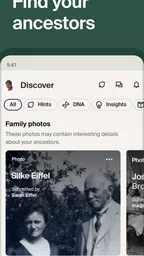
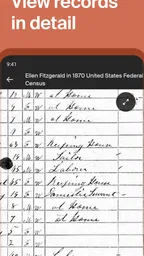
The central activity is building a family tree and exploring records that may help extend it. DNA ethnicity information and matches are also part of the app’s focus, so it can interest people who have taken a DNA test as well as those starting with paper records and family memories. Its overall goal is broad, but the most satisfying results usually come from moving one person or one family line forward at a time.
Ancestry is most useful when you treat every suggested connection as a lead, not a proven fact. A record may share a name with an ancestor without referring to the same person. Dates, locations, relatives, and the context around a document matter. That extra checking is not busywork: it is what keeps an attractive-looking tree from quietly accumulating errors.
The app has a 4.6 average from around 195,000 ratings, and it has passed 10 million installs. Those figures suggest that family-history research has a wide audience, but they do not guarantee that every record you need will be available or easy to identify. Your experience will depend heavily on what you know already and how well the records you need match the clues you can supply.
It is free to install, with in-app purchases ranging from $0.99 to $169.99 per item. I would approach the first session as a chance to see whether the tree-building and record-search workflow suits you, rather than assuming every research path will be included at no cost. If you are likely to spend on genealogy, decide what question you want answered first and check the purchase details in the app before committing.
Start with a small, reliable family tree
For a first-time user, the easiest starting point is not a distant ancestor or a famous surname. Begin with yourself and add close relatives whose basic details you can verify. Ask a family member about a grandparent’s full name, where they lived, or the name of a spouse. A handful of accurate facts gives your later searches a better foundation than a large tree built from guesses.
Before entering a date or spelling, make a note of how certain you are. “Born in a particular town” is different from “the family thinks he was born somewhere nearby.” That distinction becomes valuable when several people share a name. I’d also keep a simple record of who supplied a family story and when; it helps you return to the person who may know more when a search turns up a promising clue.
Give yourself permission to leave gaps. If you know a relative’s name but not a birth date, adding unsupported precision can make later research harder. A partial profile is more useful than a confident-looking mistake because it leaves room to compare new evidence without having to unwind a chain of assumptions.
Your first meaningful result: follow one clue
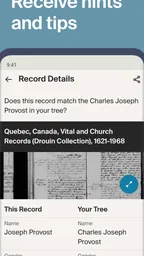
A realistic first session might begin with a grandparent whose name and approximate home region are known. Add the details you trust, then look for a record that appears relevant. Instead of immediately attaching it, compare the people and places mentioned with what your family knows. Does the location fit? Are the ages plausible? Does the record include a relative or spouse who matches another confirmed detail?
This comparison is one of the most useful habits to develop early. A shared name alone is weak evidence, especially when a name is common. Two or three independent details that line up make a lead more persuasive. If the document conflicts with a family story, don’t force a match just to keep the tree growing; save the question and look for another source.
When a record does fit, note what it actually establishes. A document might support a residence or a relationship without proving every date shown on a profile. Keeping the claim narrow protects your research from becoming more certain than the evidence. It also gives you a clear next question: perhaps you now want to identify the person’s parents, confirm a move, or find a record from another period.
For a practical routine, I’d choose one research question before opening the app and stop when I find a clue worth checking. For example, “Which of these two people with the same name is my relative?” is more manageable than “Find my whole family.” This focused approach makes it easier to notice useful details and reduces the temptation to attach every plausible suggestion.
Where DNA fits—and where it doesn’t
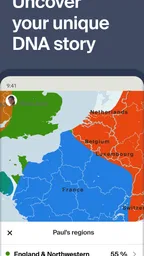
The DNA element can add a different kind of clue through ethnicity information and matches. It may be interesting if you already have DNA results to explore, especially when a match connects with a branch you are investigating. But DNA does not automatically explain a family relationship, and an ethnicity estimate is not the same thing as documentary proof of a specific ancestor.
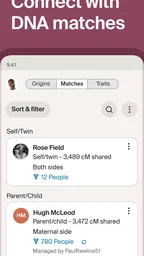
If you are new to this part of genealogy, keep DNA and paper research in conversation rather than letting either one overrule the other. A match may point you toward a shared family line, while records help you work out how the people connect. If the relationship is not obvious, the sensible next step is to investigate the match’s known relatives and compare them with your own documented tree, not to assume a precise connection from a label alone.
Someone who only wants a quick ancestry percentage may find a dedicated DNA-results experience more direct. Ancestry makes more sense if you want to connect that kind of clue to a broader family-history project. If your main goal is to preserve stories rather than search records or explore DNA, a shared family document or a family-tree tool focused on collaboration may be a simpler fit.
Common points of confusion
The biggest source of confusion is the difference between a hint and a verified relationship. A suggested record can be relevant without being yours. Treat it like a lead from a helpful librarian: read it, compare its details, and decide whether it belongs in your research. When something does not fit, leaving it unattached is a good outcome, not a failure.
Another easy mistake is blending family tradition with evidence. A story may be true but imprecise, especially when generations repeat it without the original details. Use the story to guide a search, then keep track of which parts are confirmed and which are still family lore. This is particularly helpful when relatives use nicknames or remember a place by a nearby town rather than its official name.
It is also worth separating access to the app from access to every research possibility. The app is free to download, but purchases are offered within it. If you encounter a purchase prompt while following a lead, pause and decide whether that particular search supports a question you care about. A modest, focused research goal is a better basis for spending than the feeling that you must unlock something to make any progress.
People often ask whether they need to know a lot before starting. No: a few reliable names and relationships are enough to begin, though more precise locations and dates will make searches easier to evaluate. If you have no family information at all, first ask relatives or consult documents already at home. The app is a research aid, not a substitute for the context that family members can provide.
Make the next session more productive
Once you have one confirmed connection, resist the urge to expand every branch at once. Choose the next person whose identity is clear, then work outward from that person. A useful next step might be to confirm a parent-child relationship, distinguish two relatives with similar names, or understand when a family moved. Each answer gives you a stronger base for the following search.
It can help to keep a short research note outside the tree: the question you asked, the record you checked, the details that matched, and anything that still conflicts. That small habit is especially useful if you put the project down for a few weeks or ask a relative to review your findings. It also prevents repeating the same search without remembering why you ruled out a result.
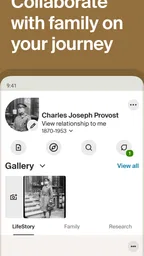
If you are researching with family, share questions rather than presenting uncertain conclusions as settled history. A cousin may recognize a name or correct a location, and a careful question is more likely to bring out useful memories. For privacy and family sensitivity, think before sharing information about living relatives or discussing DNA results; not everyone will want personal details included in a shared project.
Who should choose it, and who may prefer another approach
I’d choose this app if I wanted one place to develop a family tree, investigate historical records, and explore DNA-related clues. It is a particularly good match for curious beginners who enjoy following evidence and for relatives who want to build a project gradually. The Everyone age rating makes it broadly accessible, though younger users will still benefit from an adult helping them assess records and handle family information thoughtfully.
I would look elsewhere if I only needed a private, offline place to jot down a few names, or if I wanted a lightweight family chart with no research element. A notebook or a basic tree-making option may be less distracting for that purpose. Likewise, anyone expecting an automatic, fully verified family history may be disappointed: records need interpretation, and gaps are part of the process.
The app has been available since November 2, 2011, and its current version is 18.22, with a minimum operating-system requirement of 12. Those details are useful when checking whether it suits your device, but they do not change the core advice: start small, use information you can stand behind, and judge each possible match on its evidence.
A patient, practical way to begin
My recommendation is to install it only if you are willing to treat family history as an investigation rather than a one-tap answer. Start with a close relative, add a few dependable details, and pursue one clear question. When you find a possible record, compare its context before connecting it to your tree. That simple process is more reassuring—and more likely to produce a meaningful first success—than trying to map an entire family on day one.
Ancestry is at its best when it helps you turn a family anecdote into a careful, testable trail. It can make the search feel organized and give you a place to connect tree research with records and DNA clues, while still requiring patience and judgment. If that balance sounds appealing, it is a thoughtful place to begin; if you want a quick answer or a completely hands-off tree, a simpler alternative will probably suit you better.
What we like
- Search historical records to uncover details about ancestors.
- Build a family tree and connect relatives across generations.
- Attach photos and documents to preserve family memories.
- Hints can point to records that may match your family.
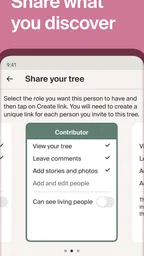
- Tree sharing makes collaboration with relatives easier.
What could be better
- Some records and features require a paid subscription.
- DNA testing involves sharing sensitive genetic information.
- Record coverage varies by country and historical period.
- Hints can lead to incorrect matches that need checking.
- Large family trees can take considerable time to organize.





