All Translate: Photo, PDF, DOC review
 Analysis by Appsdrops
Translation apps are most useful when they fit the moment: a quick phrase to read, a document to understand, or spoken words to follow. All Translate: Photo, PDF, DOC brings several kinds of translation together, including text, camera, voice, screen, and multi-page document translation. I find that broad approach appealing, especially for people who move between reading and listening or need to make sense of material in more than one format.
One app for several ways of translating
All Translate is a free productivity app from Daily Tool Labs. It has reached over one million installs and holds an average rating of 4.4 from around 20,000 ratings. The central idea is straightforward: translate content from different sources into another language without treating every task as a separate problem. Whether you are dealing with a document, a camera view, a voice input, or text on screen, the app’s stated range gives it a flexible role in everyday language work.
That flexibility matters from an inclusive-design perspective because people do not all interact with information in the same way. One person may prefer to read, another may find listening easier, and someone else may need to translate printed material without first typing it out. The app’s combination of text, camera, voice, and screen translation creates several possible routes into the same basic task. I see that as its most promising quality: it aims to meet users where their content already is.
The app’s name also sets a clear expectation. All Translate suggests a broad translation tool rather than a specialist dictionary or a single-purpose camera translator. The more specific “Photo, PDF, DOC” wording points to visual material and documents as important use cases. For someone comparing translation apps, that combination makes the product easy to understand at a glance, while its wider support for voice and screen content gives the idea more reach than the title alone might imply.
Reading and finding a useful path
When I consider readability, the first question is whether an app offers a practical way to bring different kinds of content into a translation workflow. All Translate’s stated support for text, multi-page PDF files, DOC files, camera input, voice, and screen content gives it a potentially useful starting point. A person who has a typed passage can approach it differently from someone looking at a printed page or listening to spoken language. Having these modes collected in one app may reduce the effort of switching between tools.
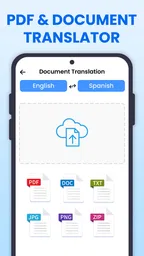
That range can be helpful for people with varied reading preferences. A user who is comfortable typing may choose text translation, while someone facing a printed notice may find camera translation a more natural route. Multi-page document translation is relevant when the material is longer than a single phrase, such as a report or set of instructions. The app’s description makes clear that documents are part of its intended scope, though the day-to-day reading experience will still depend on how comfortably a person can move through the app and view the translated result.
For navigation, a broad feature set has both an advantage and a trade-off. It is convenient to have several translation methods in one place, but multiple modes can make an interface feel busy if they are not easy to distinguish. I would judge the app most positively when a user can identify the right route quickly: text for something already written, camera for visual material, voice for speech, and document handling for longer files. That mental map is simple, and it gives the product a useful foundation for people who want to avoid unnecessary steps.
Clear language in an app’s controls is especially important for a translation tool. Users may already be navigating an unfamiliar language, so the surrounding interface should be easy to understand before they even begin translating. The product’s concise “All Translate” description communicates its purpose, but the overall experience depends on how clearly each input method is presented in practice. I would not treat the number of modes as a substitute for good navigation; for an inclusive experience, those modes need to feel distinct and easy to reach.
Different abilities, different ways to interact
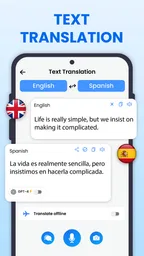
People with motor differences can benefit when an app offers alternatives to repeated typing. Camera translation may be useful when entering a long passage by hand would be tiring, and voice translation may suit someone who finds speaking easier than tapping out words. Text input remains valuable for people who prefer precise manual control. By supporting several input styles, All Translate has the ingredients for a more adaptable translation routine, even though the usefulness of each option will vary from person to person.
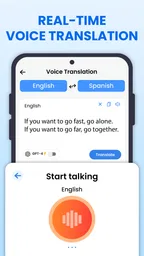
Voice input can be a meaningful alternative, but spoken interaction is not ideal for everyone or every setting. A person may have a speech difference, be in a quiet environment where speaking is uncomfortable, or simply prefer not to talk to a device. That is why it is encouraging that voice is one option among several rather than the only way to begin. Text and camera-based routes offer different forms of interaction, giving users a choice instead of forcing one method on every task.
Sensory needs also shape how people use translation software. Someone who has difficulty processing visual information may appreciate a voice-oriented workflow, while a person who finds audio difficult to follow may prefer written text. The app includes voice and text translation, which creates potential for more than one kind of engagement. Still, having those categories listed does not by itself tell us how results are presented or whether users can adjust them to suit their preferences. The sensible takeaway is that the app offers multiple modes, not that it guarantees a particular sensory experience.
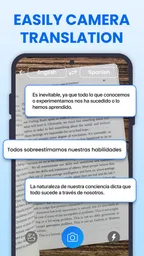
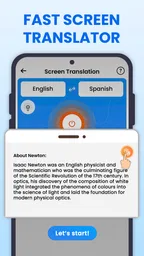
Camera and screen translation can reduce the need to retype material, which may help users who find precise touch interaction challenging. At the same time, any camera-based task requires the user to point a device at the right content, and screen-based work requires attention to what is displayed. Those interactions may be convenient for some people and awkward for others. I like that the product’s range gives users alternatives, but I would still recommend choosing the method that feels most comfortable rather than assuming one feature will suit everyone.
Translation in everyday situations
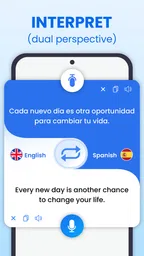
Situational access is where the app’s variety can make the most practical difference. A traveler might want to understand a sign through the camera, while someone reviewing a file may need multi-page PDF or DOC translation. A person having a spoken exchange may be drawn to voice translation, and someone reading a digital page may want a screen-oriented option. These examples follow the kinds of inputs the app says it supports; they show why having several routes can be more useful than relying on a single translation method.
The same flexibility can help at work or while studying. A document may be easier to approach through file translation than by copying passages one by one, while short written phrases may be quicker to handle as text. For people who regularly encounter material in another language, keeping these workflows within one productivity app may make translation feel less fragmented. I particularly like the idea of moving between brief and longer content without changing the basic tool, because language needs rarely arrive in just one format.
Context also affects whether a particular input method is comfortable. Speaking aloud may be practical at home but less suitable in a shared office or public place. Camera translation may work well when a page is visible and easy to frame, while typed text may be preferable when the source is already available digitally. The app’s range gives users choices across these situations, which is a genuine strength for an audience with different routines, environments, and communication preferences.
For people who use a phone in short bursts, a focused translation route can be more manageable than a complicated process. The broad concept behind All Translate is useful because it acknowledges that a user might need to translate a phrase in one moment and a document in another. Whether the app makes each transition smooth depends on its interface, but its intended scope is clearly practical: different sources can feed into the same general goal of understanding another language.
Where the experience may still take care
A wide set of translation options does not remove every barrier. Users still need to be able to open the app, choose a mode, provide content, and understand the result. If those steps are not clearly organized, a feature-rich tool can become harder to use than a simpler one. I would therefore consider clarity and predictability just as important as the number of supported formats when deciding whether the app fits an individual’s needs.
Different input methods also bring different demands. Camera translation depends on presenting visual content to the device; voice translation depends on spoken input; and document translation involves working with a file. Text offers another route, but it may require typing or selecting material. These distinctions matter because there is no universal “easy” method. The most inclusive approach is one that lets people choose among workable alternatives, and All Translate’s stated range points in that direction without making every mode equally suitable for every user.
Translation itself can also require patience. A translated passage may need to be read in context, especially when it comes from a longer document or an unfamiliar subject. Users may want to compare the result with the source or try another input method if the first attempt does not feel clear. I see this as a general consideration for language tools rather than a flaw unique to this app: translation can help bridge a language gap, but people should still use their judgment when the details matter.
Cost is another practical consideration. The app is free to download, with in-app purchases listed from $2.49 to $99.99 per item. That means users can begin without a purchase, while some options may involve spending. I recommend checking what is included before committing to any paid item, particularly if someone is choosing an app for regular use or has a firm budget. Keeping this in mind helps set realistic expectations without taking away from the convenience of having a free starting point.
All Translate is rated for Everyone, which gives it a broad audience, and its current version is 1.1.7. It was released on March 18, 2025, and supports operating systems from version 8.0 onward. Those details can help people decide whether it fits their device and household, but the most important question remains personal: does its combination of document, camera, voice, text, and screen translation match the ways they need to access language?
A flexible option, with choice at its core
My overall impression is that All Translate has a useful inclusive direction because it does not limit translation to a single kind of input. Multi-page PDF and DOC support broadens its appeal beyond short phrases, while camera, voice, text, and screen translation offer different ways to approach content. For many users, that variety may make the app more adaptable to changing tasks and surroundings. Its productivity focus feels practical rather than overly specialized.
The best reason to try it is the chance to keep several common translation methods within one app. I can see the appeal for someone who alternates between reading documents, viewing printed material, and working with spoken or typed language. The average rating of 4.4, together with around 20,000 ratings and 164 written reviews, suggests that it has attracted a substantial user response, though personal suitability will always come down to the individual’s needs and comfort with the interface.
All Translate: Photo, PDF, DOC is most compelling as a flexible translation companion rather than a promise that every interaction will work equally well for everyone. It offers multiple routes into translation, which is a thoughtful foundation for people with different abilities and everyday contexts. If you want a free productivity app that brings document, camera, voice, text, and screen translation together, it is worth considering. I would approach it with an open mind, choose the input method that feels easiest, and keep the available purchase options in view as I explore it.
What we like
- Supports translation of text captured in photos.
- Can translate content from PDF and DOC files.
- Useful for understanding documents in another language.
- Combines several translation tasks in one app.
- May save time compared with retyping document text.
What could be better
- Translation quality can vary by language and subject.
- Text extraction may struggle with blurry photos.
- Complex document layouts may not be preserved.
- Some features may require an internet connection.
- Free access may include ads or feature limits.





