

Alarm Clock Launcher review
 Analysis by Appsdrops
I like a morning tool best when it makes the next step obvious rather than asking me to plan my whole day before I’m fully awake. Alarm Clock Launcher is a productivity app built around that idea: it brings alarms and reminders into a launcher-style experience. The appeal is straightforward, but the choice is more personal than the name suggests. If you want a focused way to connect waking up with remembering tasks, it may suit you; if you only need a basic alarm or a full-featured planner, another option could be a better fit.
What you get without paying
Alarm Clock Launcher is free, so there is no purchase price to weigh against its usefulness. I’d treat that as a low-risk reason to try it, not as proof that it will replace every tool on your phone. The app is made by AtomApplications and sits in the productivity category, with a Everyone age rating.
Its audience is substantial: it has passed one million installs, with an average rating of 4.3 from around 17,000 ratings and roughly 3,600 written reviews. Those figures suggest that plenty of people have tried it, but they can’t tell you whether its launcher-centered approach matches your routine. I’d use the free access to test that fit for myself rather than relying on popularity alone.
The app was released on January 17, 2023, and its current version is 3.22.3. It requires Android 10 or newer, so the first practical question is compatibility: if your phone runs an older Android version, this isn’t an option. The listed details identify it as an Android app, so I’d look elsewhere if you specifically need an iPhone version.
Value comes from connecting waking and remembering
The most useful idea here is not simply having an alarm. Phones already provide that. The potential extra value is pairing the moment you wake up with reminders, so a task can be brought to mind at a point when you’re deciding what to do next. For someone who routinely silences an alarm and then forgets an errand, that connection may be more practical than keeping alarms and notes in separate places.
I’d try it with a small, repeatable morning routine rather than moving every reminder into it at once. For example, a person who needs to take breakfast out of the fridge before leaving could set a wake-up alarm and a reminder for the point in the morning when that action makes sense. The useful test is whether the reminder appears at the right moment and helps you act, not whether the app becomes the home for every responsibility.
There’s also a useful distinction between a reminder and a plan. A reminder can bring one task back to your attention; it doesn’t automatically decide which task matters most or how long your morning will take. I’d keep a larger work plan in a dedicated calendar or task manager if it involves deadlines, several people, or dependencies. The launcher approach is most convincing as a quick bridge between waking and taking action, rather than as a complete system for organizing a busy life.
How it fits beside ordinary alarms and planners
A standard clock app is usually the simplest choice when all you need is a wake-up time. It has less to ask of you, and there’s little benefit in changing tools if you never forget morning tasks. Alarm Clock Launcher becomes more interesting when the alarm is only one part of the problem and you want reminders tied into the same general starting point.
At the other end, a dedicated calendar or task manager is usually better for scheduling a day with appointments, recurring work, detailed lists, and priorities. Those tools are designed around organizing obligations rather than making the alarm experience central. I wouldn’t expect this app to replace them just because it can handle reminders. Instead, I’d decide which tool should own each kind of information and avoid entering the same task in multiple places.
A practical way to compare the options is to ask what you forget. If you miss the alarm itself, a conventional clock app may be all you need. If you wake up but lose track of a few morning actions, this app’s combination may be worth trying. If your problem is coordinating a complicated schedule, a calendar or planner is likely to provide a clearer overview. The right value depends on whether alarms and reminders belong together in your routine.
Small habits that make a fair test
When setting up any alarm-and-reminder routine, I find it helps to give each prompt one job. A wake-up alarm should get you out of bed; a reminder should point to a concrete action. If the reminder says only “get organized,” it leaves too much interpretation for a sleepy morning. A prompt such as “pack the lunch bag” is easier to act on. This is a workflow tip, not a claim about a special feature: the clarity of what you enter determines whether the reminder is useful.
I’d also separate tasks by when they can realistically happen. A reminder for something that depends on leaving home should not compete with an action you need to do before breakfast. Even without assuming any particular scheduling controls, thinking through the sequence before adding prompts can prevent a cluttered start. Begin with one or two recurring needs, see whether they actually help, and only then decide whether more reminders belong in the routine.
Another worthwhile test is to keep your existing alarm in place until you’re confident the new setup works for you. That lets you compare the experience without making an abrupt change to something as important as waking up for work or school. Once you know which prompts you rely on, you can decide whether the launcher-style arrangement is more convenient than using your phone’s clock and reminders separately.
Where the tradeoffs show up
The same focus that gives this app its identity may also narrow its appeal. A launcher-centered alarm tool is not automatically the best home for detailed task management, and someone who wants a quiet, minimal clock may find the combined approach unnecessary. If you already have a dependable alarm and a reminder system that you check consistently, adding another place to manage tasks could create duplication rather than save effort.
There is also a habit cost. Any reminder system works only if you enter tasks and respond to them. If you dislike maintaining routines on your phone, a new app won’t remove that work. I’d be cautious about putting essential commitments in a tool before I’ve learned how its daily use fits my habits. For important appointments, I would keep a reliable calendar process rather than assuming that an alarm-and-reminder combination alone will cover every situation.
The app’s Android 10 minimum requirement is another concrete limit. It rules out older Android devices, and it won’t meet the needs of someone looking for an iOS app. More broadly, if you want a full view of deadlines and appointments, or if you simply want the fewest possible steps to set an alarm, the ordinary clock or a dedicated planning app may be the more comfortable choice.
Who is likely to get the most from it?
I’d recommend giving it a try if you use an Android phone, often wake up to a sequence of small tasks, and would rather connect reminders with your morning than depend on a separate list. It may be especially useful for people whose routine repeats: a consistent set of actions is easier to turn into a dependable habit than a different collection of urgent tasks every day.
It is less compelling for someone who rarely needs reminders, already has an alarm routine they trust, or wants a comprehensive planner. It is also not the right choice for an iPhone user or anyone whose device is below Android 10. Those aren’t minor preferences to work around; they affect whether the app is usable or whether its central idea solves a real problem for you.
Because it costs nothing to access, I’d judge it by a short, deliberate trial: choose one recurring morning task, pair it with the routine you already follow, and notice whether the prompt helps you complete that task without making the process feel busier. If it does, expand carefully. If you keep ignoring the reminders or return to your usual clock and notes, there’s no reason to force a switch.
My verdict on the value
For me, the case for Alarm Clock Launcher is convenience through combination, not a claim that it can replace every productivity tool. Its free price makes a personal test easy to justify, while its specific focus gives it a clear audience: people who want waking up and remembering a few tasks to feel connected. That can be genuinely useful in a repeatable morning routine, especially when separate alarms and notes have left you forgetting simple actions.
I’d skip it if a basic clock already solves your problem, if you need a detailed calendar or task manager, or if your device doesn’t meet the Android requirement. For everyone else, I’d try it with one real morning task before changing established habits. My recommendation is a cautious yes for Android users who want alarm-led reminders, and a pass for people who need either a plain clock or a broader planning system.
What we like
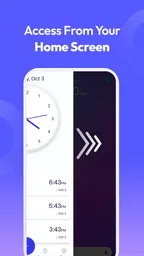
- Combines alarms with a customizable home screen.
- Provides quick access to alarm settings from the launcher.
- Can make alarm controls easier to reach.
- Offers an alternative to a standard home screen.
- May help keep alarm tools visible throughout the day.
What could be better
- Requires replacing your usual home screen launcher.
- Alarm reliability may depend on Android background settings.
- Launcher features can vary across Android versions.
- Some devices may restrict alarm notifications or startup behavior.
- Changing launchers may require time to restore your preferred layout.





