


AI Photo Video Maker, Enhancer review
 Analysis by Appsdrops
I’m the sort of person who takes plenty of photos but rarely makes time to polish them, so an app that can turn a picture into a short, lively video has obvious appeal. AI Photo Video Maker, Enhancer is a photography app from Smart AI DEV that brings photo editing, image restoration and AI-generated dance clips together. That mix makes it more of a playful creative tool than a straightforward camera or traditional editor. I’d consider it when I want a quick social post or a fun result to show someone nearby, rather than when I need careful, hands-on control over every edit.
Making a quick shared photo project
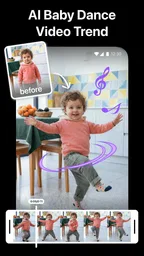
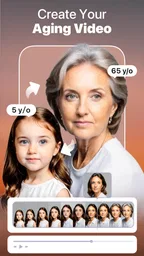
The most distinctive idea here is using an existing photo as the starting point for a moving result. In a shared-device situation, that can make a familiar household portrait more entertaining: one person chooses the image, another picks the kind of transformation they want to try, and everyone can react to the result together. It is a small, low-effort creative activity, especially when the goal is amusement rather than a polished video production.
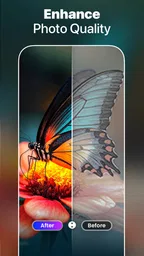
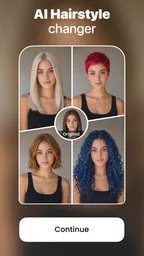
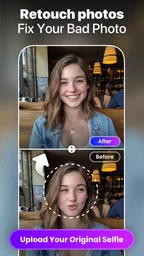
There are three different intentions folded into the app’s name and description: making AI video, improving photo quality, and editing images. That breadth is useful if I want to try more than one kind of treatment without switching tools. It also means I would approach each task separately. A dance-style animation is for playful motion; enhancement or restoration is for improving the appearance of a still image; editing is for changing a photo’s look. One result should not be expected to solve all three jobs at once.
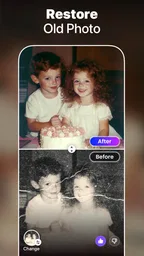
For example, imagine finding an old family picture while looking through a shared tablet. I might first try restoring or enhancing the still, then use a copy or the original for a playful animation. Keeping those purposes distinct helps: a lively generated clip may be entertaining, but it is not a faithful restoration, and an enhanced portrait is not automatically the best input for a comic effect. That simple workflow makes the app’s variety easier to use without expecting one button to do everything.
Choose the image before choosing the effect
A useful practical habit is to start with a photo that has a clear subject and a face that is easy to see. AI transformations depend on the visible image, so a distant, dim or crowded picture is a less sensible first test than a well-lit portrait. I’d begin with an image I can afford to experiment with, compare the outcome with the original, and only then decide whether the effect suits the person and the purpose.
That comparison matters particularly for old or precious photos. Enhancement can make an image feel cleaner, but AI processing is still an interpretation of the pixels rather than a guarantee of historical accuracy. If the exact details matter, I would preserve the untouched original and treat the edited copy as a creative variation. For a casual post or a laugh with friends, that trade-off is often acceptable; for a meaningful archival image, restraint is wiser.
Set expectations on a shared device
When several people use one phone or tablet, the first boundary I’d set is about whose images are being used. A quick effect can be easy to create, but a portrait is still personal. I would ask before animating someone else’s face, especially if the result might be shared beyond the people in the room. That is a social boundary, not a feature I’m assuming the app provides.
I’d also agree on a simple rule for saved or edited images: keep the original, and make clear which version is the generated one. That avoids confusion later when a playful animation or enhancement is mistaken for the source photo. If the device is shared across different accounts or family members, it is worth checking who can access the photo library and where finished images are kept using the device’s own settings. I wouldn’t assume that the app itself separates household users or provides family-specific controls.
For a household, a shared device can make the app a convenient group activity, but it can also blur personal boundaries. Someone may be comfortable trying an effect on their own portrait and not on a friend’s or relative’s. My approach would be to let the person in the picture have the final say, and to avoid posting or forwarding a result just because the app made it easy to create.
Coordinate expectations before a group session
It helps to decide what the group is trying to make before passing the device around. If the aim is a funny dance clip, choose a suitable portrait and keep the session light. If someone wants an old image cleaned up, treat that as a separate task and take time to compare the result carefully. Mixing those goals can lead to disappointment: a dramatic animation is not necessarily the best treatment for a keepsake, while a subtle restoration may be less entertaining than the group hoped.
On a shared screen, I’d also let each person approve the image and effect before the next person takes over. That is especially useful when a generated result changes someone’s appearance in a way they dislike. It keeps the activity collaborative rather than turning a person’s face into a group joke without their agreement. The app’s creative premise is strongest when people are in on the joke.
One practical trade-off is that AI creativity can be less predictable than conventional editing. A regular photo editor lets me adjust particular elements directly; a generated treatment may deliver a more automated result. If I need exact framing, precise retouching or a consistent visual style across a batch of images, a dedicated editor is likely a better fit. If I want a quick experiment and can accept some variation, the app’s approach is more appealing.
Age, trust and in-app spending
The app is marked for Everyone, which makes its general audience broad, but an age label does not replace household judgment. AI-generated movement and photo changes can be funny, surprising or simply unwelcome to the person depicted. With younger users, I’d guide the first few attempts, talk about permission before using other people’s pictures, and make sure they understand that a generated result is an edit rather than an unaltered recording.
AI Photo Video Maker, Enhancer is free to install, with in-app purchases listed from $4.99 to $99.99 per item. That range is a reason for me to establish a purchasing boundary before handing over a shared device, especially if children can access its app store account. I would check the purchase prompts and use the device’s own purchase controls rather than assume that a free download means every part of the experience is free.
Trust also involves choosing images thoughtfully. I would avoid using sensitive photos for casual experiments and would not treat a generated clip as proof that a real event happened. For a harmless family joke, the distinction is usually obvious; for images that could embarrass someone or mislead a viewer, the consequences deserve more care. The best household use is transparent: everyone knows the image was transformed and agrees with how the result is used.
How it fits beside ordinary photo editors
Compared with a conventional photo editor, this app’s appeal is its combination of still-image improvement and AI-led motion. Traditional editors are usually the more dependable choice when I want precise crops, controlled color adjustments or repeatable results. A specialist restoration tool may also be preferable when the only goal is repairing a valuable old photograph. Here, I see the advantage in convenience and experimentation rather than fine-grained control.
It is also not a substitute for a full video-editing app if I’m assembling several clips, arranging a soundtrack or building a carefully paced story. The short, generated result is better suited to a quick share or an amusing moment than to a larger production. That distinction helps me choose the right tool instead of becoming frustrated when a photo-focused app does not behave like a complete editing studio.
The app has a 4.7 average from around 215,000 ratings, and it has been installed over 10 million times. Those figures suggest that many people have tried it, but they don’t tell me whether a particular effect will suit my photo or whether the purchase options fit my budget. I would still judge it by a small, low-stakes test before using it for an important image.
Compatibility and the household verdict
AI Photo Video Maker, Enhancer is free and is rated for Everyone. Its current version is 1.7.3, and it requires Android 6.0 or later. Those details make it relevant to a range of Android devices, though I would still check that the particular shared phone or tablet can install the current release. Smart AI DEV is the developer behind the app.
I’d recommend it to a household that enjoys turning ordinary portraits into playful experiments, wants a convenient place to try AI photo effects, or occasionally needs an image enhanced before sharing. It is especially suited to people who value a quick, entertaining result more than meticulous editing. A shared session can be enjoyable when the person in the picture is involved and everyone understands what will happen to the finished image.
I would skip it as the main tool for professional-looking video work, exact retouching, or careful preservation of irreplaceable photos. The blend of animation and enhancement is appealing, but it does not remove the need to keep originals, respect consent and check spending boundaries on a shared device. My household verdict is that it works best as a playful, supervised photo experiment—not as a replacement for a precise editor or a private family-photo system.
What we like
- AI tools can help turn photos into short videos.
- Enhancement features offer a quick way to improve image appearance.
- The app suits users seeking creative edits without advanced skills.
- Photo-based video creation can add motion to otherwise static images.
- It may provide an easy starting point for experimenting with AI effects.
What could be better
- AI results may look inconsistent across different photos.
- Some features may require a subscription or in-app purchase.
- Processing can take time depending on the chosen effect.
- Generated videos may not match the user's intended style.
- Results may need manual edits to look polished.





