



AI Photo Studio: Editor Pro review
 Analysis by Appsdrops
I see AI Photo Studio: Editor Pro as a handy repair-and-experiment tool rather than a complete replacement for a traditional photo editor. Its appeal is the chance to try AI-assisted fixes on an image that is almost right: remove a distracting object, bring a soft photo into better focus, or give a picture a different look. That combination makes it useful for quick, casual edits, though the results still deserve a careful look before you share them.
Where the AI editing approach earns its place
This is a photography app from ZANKHANA PTE LTD, built around editing and generating images with AI. The practical distinction is that it aims to help with changes that can be tedious by hand, especially when you want a fast improvement rather than detailed control over every pixel. I would reach for it when a small flaw is keeping a photo from being useful, not when I need a precise, layered composition.
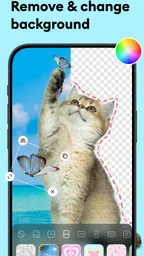
Object removal is one of the most appealing jobs for this kind of editor. A passerby at the edge of a travel shot, a stray item on a table, or a small distraction in the background can pull attention away from the subject. The useful workflow is to start with the least ambitious edit: target the unwanted detail, inspect the surrounding area, and decide whether the result still looks believable. AI fills in what it thinks belongs there; it does not know what the original scene truly contained.
That matters most around repeating patterns and clear edges. A removal may look convincing in a soft patch of grass but appear less natural beside a railing, tiled floor, or a person’s outline. I would zoom in on the edited region and compare it with the original before treating the correction as finished. For a social post viewed on a phone, a small imperfection may be inconsequential; for a crop or print, the same seam can become obvious.
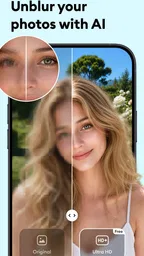
The enhancement and unblurring angle is useful, but it calls for realistic expectations. A slightly soft image may benefit from sharpening or AI reconstruction, especially if the subject and composition are already strong. A badly blurred face or a missed focus point is a different problem: an editor can create a more defined appearance, but it cannot reliably recover details that were never captured. I would keep the original and judge the result at normal viewing size as well as close up.
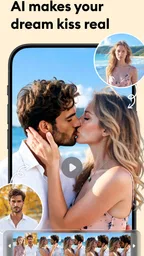
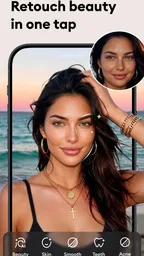
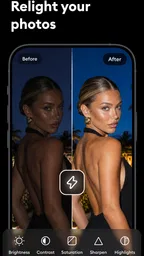
Filters and generation give the app a more playful side. They are worth trying when I want to explore a mood or make a familiar photo feel less ordinary, but a dramatic treatment can also make skin, colors, or textures look artificial. My advice is to treat the first result as a draft. If the effect overwhelms the subject, a lighter treatment—or no filter at all—will often make the picture more usable.
A practical routine for better edits
For a quick everyday correction, I would choose one goal before opening the tools: remove a distraction, improve clarity, or change the style. Combining several strong AI changes at once makes it harder to tell which one helped and which one introduced an odd detail. A useful sequence is to fix the most distracting issue first, inspect the image, and then decide whether any further adjustment is needed.
Consider a café photo with a cup in focus and a cluttered counter behind it. I would first remove only the most noticeable background object, then check whether the generated fill has altered the counter’s lines or nearby items. If the image still feels busy, a restrained filter might help shift attention toward the cup. This is a better test than applying every available effect at once, because it keeps the main subject and the quality of each edit easy to judge.
There is also a trade-off between speed and control. AI is attractive when I do not want to spend time carefully tracing an object or tuning multiple sliders. But if the replacement area needs to match a precise pattern, manual editing in a conventional photo editor may be more dependable. I see this app’s strongest role as a shortcut for common cleanup, with a traditional editor available for corrections where accuracy matters more than convenience.
What to expect from the experience
The app is free to install, with in-app purchases ranging from $0.99 to $29.99 per item. That makes it reasonable to try before deciding whether its tools fit your routine, but I would check the purchase details in the app before committing to anything. A free download does not mean every editing option necessarily comes without a charge, and occasional users may not need to pay if their edits are simple.
It has a 4.6 average from around 151,000 ratings and more than 10 million installs, which suggests that many people have given it a try. Those figures are useful context, not a promise that every AI result will suit your photo. The app has 781 written reviews, and its current version is 1.3.7. It was released on December 12, 2024, is rated for Everyone, and supports devices running version 8.0 or later.
For someone deciding whether it is approachable, the broad age rating and straightforward purpose make it sound suitable for casual experimentation. Still, I would supervise younger users when purchases are possible, and I would avoid assuming that a simple interface means every output is ready to publish. The final check belongs to the person editing: look for warped edges, repeated textures, or details that no longer match the scene.
One question I would ask before relying on an AI editor is whether it can rescue every poor photo. In practice, I would not count on that. It is more sensible to use enhancement as a second chance for a mildly flawed image than as a substitute for good focus, light, and composition. Another practical question is whether it suits detailed professional work. If consistency across a campaign, exact color control, or careful retouching is essential, a more established manual workflow is likely the better choice.
Who is likely to enjoy it
I can see this fitting people who take plenty of phone photos and want a quick way to tidy them without learning a complex editing process. It is especially relevant to someone who often spots an unwanted object after taking a picture, wants to test a new visual style, or has an image that seems a little soft but is otherwise worth keeping. The appeal is not that every edit will be perfect; it is that the app gives casual users a way to test a fix with relatively little effort.
It is less suitable for photographers who need repeatable, exact results or want to make deliberate adjustments to every part of an image. The same goes for anyone who prefers editing with layers, masks, and precise local controls: a conventional editor offers a more transparent process. If a photo is important, I would keep an untouched original and use the AI version as an alternative rather than overwriting the only copy.
Compared with the usual choices in mobile photography, AI Photo Studio: Editor Pro sits between a basic filter app and a full manual editor. A simple filter tool is quicker when all I want is a consistent color treatment. A more advanced editor is better when I need exact control. This app makes most sense when the task itself—removing an object, improving apparent clarity, or exploring an AI look—is the reason I am editing.
My overall view is positive but measured. AI Photo Studio: Editor Pro is most useful as a fast first pass for small, visible photo problems, and its blend of cleanup, enhancement, and creative effects gives it more range than a filter-only tool. The main limitation is the nature of AI editing: plausible results are not always faithful ones, so careful inspection is part of the process rather than an optional extra.
I would recommend trying it if you want a convenient way to experiment with everyday photo fixes and are comfortable reviewing the output before sharing. I would skip it as a primary editor if your work depends on exact retouching, or if you expect an AI tool to restore detail that a camera never captured. Used with those boundaries in mind, it is a practical addition to a casual editing routine rather than a magic fix for every image.
What we like
- AI tools make quick photo edits accessible to beginners.
- Portrait effects can help highlight people in photos.
- Creative filters offer options for changing an image's mood.
- Editing on a phone is convenient for quick touch-ups.
- A range of tools supports different photo-editing needs.
What could be better
- AI results may look unnatural on some photos.
- Some features may require a paid subscription.
- Processing can take longer with complex edits.
- Results may vary depending on image quality.
- The app may request access to personal photos.





