
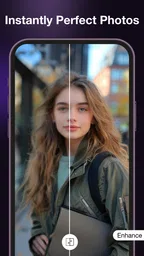
AI Photo Magic Editor review
 Analysis by Appsdrops
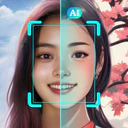
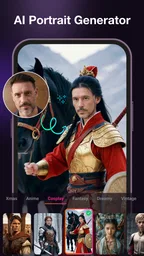
I approach AI photo editors with a little caution: they can make a portrait look polished in seconds, but the result is only useful if I can steer it and decide whether it is worth sharing. AI Photo Magic Editor is a free photography app from Protean Studios, built around edits such as face retouching, background replacement, and AI-generated art. Its appeal is clear for quick visual changes; my main advice is to treat each result as a draft to inspect, not an automatic improvement.
What this editor is good at
The app’s central promise is a compact set of transformative edits rather than a full photography workspace. That makes it a natural fit when I want to clean up a portrait, change the setting behind a subject, or try an artistic treatment without learning a traditional image editor. The current version is 1.2.0, and the app is rated for Everyone, so its intended audience is broad.
That simplicity is a useful starting point, but it also shapes what I would expect from the experience. An AI edit can interpret an image in ways that feel surprising: a background boundary may be imperfect, or a retouch may smooth away details that help a face look like itself. I recommend comparing the result with the original at normal viewing size, not just admiring it zoomed out. If an edit changes someone’s appearance more than you intended, dial it back or choose a less dramatic treatment.
For an everyday example, imagine taking a quick portrait before meeting friends and noticing a distracting room behind the subject. A background replacement can help create a cleaner-looking image for a profile or invitation. I would keep the lighting and edges under close review, especially around hair, glasses, and shoulders. Those are the places where a convincing-looking overall edit can still show small visual glitches.
Why the trust question matters
Photo editing is personal even when the image seems ordinary. A portrait may include a child, a home interior, a workplace badge, or people who did not agree to have their appearance altered. That is why I judge an editor not only by its visual effects, but also by the choices it makes visible to the person using it.
AI Photo Magic Editor has reached over ten million installs and holds a 3.7 average from around twelve thousand ratings. Those figures suggest that many people have tried it, but they do not tell me how any particular image is handled. I would not treat popularity as proof of privacy or quality. Before editing a sensitive photo, I’d look at the app’s permission requests and any privacy information presented in the app store, then decide whether that image is appropriate to use.
I also avoid uploading or editing someone else’s private photo casually. If the image is meant for a public profile, I consider whether a simple crop or brightness adjustment would solve the problem without changing the person’s face or surroundings. For a work document, identity photo, or anything where accuracy matters, an AI-generated background or altered features may be the wrong choice even if the edit looks attractive.
Controls worth checking before you edit
The app’s known editing focus gives me a practical way to assess its visible controls: I would check whether the chosen effect can be adjusted, whether I can compare the edited image with the original, and whether I can leave an edit without committing to it. These are not minor conveniences. They determine whether an AI result is a suggestion I can shape or a change I have to accept as-is.
Before working on an important image, I’d start with a copy if the source is valuable and pay attention to any save or export choice shown on screen. Keeping an untouched original gives me a safe reference point if a later edit looks too artificial. It also makes it easier to share a lightly corrected version rather than accidentally replacing the only copy with a heavily altered one.
I would be equally deliberate when granting access to photos or other device resources. If the operating system offers a choice about what the app can access, I’d select only what is needed for the particular task. If a permission request appears broader than expected, I would pause and review the explanation rather than tapping through automatically. The app’s minimum operating-system requirement is version 8.0, but compatibility alone does not answer whether a permission or data practice suits your comfort level.
Small workflow choices that improve results
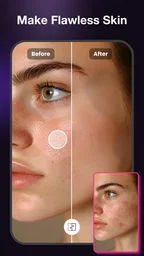
For face retouching, I find it helpful to decide on one specific change before starting. “Make this portrait a little cleaner” is a better target than asking an editor to transform everything at once. I’d check skin texture and facial proportions after the edit; if the person looks noticeably different, the result has crossed from tidy-up into alteration. That distinction matters if the picture is meant to represent someone honestly.
For a replacement background, choose a source photo with a clear separation between subject and surroundings when possible. A simple outline is easier for an editor to interpret than loose hair against a similarly colored wall. Afterward, inspect the edge around the subject and look for mismatched brightness or shadows. A quieter background may look more believable than a dramatic scene that fights the lighting in the original portrait.
For AI art, I’d preserve the original and treat the generated result as a separate creative version. That makes the feature useful for playful posts or a personal experiment without confusing it with a documentary photo. It also gives me an easy way to step back if the style changes details I wanted to keep. These habits are especially helpful when an image will be seen by people who might assume it depicts a real scene.
Who should use it, and who may prefer another editor
I can see this app suiting someone who wants a quick portrait adjustment, a changed backdrop, or a creative image without taking on a complicated editing workflow. It may also be appealing if you enjoy testing different visual interpretations and are comfortable reviewing the result carefully. Protean Studios has given the app a focused identity: its strongest reason to open it is an AI-driven transformation, not a broad set of manual photography tools.
If you mainly need precise color correction, layered compositing, detailed masking, or consistent edits across a batch of photos, a conventional photo editor is likely a better fit. Those tools generally make the editing process more explicit, which can matter more than speed when accuracy and repeatability are priorities. Likewise, if you want to preserve a portrait exactly as captured, a basic crop or exposure adjustment is a safer route than face retouching or generated backgrounds.
The app is free, which lowers the barrier to trying it, but I would still make decisions based on the choices presented during use rather than assume every workflow is equally suitable. Its 3.7 average rating indicates a mixed overall reception rather than a universal favorite. I’d use that as a reminder to test it on a nonessential image first, then decide whether its output style matches my taste.
My cautious verdict
I’d recommend AI Photo Magic Editor to a curious user who wants approachable AI portrait and background experiments, provided they are willing to inspect the outcome and keep control of the original. Its most useful role is quick creative editing, not guaranteed realism or meticulous professional retouching. Start with an ordinary photo, make one change at a time, and judge the result at full size before sharing it.
I would skip it for sensitive images if the app’s permission prompts or privacy information do not leave me comfortable, and I would choose a more manual editor when exact control matters. For everyone else, it is a reasonable app to explore with a light touch. The key is to use its AI as an assistant for visual ideas—not as an authority on how a face, memory, or scene ought to look.
What we like
- AI effects make creative edits quick to produce
- Background removal helps isolate subjects
- Portrait tools offer simple ways to refine photos
- An approachable layout suits casual editing
- Edited images are easy to share
What could be better
- AI results can look unnatural on some photos
- Fine details may be lost during background removal
- Some features may require a paid upgrade
- Results depend on photo quality and lighting
- Processing can take longer on older devices





