
AI Photo Beauty Editor Studio review
 Analysis by Appsdrops
I reach for an AI photo editor when a picture is nearly right but needs one targeted fix: a cleaner background, a distracting object gone, or a portrait that could use a little polish. AI Photo Beauty Editor Studio is built around that kind of quick correction. It is a free photography app from ATQ - AI Lab, and its central idea is to let you describe an edit in ordinary language rather than work entirely through manual controls. I find that appealing for casual touch-ups, though it is worth understanding what “free” does—and does not—mean before making it your regular editor.
Where the free access ends
You can start using the app without paying up front. The app is listed as free, while in-app purchases range from $3.99 to $39.99 per item. That gives you a way to try its editing approach before deciding whether a paid option makes sense for your own routine. I would treat the purchase range as a reason to check the actual options shown in the app before committing, rather than assume every feature or edit is included at no cost.
The listing shows a 4.2 average from around 5,500 ratings, with more than 80 written reviews. It has passed one million installs, which suggests that it has found an audience, but popularity alone does not tell me whether its particular editing style will suit you. Its age rating is Everyone, and the current version is 1.3.3. It requires Android 7.0 or later, so it is aimed at a broad range of Android devices, though an older compatible phone may still feel slower when handling image processing.
For me, the sensible cost question is not simply whether the app is free. It is whether the free experience lets you test the kind of edits you actually need, and whether the available paid items offer enough value to justify their individual cost. Since the purchase range is wide, I would avoid buying on impulse after one impressive result. Try a few different photos first: a portrait, a busy background, and a picture with a small unwanted object. That gives you a better sense of consistency than judging the app from a single best-case image.
What the prompt-based approach is good at
The most distinctive part of AI Photo Beauty Editor Studio is the idea of directing an edit with a prompt. Instead of needing to know exactly which tool or slider to reach for, you can describe the intended change. That can lower the barrier for people who do not enjoy traditional photo-editing interfaces. If I want a portrait to look tidier or need a background adjusted, I can think in terms of the result rather than the technical steps.
That convenience is most useful when the change is clear and limited. A request such as removing one distracting detail from a photo has a more manageable goal than asking an editor to transform the whole image. I recommend starting with one instruction at a time. If the result is not quite right, narrowing the wording can be more useful than stacking several requests together, because it makes it easier to tell which part of the edit needs another try.
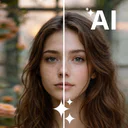
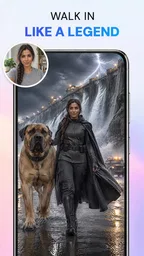
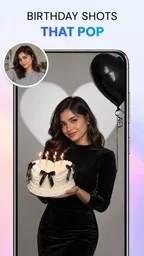
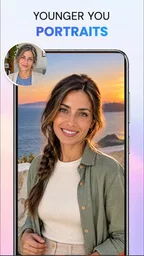
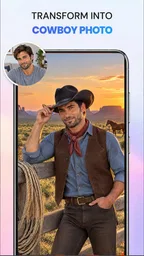
The app’s focus covers beauty retouching, background removal, object removal, and enhancement. Those jobs often overlap in everyday photos. A face may look fine, but a messy setting pulls attention away; a clean background may help, but a small object near the edge still distracts. Having those kinds of edits together can make the app a handy finishing stop rather than a full photography suite. I would use it to improve a specific image, not as a replacement for every tool I might need across a larger project.
One useful workflow is to make the least invasive correction first. For a portrait, I would begin with the retouching I want, inspect the face closely, and only then decide whether the background or another object needs attention. This order helps preserve the parts of the image that already feel natural. It also makes it easier to back away from an edit that changes too much. With AI-assisted retouching, “more polished” is not always “more convincing,” especially when the original photo has soft light, texture, or distinctive features worth keeping.
Everyday jobs and practical editing habits
Imagine taking a quick photo before meeting friends and noticing a stray item on a table behind you. You do not need a complex composite; you just want the image to look less cluttered before sharing it. This is the kind of modest task where an object-removal tool can be useful. I would inspect the edited area at normal viewing size and then zoom in around edges or repeated patterns. A repair can look acceptable at a glance while leaving a smudge or an unnatural patch that becomes obvious when cropped.
For a profile picture, I would keep the goal even narrower: make a small improvement without erasing what makes the image look like me. A prompt-based editor can help when manual retouching feels fiddly, but a realistic finish still depends on restraint. If a change softens skin too much or alters facial details, I would undo it or try a more specific request. The point is to look like a well-presented version of yourself, not a different person.
Background removal can also help when you want a subject to stand out, but I would not assume every source photo will cut out cleanly. Loose hair, transparent objects, and busy edges are difficult cases for image editing in general. Before using a result for anything important, check the outline around the subject and look for bits of the old background that may have been left behind. For a casual social post, a small imperfection may be harmless; for a product image or a polished profile photo, it may be enough to choose a different picture.
Enhancement is another area where it helps to compare rather than trust a single preview. I would keep the original available, look at both versions side by side, and ask whether the edited photo still resembles the lighting and texture I remember. This is particularly useful for low-light or already-filtered images, where extra processing can make details look artificial. A gentle improvement can be valuable, but pushing an image harder does not guarantee that it will become clearer or more attractive.
Where it may frustrate you
Prompt-based editing trades some precision for convenience. A traditional editor may offer direct control over a selection, brush, or adjustment, while a text instruction relies on the app interpreting what you mean. If you need exact boundaries or a repeatable result across many images, that difference matters. I would choose a manual editor when accuracy is more important than speed, especially for careful product work, complex cutouts, or a photo that needs the same treatment as a whole batch.
There is also a judgment call around beauty retouching. The tool can make it easy to keep polishing after the picture is already good enough. I find it helpful to decide on a natural stopping point before editing: perhaps remove one distraction and make one restrained portrait adjustment, then stop. That simple rule keeps the image from drifting toward a generic, over-smoothed look. It is a practical safeguard, not a limitation unique to this app.
Another trade-off is that the app’s combined focus does not make it a complete substitute for a conventional editor. If you want detailed color grading, careful exposure work, layered design, or a particular crop and composition workflow, a more comprehensive photo app may serve you better. AI Photo Beauty Editor Studio makes most sense when you have a specific cleanup or beauty task in mind and want to try describing it, rather than when you are building an image from scratch or managing a professional editing process.
Results can also depend on the photo you start with. A clear subject against a reasonably distinct background gives an editor more to work with than a dim, crowded image with overlapping edges. When an edit disappoints, I would first try a cleaner source photo or simplify the request rather than immediately assume that a more elaborate prompt will solve everything. This is one of the app’s less obvious practical lessons: the quality of the input often determines whether a quick AI correction feels genuinely helpful.
Who is likely to get the most from it
I would recommend trying it if you often make one-off improvements to portraits and everyday pictures, especially if you would rather explain an edit than learn a dense set of controls. It may suit someone who shares photos casually, wants to remove an obvious distraction, or likes experimenting with a background before posting an image. The free entry point makes it easier to see whether prompt-based editing fits your habits before paying for anything.
I would be more cautious if you need consistent, highly controlled edits or plan to work through many images in a uniform style. A dedicated manual editor is usually the better choice for that kind of work. I would also skip this app if you prefer to leave faces and backgrounds untouched, or if you already have a familiar editor that handles your occasional corrections well. Installing another tool only makes sense if its prompt-led workflow solves a real annoyance for you.
Android users can check compatibility against the stated minimum of 7.0 before installing. The app is listed for everyone, but that age classification should not be mistaken for a promise that every edit will be appropriate for every use. As with any photo tool, I would review the finished image carefully before using it in a formal, commercial, or otherwise sensitive setting.
My buy-or-skip verdict
AI Photo Beauty Editor Studio is worth a try if you want approachable, prompt-led photo corrections and your usual edits are small, specific, and occasional. I like the idea of asking for a practical change instead of hunting through a maze of controls, and the mix of retouching, background removal, object cleanup, and enhancement gives it a clear everyday purpose. Its free listing is a useful starting point, while the in-app purchase range means I would check what is offered and decide based on repeated use rather than one lucky result.
My advice is to test it with a few ordinary photos, keep the original versions, and judge the output at both normal size and close up. If the edits save you time without making people or objects look unnaturally altered, it may earn a place in your photo toolkit. If you need exact control, consistent batch editing, or broad creative tools, I would choose a more traditional editor instead. For casual fixes where convenience matters most, AI Photo Beauty Editor Studio is a reasonable option to explore; for precision-first work, I would look elsewhere.
What we like
- Offers quick portrait retouching for polished photos.
- Beauty tools make it easy to enhance facial features.
- Simple editing controls suit beginners.
- Useful for preparing selfies for social media.
- Photo edits can add a creative touch to portraits.
What could be better
- Some features may require an in-app purchase.
- Results can look unnatural when effects are overused.
- The app may request access to personal photos.
- Editing options may vary by device or app version.
- AI processing may take longer on older phones.





