
Trivia Master - Word Quiz Game review
 Analysis by Appsdrops
I like trivia games most when they make it easy to start, give me a reason to think rather than guess, and fit into the small gaps in an ordinary day. Trivia Master - Word Quiz Game is aimed at that kind of quick knowledge check. Its broad question collection is appealing, but the best way to approach it is as casual entertainment—not as a carefully structured course or a guaranteed test of expertise.
Getting started without expecting more than a quiz
This is a free trivia game from Topy Games, with optional in-app purchases priced at $1.99 per item. It is rated for Everyone, and its current version is 3.4. The game was released on June 25, 2021, and requires Android 7.0 or later. Those details make it a straightforward option to consider for a compatible Android phone, including one used by a family, though an age rating is not a substitute for deciding whether a particular game suits a child.
The first practical check is compatibility: if the game will not install or open, confirm that the device meets the Android requirement and that the app store has finished installing it. I would also check that the phone has a stable connection if a screen appears to be loading slowly, then close and reopen the game before assuming anything more complicated is wrong. These are ordinary troubleshooting steps, not a promise that every loading issue has the same cause.
The game has an average rating of 4.5 from around 114,000 ratings, with about 900 written reviews and over 10 million installs. That scale suggests it has found a substantial audience, but popularity cannot tell you whether its question mix will suit your interests. I would treat those figures as useful context, then judge it by whether its rounds feel enjoyable and fair to me.
When a round feels harder than expected
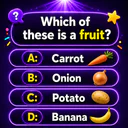
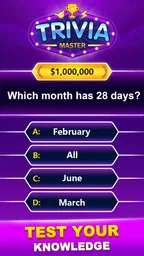
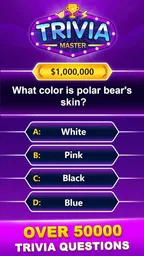
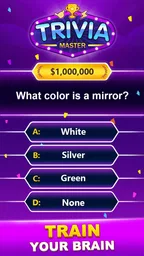
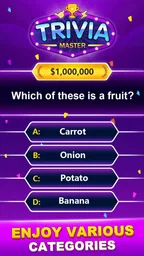
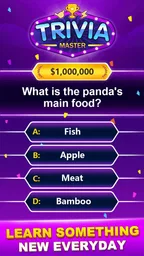
The biggest appeal is breadth: the game is presented as having more than 50,000 questions. A large pool can help keep a casual quiz from feeling exhausted too quickly, but it does not mean every session will focus on a subject you know well. If a question catches you out, I would take it as a prompt to learn something new rather than as evidence that the game is inconsistent. Trivia naturally rewards some areas of knowledge more than others.
A useful way to play is to notice which kinds of questions repeatedly slow you down. Instead of tapping quickly just to keep a run moving, pause long enough to read the full wording and distinguish a genuine knowledge gap from a rushed misread. That small habit makes a quiz more satisfying: it turns a wrong answer into something you can remember, rather than a moment of frustration you immediately forget.
There is a trade-off in a large question bank, too. A broad collection is attractive if you like variety, but breadth alone does not guarantee a balanced sequence or a particular level of difficulty. If you want a quiz devoted to one subject, a specialist trivia game may be a better fit. If you enjoy being surprised by what comes next, this title’s wide-ranging premise makes more sense.
Small setup checks that prevent avoidable frustration
Before a longer session, I would make sure the phone is charged enough for the time I have and that I can give the questions my attention. That sounds basic, but trivia is less fun when I am distracted, multitasking, or trying to play while a connection is unreliable. For a quick break, a short session is usually a better plan than opening a game when I cannot comfortably focus on the wording.
If the app behaves unexpectedly after an update or a restart, I would first close it and launch it again, then check whether the device has enough free space and whether the app store shows an update waiting. These steps are general checks rather than app-specific fixes; they are sensible ways to rule out common device issues without changing settings unnecessarily. I would avoid deleting the app as a first response if I care about retaining any local progress.
The optional purchases are worth keeping in mind if children use the phone. Since the game is free to download but includes items available for purchase, I would review the device’s purchase controls and make sure the person playing understands that an in-game offer is not required to begin. That is a practical safeguard, not a reason to assume the game is unsuitable for family use.
Recovering a session and choosing a better rhythm
If a round is interrupted, the sensible first move is to reopen the game and see what state it returns to. I would not assume that an interrupted session can always be restored, or that progress is saved in a particular way. For that reason, I treat each play break as a self-contained bit of entertainment rather than building a long study plan around a session that might be interrupted.
One useful workflow is to play when I have a few quiet minutes, then mentally note a question or subject I want to look up later. The game itself is best treated as the spark, not the final authority: a short quiz can surface a gap in my knowledge, while a reliable reference can help me check details that matter. This approach is especially useful when a question seems surprising or when I want to remember the explanation beyond the moment of answering.
Another practical tip is to stop when the experience turns into rapid guessing. A trivia game should make me curious, not pressure me to tap through questions without reading. Taking a break can be better than pushing through a poor run, particularly if I am tired or distracted. When I come back with more attention, I get more value from the same question pool.
When the problem may be outside the game
Not every failed launch or slow screen points to a defect in the quiz. A weak connection, a device that is short on storage, an outdated operating system, or a temporary app-store issue can all interfere with ordinary app use. I would check the basics first: confirm the phone is online, make sure it meets the Android requirement, and restart the app. If other apps are also struggling, that is a clue to look at the device or connection rather than blaming this game alone.
If only this game continues to misbehave after those checks, updating it through the app store or seeking help through the store’s support options is more sensible than repeatedly reinstalling it. Reinstallation can remove local information in some apps, so I would use it only after considering whether there is progress I want to preserve. These precautions are useful for any game, and they avoid presenting an uncertain technical issue as a known flaw in Trivia Master.
It is also worth separating a technical problem from a mismatch in expectations. If what you want is a detailed explanation after every answer, a structured curriculum, or a focused challenge in a single topic, a broad casual quiz may not deliver the kind of learning experience you have in mind. A dedicated learning app or a subject-specific quiz would be a better choice for that purpose.
How it compares with other trivia choices
Compared with a narrow quiz built around one subject, this game’s main draw is its stated scale and broad appeal. That makes it easier to recommend for a mixed group or for someone who likes testing general knowledge without choosing a specialty first. By contrast, a themed alternative is likely to be more satisfying if you want to practise a particular area and measure progress within it.
Compared with trivia played socially in a room, a mobile game is convenient when nobody else is available, but it cannot reproduce the conversation and friendly debate that make group quizzes memorable. I would use this one for a solo break or as a simple way to pass time, then choose a social quiz when the point is to bring people together. Neither format replaces the other; they suit different moods.
A realistic use case is waiting for a meal or taking a short break between tasks. I can open a quiz, answer a few questions, and put the phone away without needing to organise a group or prepare a topic. For a family, it can also offer a low-pressure way to compare what different people know, provided everyone is comfortable with the question mix and an adult keeps an eye on optional purchases where appropriate.
Who will enjoy it—and who should pass
I would recommend it to people who enjoy general-knowledge quizzes, want something free to try, and are happy with variety rather than a tightly planned course. The 4.5 average and more than 10 million installs indicate that many players have chosen it, but my recommendation depends on your own preference: the key question is whether unpredictable trivia sounds fun to you.
I would skip it if I needed a verified educational resource, consistent subject coverage, or a guaranteed way to save and resume every session. I would also look elsewhere if I strongly prefer face-to-face competition or dislike optional purchase prompts in free games. Those are reasonable preferences, not shortcomings every player needs to accept.
My practical verdict
For an easy, low-commitment quiz, Trivia Master is worth trying if your Android device meets the requirement and you enjoy jumping between general-knowledge questions. Its large stated collection gives the concept room to stay varied, while the free download makes it easy to test whether the style clicks with you. I would keep expectations grounded: a large pool is not the same as a tailored learning path, and a broad quiz will not suit every subject or mood.
My best advice is to use it in short, attentive sessions, treat wrong answers as prompts to explore, and check device basics before diagnosing a technical problem. If that sounds like the kind of break you want, this game has a clear place on the phone. If you need depth in one topic or dependable study structure, choose a more focused alternative instead.
What we like
- Quick rounds make it easy to play during short breaks.
- A broad mix of trivia topics keeps questions varied.
- Hints can help players get past difficult questions.
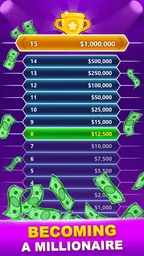
- Progress rewards give players a reason to keep playing.
- The word puzzle format adds variety to standard trivia.
What could be better
- Some questions may feel too easy for experienced quiz fans.
- Ads can interrupt the flow of play.
- Hints may be limited unless players earn or buy more.
- Repeated questions can reduce the challenge over time.
- An internet connection may be needed for some features.







