




Timpy Cooking Games for Kids review
 Analysis by Appsdrops
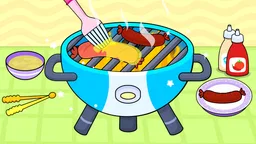
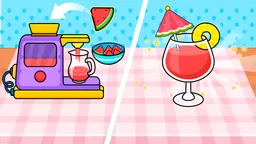
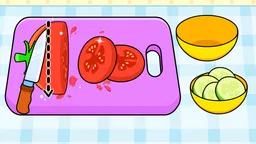
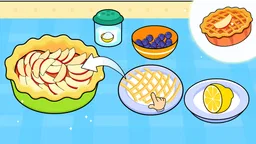
I like children’s cooking games best when they give a little one room to explore without turning every tap into a lesson or a timed challenge. Timpy Cooking Games for Kids takes a simple pizza-making idea and keeps the focus on choosing, preparing, and enjoying food. It is an educational game from Timpy Games For Kids, Toddlers & Baby, aimed at young children and toddlers. In my view, its strongest use is a short, cheerful play session with an adult nearby—not a substitute for a deeper cooking or learning app.
Getting comfortable with a pizza-making session
The easiest way to introduce the game is to sit with the child and let them lead. Ask what kind of pizza they want to make, then follow their choices rather than demonstrating every step. That turns the basic cooking activity into a chance to practise naming ingredients, making simple decisions, and talking through a sequence: choose, prepare, and finish. The theme is familiar enough that even a child who has not played many games can understand the general idea.
The store summary frames the game around pizza-making and even suggests pizza at breakfast. I take that as a playful invitation to treat food imaginatively, rather than as a lesson in nutrition or a realistic cooking guide. A useful routine is to let a child invent a pizza, describe what they are doing, and then tell you what they would change next time. The conversation can be more valuable than the taps themselves.
For a first session, I would keep expectations modest. This is a casual educational cooking game, not a structured course with a defined learning path. Let a young player explore at their own pace, and offer just one prompt at a time. For example, asking them to pick a topping is more manageable than giving a string of instructions. That approach also makes it easier to see whether they can use the controls comfortably without an adult taking over.
A realistic everyday use is a few minutes of play while a grown-up is preparing a meal or waiting for food to cool. I would sit close enough to help if the child gets stuck, but avoid turning the moment into a test. If they want to repeat a choice or make a different pizza, that can be part of the fun. A simple replay also gives them a natural chance to practise remembering what they did before.
What the game is good at—and what it is not
Among children’s cooking games, this one is best understood as a light, themed activity. It gives a child an easy way to engage with the idea of making pizza, while a parent can add the language and reasoning that make the play feel educational. That differs from recipe simulators aimed at older players, which tend to demand more precise sequences, or learning apps built around lessons and measurable practice. If your child wants open-ended pretend play with food, this is a more fitting direction than a serious cooking simulator.
That same simplicity is a limitation for families seeking substantial instruction. I would not choose it to teach kitchen safety, real-world food preparation, nutrition, or a dependable step-by-step recipe. Those goals call for an adult-led activity or an app designed specifically around them. Here, the value is in playful interaction and conversation, not in transferring practical cooking skills.
The game is listed for Everyone and is free to start. It has an average rating of 4.5 from around 22,000 ratings, and more than 10 million installs. Those figures suggest that it has found a broad audience, but they cannot tell me whether its style suits a particular child. A child who enjoys food-themed pretend play is more likely to connect with it than one who prefers puzzles, characters, or fast-moving action.
Settings and family checks before handing over the device
Before handing the phone or tablet to a child, I recommend checking the app’s current store page and the device’s family controls. The game includes in-app purchases priced at $4.49 to $4.99 per item, so it is sensible to make sure purchases require an adult’s approval. That simple step prevents an enthusiastic child from making a spending decision while exploring. I would also establish the device’s usual screen-time boundary before starting, rather than trying to negotiate it when the child is already absorbed.
Because this is designed for toddlers and kids, the most useful “setting” may be the way the adult prepares the session. Choose a calm moment, keep the device within view, and explain that the child can ask for help before tapping anything unfamiliar. This is not a claim that the game offers a particular parental mode; it is a practical way to supervise any child-facing app. The age rating is Everyone, but a rating does not replace a parent’s judgment about readiness or attention span.
If your child is still learning to use a touchscreen, watch the first attempt rather than assuming the controls will be obvious. Notice whether they can make deliberate selections, whether they tap repeatedly when an action does not happen instantly, and whether they become frustrated when they miss something. You can then adjust your help: point to one choice, pause, and let them try, instead of completing the interaction for them. This keeps the child involved and gives you a clearer sense of whether the game is a comfortable fit.
It is also worth separating a child’s play from an adult’s purchase decisions. Since the app is free with paid items available, I would avoid treating “free” as meaning that every part of the experience has no cost. Set the expectation plainly: the child can play, while only an adult decides whether to buy anything. That boundary is particularly helpful for young players who may not yet distinguish a game action from a purchase prompt.
Repeatable habits that make short play more useful
Experienced use does not require secret shortcuts. I get more value by using a repeatable pattern: begin with the child’s idea, let them make the choices they can manage, then ask them to explain the result. On another session, invite them to choose differently and compare the two ideas. This creates a small sense of progress without pretending the game tracks learning or offers a formal challenge system.
A second useful habit is to alternate between play and talk. Rather than narrating every action, wait until the child finishes a choice and ask a simple question such as what they picked or why. If they are not ready to answer, keep the pace relaxed and let them continue. This works especially well when a child is using the game to practise food words or describe preferences, but it should remain a conversation, not a quiz.
For younger children, I would keep sessions short enough that the game remains a treat rather than background noise. End on a natural pause, such as after the child has finished an idea, and invite them to tell you what they made. This makes the transition away from the screen easier than interrupting in the middle of an activity. It also gives the adult a chance to connect the pretend pizza to a real meal without implying that the game teaches actual cooking.
Version 6.7.9 is the current version, and the game was released on March 28, 2023. It requires Android 6.0 or later. Those details are useful when checking whether an older device can run it, but they do not guarantee that every device will feel equally comfortable for small hands. If the screen is cramped or the child has difficulty selecting items, trying a larger compatible device—or choosing a non-screen activity—may be the better decision.
Where the experience reaches its limits
The main trade-off is that a narrow pizza theme can lose its appeal once a child has explored the kind of activity they wanted. Some children happily repeat familiar pretend play; others quickly ask for new foods, more complex choices, or a goal to work toward. I would watch the child rather than extend a session just because the game is available. If they start tapping without interest or ask to switch activities, that is a good sign to move on.
It may also be the wrong choice for a child who needs a highly structured educational experience. There is no reason to treat a cooking theme alone as proof of a particular curriculum. For counting practice, letter recognition, or guided lessons, a dedicated early-learning app is a clearer fit. For real food skills, cooking together with an adult offers things a touchscreen cannot: handling ingredients, noticing textures, and learning safe kitchen habits.
The game’s developer is Timpy Games For Kids, Toddlers & Baby, and the simple premise makes it easy to understand why it appeals to families looking for a child-friendly cooking activity. Still, I would judge it by the child’s response, not by popularity alone. The balance of a 4.5 average and a large audience is reassuring as a broad signal, but a parent’s first supervised session is the more useful test for whether its pace and interaction suit their household.
My verdict for parents and young players
I would recommend Timpy Cooking Games for Kids to families who want a low-pressure pizza-themed activity that can prompt imaginative play and easy conversation. Its best moments come when a grown-up lets the child make choices, asks a gentle follow-up, and keeps the session within sensible limits. The free starting point makes it straightforward to try, while the in-app purchases mean I would set purchase controls before a child plays independently.
I would skip it if you are looking for a realistic cooking simulator, a carefully sequenced teaching program, or a broad collection of food activities that will hold a child’s attention for long stretches. For the right young player, though, it can turn a quiet few minutes into a small pretend-cooking routine. My practical advice is to try one short, supervised session, see whether your child can navigate it happily, and use the pizza-making as a starting point for conversation—not as a replacement for hands-on learning.
What we like
- Kid-friendly controls make it easy for young players to navigate.
- Cooking activities encourage imaginative role-play.
- Bright visuals help keep the experience engaging.
- Short tasks suit brief play sessions.
- Food preparation can introduce basic kitchen concepts.
What could be better
- Some activities may feel repetitive after a while.
- Young children may need help understanding certain tasks.
- In-app purchases may require parental supervision.
- Ads can interrupt play depending on the version.
- The game may need an internet connection for some features.







