


Times Tables - Multiplication review
 Analysis by Appsdrops
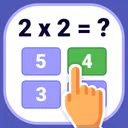
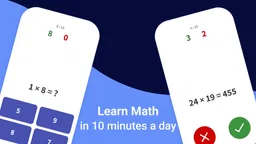
I like math games best when they give a child a clear reason to practise without making practice feel like another worksheet. Times Tables - Multiplication is aimed at that familiar learning gap: getting comfortable with multiplication, with division included as well. It is a free educational game from BrainSoft Apps, and its focus is deliberately narrow. That can be a strength for a child who needs repetition with basic number facts, though it also means this is not a broad math course or a game built around elaborate adventures.
Small goals make practice easier to start
The most useful way to approach a times-table game is not to expect a child to master everything in one sitting. I would use this one in short, focused turns: choose a small amount of practice, let the child answer, then stop while attention is still good. The narrow multiplication-and-division focus makes that routine easier to explain than an app that jumps between unrelated subjects.
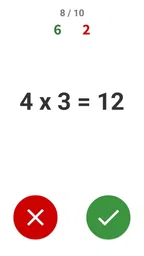
For a child who hesitates when asked a multiplication question aloud, a game can lower the pressure. They can try an answer, see whether it works, and return to the same kind of learning later. I would present it as a quick daily challenge rather than a test. That framing matters: the goal is to build recall, not to make a young learner feel that every mistake is a failure.
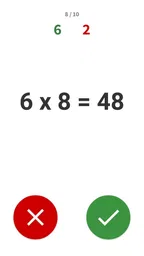
A practical after-school routine might be to open the game after a snack, practise a few questions, and then ask the child to explain one answer without looking at the screen. If they have just worked on a fact such as a group of equal sets, drawing those groups or describing them aloud helps connect the answer to what multiplication means. The game can prompt repetition, while a parent or teacher supplies the real-world explanation.
Progress is useful only when it leads to understanding
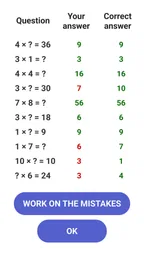
In a practice game, a correct response is an encouraging signal, but it does not always mean a fact has been learned for good. A child may remember an answer in the moment and still need help retrieving it the next day. I would treat the game as one part of a learning routine: notice which kinds of questions cause a pause, then revisit those facts later instead of simply pushing toward more play.
This is also where multiplication and division belong together. If a child knows that several equal groups make a total, division can help them think backward from the total to the number in each group. I find that connection more valuable than memorizing isolated answers. A parent can make it concrete with snacks, toys, or objects on a table: group them, count them, and then ask how the same total could be shared evenly.
One helpful tip is to ask for the reasoning behind an answer, not just the answer itself. If a child responds quickly, ask how they worked it out. If they are unsure, let them count or draw first rather than rushing in with the solution. This makes the game’s repetition more meaningful and gives an adult a better sense of whether the learner is recalling a fact or relying on a strategy that still needs support.
Difficulty should follow the child, not the clock
Children do not all learn multiplication at the same pace. Some quickly recognize familiar facts but get stuck when the order changes; others can calculate an answer slowly but have not yet memorized it. I would avoid treating speed as the only measure of progress. A calm, correct explanation is a better sign of understanding than a fast guess, especially for a child who becomes anxious around timed work.
The app’s focused subject makes it suitable for targeted reinforcement, but that focus can feel repetitive to a learner who already knows the tables. If a child is ready to work on fractions, measurement, or word problems, this is not the tool I would rely on for the next step. A broader learning app, a teacher’s exercises, or hands-on problems may offer more variety and make it easier to apply arithmetic beyond quick fact practice.
For a child who finds the questions difficult, I would keep sessions brief and stay nearby at first. When a mistake appears, try turning it into a small conversation: “What groups would make that total?” That avoids making the screen the sole judge of whether the child is capable. For a confident learner, the reverse applies: encourage them to explain a method or invent a real-life example, so familiar answers do not become empty tapping.
Staying interested without turning practice into pressure
Games can make repetition more inviting, but repeated play is not automatically good practice. I would watch for signs that a child is guessing quickly, getting frustrated, or continuing only because they feel they have to. In those moments, a break is more useful than insisting on another round. The best habit is one the child can return to willingly, not a long session that leaves them dreading math.
The game’s narrow purpose is a trade-off. Compared with a general children’s learning app, it keeps attention on multiplication and division rather than offering a mixed menu of subjects. Compared with paper flashcards, it makes the practice feel more like play, but cards or objects can be easier when a child needs to slow down, talk through a problem, or see groups physically. I would use both approaches rather than expect one screen to do every job.
Parents may also want to know whether the app is meant for independent use. I would start alongside a younger learner, especially if they need help reading questions or handling mistakes calmly. Once the child understands the routine, they can practise more independently, with an adult checking in afterward. That short conversation can reveal more than a score: ask which question felt tricky and how they solved it.
It is free to download, with optional in-app purchases ranging from $0.99 to $19.99 per item. The age rating is Everyone, which makes it broadly suitable for children, though I would still supervise a young child’s device use and review purchase controls on the device. The game is currently at version 2.5.0 and requires Android 7.0 or later. Its average rating is 4.7 from around 13,000 ratings, and it has passed one million installs; those figures suggest it has found an audience, but they do not replace checking whether its focused practice suits your child.
Who will get the most from it?
I would recommend Times Tables - Multiplication to families looking for a straightforward way to support a child who is learning multiplication facts or needs extra repetition. It may also suit a learner who enjoys short game-based practice more than a page of sums. BrainSoft Apps has kept the subject matter clear, and that simplicity is useful when the aim is to practise one skill rather than manage a full curriculum.
I would skip it as the main math resource for a child who needs detailed teaching, broader topics, or lots of hands-on explanation. It is also not my first choice for a learner who dislikes screen-based drills or becomes tense when asked to answer quickly. In those cases, a teacher, a workbook used together, physical counters, or a more comprehensive educational app can provide a better fit. The right choice depends less on whether a child likes games in general and more on whether this kind of focused repetition helps them stay engaged.
A focused helper, not a complete learning plan
My overall view is that this is best treated as a small, practical part of math practice. The clearest benefit is its concentration on multiplication and division; the main limitation is that a narrow focus cannot replace explanation, variety, or real-world problem solving. I would use it to get a child started, reinforce facts they have already met, or add a little practice to an ordinary day, then step away from the screen to talk through what those numbers mean.
The progression is most useful when the adult sets a sensible goal: practise a little, notice where confidence is growing, and revisit the difficult facts without turning every session into a test. If that is what your child needs, this free educational game is worth trying. If they need a richer challenge or a wider range of math skills, choose a broader resource instead and keep this one for the specific job it does well.
What we like
- Focused practice helps learners build multiplication fluency.
- Short sessions make it easy to fit practice into a daily routine.
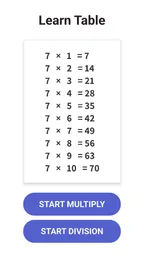
- Clear visuals can make number patterns easier to follow.
- Suitable for children learning basic multiplication facts.
- Practice can be repeated to reinforce challenging tables.
What could be better
- The format may feel repetitive after extended use.
- Learners may need adult guidance to stay motivated.
- It may not suit students who need advanced math topics.
- Screen-based practice may be less engaging than hands-on activities.
- Progress can depend on regular practice outside the app.







