


Swagbucks Trivia for Money review
 Analysis by Appsdrops
I’d approach Swagbucks Trivia as a quick quiz game, not as a dependable way to earn money. That distinction matters: the promise of prizes can make every wrong answer feel costly, while the part you can count on is having trivia to play. In my view, it suits people who enjoy a short knowledge challenge and are comfortable treating any reward as a bonus rather than an expected return.
Where the experience can feel less straightforward
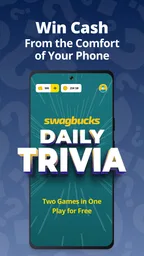
Swagbucks Trivia is a free trivia game from Prodege. Its appeal is easy to understand: answer questions, enjoy the competition, and take part in a prize-oriented experience. But anyone arriving mainly to make money should pause and check what the app actually offers in their current session. A game’s reward language is not the same as a guaranteed payout, and it is wiser to play for the quiz itself than to build a budget or routine around possible winnings.
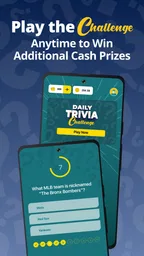
The first friction point is expectation. Trivia rewards can depend on how a particular game is structured and on the rules presented in the app. I recommend reading the on-screen instructions before starting, especially if you are joining because of a prize. Make sure you understand what counts as participation, what the outcome means, and whether there are any steps to take after a game. If those terms are unclear, it is better to stop and review them than to assume that simply opening the app qualifies you for something.
The second is the usual pressure of timed or competitive quiz play: a question may be familiar, but the wording can still catch you out. I try to read the whole prompt before choosing, rather than tapping as soon as I spot a likely answer. That small habit is useful in trivia generally, and it helps avoid mistakes caused by rushing. If a question involves a detail I do not know, I accept that I may miss it instead of letting the prize angle push me into frantic guessing.
It is also worth separating the quiz from the reward experience. If your main goal is a relaxed test of general knowledge, the app’s money-and-prizes framing may add excitement. If you dislike uncertainty or find competitive incentives stressful, it can have the opposite effect. For that kind of player, a conventional trivia app without prize expectations may be a better fit.
Check the basics before you start
The game is free, is rated for Everyone, and needs Android 6.0 or later on Android devices. It was released on February 8, 2018, and its current version is 2.12.2. These details help you judge compatibility, but they do not guarantee that every individual device will behave identically. I would check that the app store shows it as compatible with your phone before spending time troubleshooting a device that cannot install or update it.
After installing, open the game when you have a stable connection and enough time to read its instructions. This is a practical setup habit, not a claim about special requirements: a quiz session is easier to follow when the screen is loading normally and you are not switching in and out of the app. If a page seems incomplete, wait briefly and try again before tapping repeatedly. Multiple quick taps can make it harder to tell whether the game is responding or whether a screen is still loading.
If you are using the app for the first time, take a moment to notice how it presents the current game and any reward-related terms. Do not rely on what you remember from an earlier visit; the instructions visible for the session in front of you are the ones to follow. This is especially useful if you have returned after a break, because it keeps an old assumption from shaping your decision to play.
One practical tip is to keep the first visit low-stakes. Explore the screens, understand the question flow, and decide whether the style suits you before making the reward angle your reason to continue. That lets you assess the actual experience—how clearly prompts are presented and whether the pace feels comfortable—without confusing curiosity about prizes with enjoyment of the game.
A sensible way to recover from a stuck session
If a question or screen appears frozen, first give it a moment. Then check whether the connection is working by using another app or loading a familiar page. If other services are also slow, the problem may be the connection rather than the trivia game. Returning to a stable connection and reopening the game is a reasonable next step; avoid repeatedly submitting an answer while you are unsure whether the first tap registered.
If the game closes or behaves oddly, close it and launch it again. If the trouble remains, check the app store for an available update and confirm that your device meets the Android minimum. These are general, low-risk checks, not a guarantee that they will resolve every issue. I would avoid deleting the app as an early move if you are unsure whether any session details could be affected; first see whether reopening or updating is enough.
Keep track of what happened in plain terms: which screen you were on, whether the app stopped responding, and whether the issue repeats. That makes it easier to describe a problem accurately if you seek help through the app’s available support route. It is more useful than saying only that “the prizes did not work,” because a loading problem, a mistaken expectation about eligibility, and an unanswered question are different situations.
For a session that seems not to have counted, do not assume that replaying immediately will fix it. Recheck the visible game instructions and any status information the app provides, then allow a little time for the screen to refresh. If the result still looks wrong, use the app’s support options rather than trying to infer the outcome from a brief interruption. This cautious approach protects you from making the situation harder to understand through repeated actions.
When the cause may be outside the game
Not every frustrating outcome is an app fault. A weak or interrupted connection can make screens slow, and a phone that is running several demanding apps may feel less responsive. Before blaming the quiz, try closing other apps, reconnecting, and reopening the game. If the same device has trouble elsewhere too, that points toward a broader device or network issue.
There is also a difference between a technical problem and a result you simply hoped would be different. A wrong answer, an unclear personal expectation about how a prize works, or not seeing an immediate outcome does not by itself show that the app malfunctioned. I would compare what happened with the instructions shown for that game and only then decide whether something needs reporting.
People sometimes ask whether a game like this is worth using as an earning method. My answer is no, not if “worth it” means predictable income. The experience is better judged as trivia with a possible prize dimension. Anyone who needs certainty about how much they will earn, when they will receive it, or whether a particular session will produce a reward should look for an option with terms that directly meet those needs instead of relying on a quiz.
How it compares with ordinary trivia games
Compared with a standard quiz app, Swagbucks Trivia puts a stronger emphasis on prizes. That can make a casual round feel more motivating for someone who likes an added stake. The trade-off is that the reward framing may distract from the questions or invite expectations the game cannot satisfy every time. A plain trivia game is often the calmer choice if your priority is learning, replaying questions, or competing without thinking about money.
It is also different from a conventional cash-earning service. The core interaction here is answering trivia, so people who do not enjoy quiz questions are unlikely to find the prize angle enough to make the app appealing. Conversely, if you already like testing your general knowledge, the possibility of a reward may add interest without needing to become the whole point. I would treat it as a small entertainment option, not a substitute for work or a reliable side income.
The app has an average rating of 4.2 from around 21,000 ratings, and it has been installed over a million times. Those figures suggest that plenty of people have tried it, but they cannot tell you whether its pace, questions, or reward expectations will suit you personally. I would use them as context, then decide based on whether you enjoy the first few sessions and understand the terms shown to you.
Who is likely to enjoy it
I can see this working well for someone who likes general-knowledge quizzes, has a few spare minutes, and can shrug off a missed answer. For example, if I were waiting for a friend at a café, I might open it for a short mental diversion, read the rules for the current game, and play without counting on a particular prize. That is a realistic use: the quiz fills a small gap, and anything beyond the entertainment is a bonus.
It is less suitable for a person who wants a quiet, untimed way to study facts, or for someone who gets annoyed when a game’s reward conditions need careful attention. It may also be a poor choice if your phone runs an older Android version than the stated minimum. iOS users should check the app store on their device for availability and compatibility before planning to play, rather than assuming the Android requirements apply to their phone.
There is a useful personal test: after a session, ask whether you would still have enjoyed answering the questions if no prize had been involved. If the answer is yes, the app is probably serving you as entertainment. If the answer is no, the reward expectation may be doing too much of the work, and a different trivia game—or a more transparent rewards option—could be a better use of your time.
My practical verdict
With a 4.2 average and a large audience, Swagbucks Trivia is established enough to be worth a look if you already like quiz games. I would install it for the trivia, read each game’s instructions carefully, and keep expectations about money modest. The game is free and carries an Everyone age rating, but those details do not remove the need to make your own judgment about its reward terms and whether the experience feels worthwhile.
My main recommendation is simple: start with one low-pressure session, pay attention to how the game explains participation, and notice whether you enjoy the questions without focusing on a payout. If the app loads properly and the format clicks, it can be a handy quiz diversion. If you find yourself spending more energy deciphering reward expectations than answering questions, close it and choose a straightforward trivia game instead. That is the clearest way to decide whether this particular mix of quizzes and prizes belongs in your routine.
What we like
- Free to download and play
- Questions cover a range of general knowledge topics
- Short rounds fit into brief breaks
- Trivia offers a change from Swagbucks surveys
- Available on mobile devices
What could be better
- Cash rewards may require substantial play time
- Payout eligibility can vary by location
- A stable internet connection is needed
- Some questions may feel difficult for casual players
- Reward amounts may not justify the time spent







