





Sheriff Labrador Safety Games review
 Analysis by Appsdrops
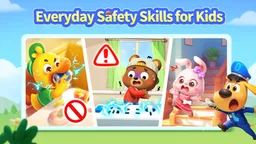
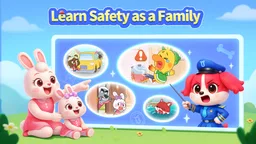
When a child asks to use the family tablet while dinner is being prepared, I find it helps to choose something that offers more than a quick distraction. Sheriff Labrador Safety Games is an educational game from BabyBus that brings safety-themed activities together with cartoons and stories. Its focus gives a grown-up an easy starting point for talking about everyday choices, though I would treat it as a screen activity to share and discuss rather than a substitute for supervision.
One tablet, several kinds of activity
The appeal for shared-device households is variety within a single child-focused app. A child can move between games, cartoons, and stories, so the experience is not limited to one kind of interaction. That can be useful when siblings or children with different attention spans are taking turns: one may prefer an activity, while another would rather watch or listen to a story.
I would still set expectations before handing over the tablet. Agree on whose turn it is and whether the session is for playing or watching; switching between formats can make “just one more” tempting. A simple routine—one short turn, then pass the device—can prevent the app from becoming the source of an argument. That is a household habit, not a feature I would assume the game provides.
On a busy afternoon, for example, a parent might sit nearby while a child chooses an activity, then use a moment from the story or cartoon to ask what the character could do differently in a safety situation. That small conversation is where I see the strongest practical value. The app supplies a child-friendly prompt; the adult connects it to the family’s own rules and circumstances.
Keep the device handoff simple
Because this is a game designed for children, I would make the tablet handoff deliberate rather than leave a shared device open for unsupervised browsing. Start the app together, check what the child is about to use, and keep the device within reach if younger children are involved. This is especially sensible when the tablet is also used for adult accounts or other apps: a clear starting and stopping routine helps keep a child’s session separate from the rest of the household’s use.
I would not treat a child-oriented presentation as a guarantee that every interaction is suitable for every family. Adults should remain involved, particularly if a child is very young or has questions about what appears on screen. If the device is shared, household members should also agree on who handles any purchase prompts rather than letting a child make that decision alone.
Good conversation material, not a replacement for guidance
Safety topics work best when they are tied to a child’s real world. After an activity, I would ask the child to explain what they noticed, then connect it to a familiar situation such as being near a road or asking an adult for help. The point is not to quiz them or expect the game to teach every rule. It is to turn a screen moment into a low-pressure conversation that can be repeated later.
This approach also helps adults judge whether the content is landing. If a child can describe a character’s choice but cannot relate it to everyday life, the next step may be a concrete example outside the app. If they lose interest quickly, switching to a story or cartoon may work better than insisting they finish a game. The mix of formats gives a caregiver options, but the child’s attention and understanding still set the pace.
Compared with a typical single-purpose preschool game, the combination of safety activities and story-based material is a useful distinction. It may suit families who want a shared topic to explore, rather than only a set of isolated puzzles. On the other hand, a parent seeking a tightly focused learning tool for a particular skill may prefer an app devoted to that one subject. Sheriff Labrador’s broader range is convenient, but breadth is not the same as depth in every topic.
Age fit and trust in a shared household
The game is rated Everyone, and its child-centered premise makes it an option to consider for young players. Still, an age label cannot tell a parent whether a particular child will understand each scenario or enjoy the presentation. I would sit with a younger child at first, especially to explain that stories simplify situations and that real-life decisions should involve a trusted adult.
The game has an average rating of 4.8 from around 15,000 ratings, and it has passed five million installs. Those figures suggest that many families have tried it, but they do not settle whether it matches your child’s temperament or your household’s screen-time rules. I would use them as context, not as a reason to skip checking the app together.
It is free to download, with optional in-app purchases priced from 49 cents to $29.99 per item. That range makes a quick conversation about purchases worthwhile before a child uses it on a device connected to an adult’s account. I recommend keeping purchase decisions with the account holder and making it clear that tapping through an activity does not mean a child may buy anything. This is a practical boundary for any shared tablet, not a claim about special family controls in the game.
For coordination between caregivers, a simple shared rule is more reliable than expecting the app to manage the household. Decide which adult is responsible for starting the session, how long the child can use the device, and what happens when another child wants a turn. If one caregiver uses the stories as prompts for safety conversations, telling the other caregiver what the child has already discussed can help avoid turning play into repeated testing.
What to expect from the experience
The game’s latest listed version is 8.76.42.01, and it requires Android 6.0 or later. Those details matter when a household is deciding whether an older shared phone or tablet can run it. I would check compatibility on the device before planning a child’s activity around it, especially if the family relies on one tablet and cannot easily switch to another.
Since the app brings several kinds of content together, it may take a little adult guidance to help a child choose an activity with a clear purpose. Instead of handing over the device with no context, I would offer a choice—“Would you like a story or a game?”—and agree on a stopping point first. That turns the variety into a benefit without letting it become an open-ended browsing session.
There are trade-offs. A child who wants fast, competitive play may find safety-themed activities less exciting than a conventional action game. A child who learns best through direct practice may need an adult to extend what appears on screen into a real conversation. And households that want a completely hands-off experience should look elsewhere: this is most valuable when a grown-up is willing to guide the moment, even if only briefly.
Who I would choose it for
I would consider Sheriff Labrador Safety Games for a family looking for child-friendly screen time that can lead naturally into discussions about safety. It is particularly suited to a shared tablet when an adult can help with turns, put purchase boundaries in place, and talk through a story or activity. The educational category and the mix of games, cartoons, and stories give caregivers more than one way to engage a child.
I would skip it if the goal is a specialist lesson, a competitive game for older players, or an app that children can use without any adult involvement. The safety theme is a starting point, not a promise that a child will absorb every lesson simply by playing. Families who prefer books, conversation, or hands-on practice may find those options better for a particular child or situation.
Overall, I see it as a thoughtful shared-use choice when a caregiver treats it as a companion to real guidance. Its free entry makes it easy to try, while optional purchases mean adults should keep account decisions in their own hands. Used in short, agreed turns and followed by a simple question about what the child saw, it can make a family tablet session feel more purposeful without pretending that an app can take the place of a parent.
What we like
- Short activities make it easy for young children to play in brief sessions.
- Familiar safety scenarios can help start conversations with parents.
- Simple controls are suitable for players who are new to mobile games.
- Friendly characters give the lessons a welcoming tone.
- The game offers an entertaining way to introduce everyday safety topics.
What could be better
- Some children may need an adult to explain the safety lessons.
- Repeated activities may become less engaging over time.
- The game may not cover every safety situation children encounter.
- Younger players could tap through lessons without absorbing the message.
- Its appeal may be limited for children who prefer more challenging games.







