
Sago Mini World: Kids Games review
 Analysis by Appsdrops
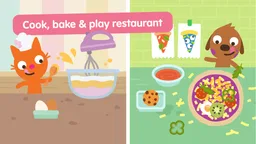
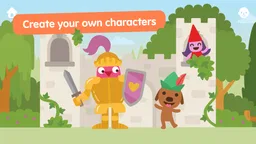
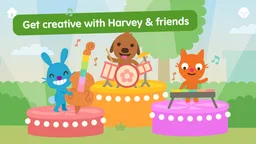
I’d describe Sago Mini World: Kids Games as a welcoming place for young children to explore at their own pace, rather than a game built around winning or getting a high score. Its educational focus and gentle play style make it worth considering for families with children in the preschool years. I also wouldn’t treat “free” as a promise that every part costs nothing: the game is free to download, while it offers in-app purchases.
Play that invites curiosity
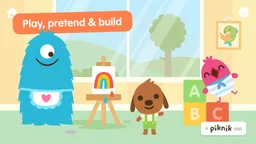
Made by Play Piknik, this is an educational game aimed at babies, toddlers, and children from about two to six years old. That wide age range matters. A very young child may enjoy tapping and watching what happens, while an older preschooler can spend longer exploring and making choices. In my view, the best fit is a child who likes to poke around without needing a clear objective every minute.
The appeal is less about formal lessons and more about giving a child room to explore. That can be a useful distinction for parents: I’d choose it as a playful activity that encourages curiosity, not as a substitute for a structured reading, counting, or school-preparation program. If you want a game with explicit exercises and visible learning targets, a more lesson-focused app may suit you better.
The app’s audience and design make adult expectations important. Children this young often move between activities quickly, repeat the same action, or hand the device back after a few minutes. I’d judge a session by whether the child is engaged and comfortable, rather than by how much content they appear to complete. That makes the game easier to use as a short shared activity than as a task to finish.
What free access means here
The game is free to download, and its age rating is Everyone. In-app purchases are available, with listed prices ranging from $0.99 to $79.99 per item. I’d make that distinction clear before handing a device to a child: the initial download is free, but some purchases can cost substantially more than a small add-on. Check the purchase settings on the device and decide in advance whether a child should be able to make transactions.
The price range alone doesn’t tell me which purchase is worthwhile or how much of the experience is available before paying, so I wouldn’t assume the free entry is either a complete package or merely a teaser. The sensible approach is to download it, explore what is accessible, and judge the experience with your child before spending. If you are comfortable paying only after seeing a clear benefit for your family, that’s a better basis for a decision than reacting to the largest or smallest listed amount.
Its overall reach is substantial: the game has more than 10 million installs. It has a 3.7 average rating from around 49,000 ratings, with about 3,300 written reviews. I take those figures as signs that many families have tried it, not as a guarantee that every child will enjoy it. For a preschool game especially, the child’s temperament, age, and preferred style of play matter more than a single average score.
How to get more from a short session
A useful way to introduce it is to sit alongside the child for the first session rather than turning it on and walking away. Let them choose what catches their attention, then ask simple questions about what they are doing. This keeps the experience social and gives you a chance to see whether the game is a good match. It also helps you spot when a child is tired, frustrated, or ready to move on instead of assuming that more screen time is automatically better.
Another practical tip is to treat exploration as the activity, not as a puzzle the child must solve. If they return to the same interaction again and again, that repetition may be exactly what they enjoy. You can add variety by inviting them to make a different choice or describe what they notice, without taking over the device. For an older preschooler, a small prompt can turn casual tapping into a conversation; for a toddler, simply sharing attention may be enough.
This also makes it easier to use the game in a realistic everyday moment. On a rainy afternoon, for example, a caregiver could offer a brief session while nearby, let the child explore, and then stop when interest fades. I wouldn’t use it as a guaranteed way to keep a child occupied for a set length of time: young children’s attention varies, and the app’s broad age group means it may land differently from one child to another.
Where it fits among children’s games
Compared with typical educational apps that present a sequence of questions or ask children to practise a specific skill, Sago Mini World is better considered an open-ended play choice. That can be a strength for a child who resists being tested or enjoys discovering things independently. It is a weaker match for a parent who wants a clearly defined lesson, measurable progress, or a straightforward route through material.
It also differs from a simple video or cartoon. A game gives a child something to interact with, which can make a shared session more engaging than passive viewing. But interaction does not automatically make screen time educational in a formal sense. I’d use it alongside conversation, books, toys, and offline play rather than expecting one app to carry a child’s learning routine.
One tradeoff is that a wide age range can mean an uneven fit. A baby may need an adult close by to guide device use; an older child may want more challenge than a gentle exploratory game provides. If your child prefers rules, goals, and clear rewards, a more structured game may hold attention better. If they enjoy experimenting without pressure, this style is more promising.
Practical checks before you commit
The current version is 9.2.0, and the minimum operating-system requirement is version 9. If you are considering installing it on an older device, check that the device meets that requirement before planning a session. The game was released on September 10, 2018, so it has been available for years, but that release date by itself does not tell you how well it will run on a particular device today.
Because purchases are part of the offering, I’d also decide how the device will be used. For a shared family tablet, reviewing purchase controls before a child plays is a sensible precaution. If you are choosing between this and another children’s app, compare not only the upfront cost but also the kind of play your child prefers and whether you are comfortable evaluating any paid options after trying the free download.
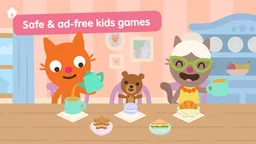
The description emphasizes an ad-free experience for children, which is appealing to parents who want fewer interruptions during play. Even so, I’d still supervise a young child’s use of a device and handle the adult decisions around purchases and screen time. “Ad-free” is useful context, but it doesn’t mean the app should be treated as a replacement for a caregiver’s judgment.
Who is likely to find it worthwhile?
I’d recommend giving it a try if you have a toddler or preschooler who enjoys tapping, exploring, and choosing what to do next. It is particularly plausible for families looking for a gentle activity to share, or a flexible option for a short quiet moment when an adult can stay nearby. The free download gives you a way to assess the fit before deciding whether any purchase makes sense.
I’d be more cautious if you need a specific academic outcome, want a game that holds a child’s attention independently, or prefer to know exactly what paid content offers before installing. The broad age range may also make it less satisfying if your child is at either end of the intended audience and has very particular needs. In those cases, a more targeted educational app—or an offline activity you can tailor yourself—may be a better choice.
Overall, I see Sago Mini World as a worthwhile free-to-try option for young children who like exploratory play, with a clear need for adults to keep the in-app purchase range in mind. I’d install it, play alongside the child, and decide based on their actual response rather than the install count or average rating. If the open-ended style suits your family, it may earn a place in your rotation; if you need structured lessons or predictable independent play, I’d skip it in favor of a more focused alternative.
What we like
- A child-friendly interface makes activities easy for young players to navigate.
- Games encourage creativity through drawing and imaginative play.
- Activities are designed for short sessions that suit young children.
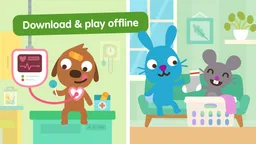
- Offline access is available for downloaded games.
- No third-party ads interrupt play.
What could be better
- Most content requires a paid subscription.
- The large download can use substantial device storage.
- Some activities may feel too simple for older children.
- Parents may need to manage access to prevent unintended purchases.
- A stable internet connection is needed to download new content.







