
Real Guitar: acoustic electric review
 Analysis by Appsdrops
When I want to sketch a guitar idea without unpacking an instrument, Real Guitar: acoustic electric offers a convenient place to start. It is a music game built around playing guitar on a touchscreen, and its strongest appeal is simple: I can try chord shapes and make a little music wherever I happen to be. That makes it useful for casual practice and experimentation, though it is not a substitute for learning on a real guitar.
Turning a touchscreen into a playable guitar
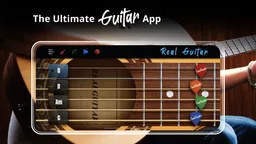
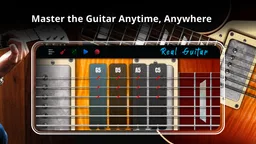
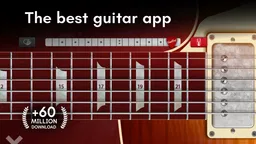
The central idea is to put guitar strings and playing controls on the screen, so I can tap or strum to produce notes and chords. Instead of treating it like a conventional score-based game, I find it more helpful to think of it as a compact instrument simulator: the fun comes from exploring sounds and getting a musical phrase to work under my fingers.
That distinction matters. A rhythm game usually asks me to follow prompts and hit notes at the right moment. Here, I can approach the screen more freely, making the experience better suited to trying out a chord sequence or playing around with a melody than chasing a high score. If I already know a few chord names, I can use that knowledge as a starting point; if I do not, I can still experiment by ear.
Kolb Apps has made this a long-running option in the music-game category. It has been available since June 11, 2012, and its current version is 8.38.10. The game is free to install, with in-app purchases ranging from $1.99 to $41.99 per item. Its Everyone age rating also makes it an approachable choice to try with younger family members, although I would still check purchase settings before handing a device over.
What playing on a screen changes
A touchscreen guitar removes the physical setup that can stop a quick idea from becoming a practice session. I do not need to find a guitar, tune it, or make room to hold it. That convenience is the feature’s real strength: the game is available for a few minutes of musical tinkering in places where bringing an instrument would be impractical.
But a screen changes the skill being practiced. Tapping a displayed string is not the same as fretting a real one, and swiping across glass cannot teach the feel or control of a physical strum. I would use the app to get comfortable with the sound of guitar-like notes and to explore chord progressions, not to judge whether my hand position or picking technique is ready for a performance.
Making a short idea work in practice
My most useful approach is to start with a small musical question rather than trying to play a whole song. For example, I might test whether two or three chords sound good together, then repeat them in a steady order and see whether a melody suggests itself. Keeping the experiment short makes it easier to hear what is changing and avoids the frustration of trying to reproduce a complicated arrangement on a small screen.
One practical tip is to use the app as a sound-checking notebook, not as a memory test. If I am considering a chord sequence for a song, I can try it immediately, listen for an awkward transition, and adjust the order before I forget the idea. I would still write down or record the result elsewhere if I wanted to keep it; a quick session is most valuable when I treat it as a way to explore, rather than assuming the app will manage a complete composition workflow for me.
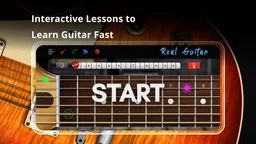
Another useful habit is to slow down mentally, even if the interface does not impose a lesson structure. Tap one chord, listen, then move to the next. That makes it easier to notice whether a sound is pleasing or whether I am simply tapping quickly. For a beginner, this is a gentler introduction than being dropped into a formal lesson; for a player, it is a low-effort way to test a musical thought when the real guitar is out of reach.
There is also a useful boundary to keep in mind: the game can help with musical curiosity, but it cannot tell me whether I am pressing strings cleanly on a guitar or coordinating both hands correctly on an instrument. If my main goal is to build reliable technique, I would pair this kind of exploration with actual guitar practice or choose a teaching tool designed around structured instruction.
A realistic use: catching an idea between tasks
Imagine I am waiting for a ride and a tune comes to mind. I can open the game, try a couple of chord combinations, and see whether the idea has a direction before the moment passes. I do not need to carry a guitar or turn the situation into a full practice session. That is a better fit for this app than expecting it to replace a rehearsal room or provide a complete path from beginner to confident guitarist.
The same quick-use pattern works at home when I want to entertain a child with a simple musical activity, or when I am curious about how a chord change might sound. Because the game is rated for Everyone, it is broadly accessible as a casual family option. I would keep expectations realistic, though: playful interaction can spark interest, but it does not automatically teach the habits needed to play an acoustic or electric guitar well.
For a songwriter, the touchscreen can serve as a rough sketchpad. I can explore whether a progression feels bright, tense, or relaxed, then move to a real instrument to refine it. The tradeoff is that the sketch may not translate perfectly: a chord that feels easy to tap may be awkward to finger, and the physical guitar may reveal details that a screen cannot. In that sense, the app is most useful at the beginning of an idea, not at the finishing stage.
Where it sits beside other music apps
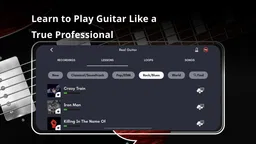
Compared with a standard guitar lesson app, this is less about following a curriculum and more about getting an instrument-like surface under my fingertips quickly. That makes it less demanding to dip into, but also less suitable if I want step-by-step coaching, feedback on technique, or a clear progression of exercises. A dedicated tuner or chord reference is a better choice when accuracy or instruction is the priority.
Compared with rhythm games, it offers a more open-ended kind of interaction. I am not primarily reacting to a stream of timed prompts; I am exploring the relationship between touches and guitar sounds. The benefit is freedom to experiment. The drawback is that anyone who wants a tightly guided challenge may find that freedom less motivating, especially if they are unsure what to play next.
That places it in a useful middle ground: more hands-on than simply listening to guitar music, but far less demanding than practicing on a real instrument. If I want to learn songs accurately, develop calluses, or improve timing with another musician, I would choose a real guitar and focused instruction. If I want to play with musical ideas in spare moments, this touchscreen approach makes more sense.
Small habits that make it more rewarding
I get more from a session when I decide on one goal in advance: test a chord change, find a melody by ear, or simply spend a few minutes making sounds. That keeps the experience from becoming aimless tapping. It also helps me judge whether the app fits my needs: if I keep wanting more guidance, I should look for a lesson-oriented tool; if I enjoy unstructured experimentation, the freedom is part of the point.
I would also treat in-app purchases as optional decisions rather than part of the basic promise. The game can be installed for free, while individual purchases are listed from $1.99 to $41.99. Before buying anything, I would check what the particular item offers in the app and whether it addresses a limitation I have actually encountered. That is more sensible than paying in anticipation of a feature I may not use.
With an average rating of 4.3 from around 391,000 ratings, and over 50 million installs, the game has clearly found a broad audience. Those figures suggest it is familiar to many players, but they do not tell me whether it will suit someone who wants formal guitar training. For that, my own deciding question is straightforward: do I want a quick way to make guitar-like sounds, or do I want a structured teacher?
Who is likely to enjoy it
I would recommend Real Guitar to curious beginners who want a low-pressure first encounter with guitar sounds, songwriters who need a pocket-sized idea tester, and casual players who like making music in short bursts. It is especially appealing when convenience matters more than physical technique: a phone is easier to have nearby than a guitar, and a brief experiment can be enough to keep an idea moving.
I would skip it as my main learning tool if I were serious about mastering guitar, needed detailed instruction, or wanted the feel and response of real strings. It may also be a poor fit for someone who prefers games with explicit goals and constant prompts. The open-ended approach asks me to bring my own musical curiosity, and without that, the screen can feel more like a novelty than a practice space.
Overall, I see this as a handy musical sketchpad disguised as a guitar game. Its value is not that it makes a phone equivalent to an instrument; it is that it removes the small barriers between having an idea and trying it out. If that is what I need, the free starting point makes it easy to explore. If I want technique, lessons, or a faithful playing experience, I would move on to a real guitar or a more specialized learning app.
What we like
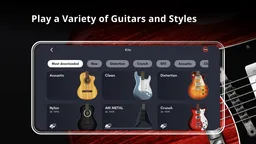
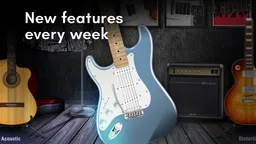
- Offers a range of guitar sounds for varied practice styles.
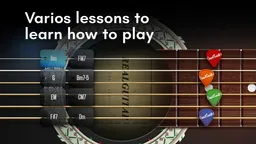
- Chord diagrams can help beginners learn finger positions.
- Touch controls make it easy to try chords without a real guitar.
- Useful for practicing simple melodies on the go.
- Lets users explore guitar playing without buying an instrument.
What could be better
- Small screens can make precise finger placement difficult.
- Touch input does not fully reproduce the feel of guitar strings.
- Some sounds or features may require in-app purchases.
- Ads may interrupt practice in the free version.
- It cannot replace feedback from a teacher or real instrument.







