
Pocket Piano review
 Analysis by Appsdrops
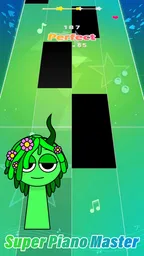
Pocket Piano is a music game built around tapping tiles in time with songs, rather than learning to play a full keyboard. I’d treat it as a quick rhythm-game diversion: it can make a spare moment feel musical, but it is not a piano lesson or a substitute for a more demanding rhythm game. Its appeal is the low barrier to entry and the mix of K-pop, phonk, EDM, and pop, with offline play available for moments when a connection is inconvenient.
How the game feels now
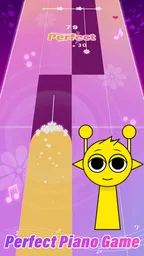
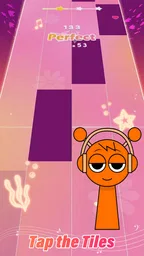
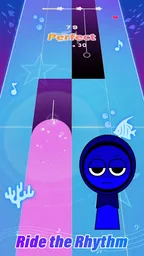
In my view, the central idea works best when you want to focus on the beat without first learning complicated controls. A pocket-piano layout gives the action an immediately familiar visual frame, while the tile-tapping keeps the task simple: watch the track, respond in time, and try to stay with the music. That makes it easy to pick up for a short session, including when you have only a few minutes between errands or while waiting for someone.
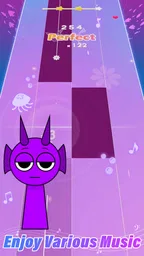
The game is listed as a music title, and its audience is broader than people who already play keyboard instruments. If you enjoy following a beat and reacting quickly, you can get something out of it without musical training. The genre mix also gives it a different flavor from rhythm games centered on one style. K-pop fans may come for the song mood, while listeners who prefer electronic beats or pop can find a more familiar entry point.
The current version is 0.6.23. That number is useful context, but it does not tell me by itself what has changed or how the game has evolved. I would judge the experience in front of me on its own merits, rather than assume that a particular feature or improvement arrived in a specific update. For existing players, that is a practical way to approach any version change: check whether the controls, song choices, and overall feel suit you now instead of relying on a version number as a promise.
Pocket Piano is free to download, and optional in-app purchases range from $0.99 to $29.99 per item. I’d start with the free experience and decide whether I’m enjoying the routine before spending anything. That is especially sensible for a casual music game, where the value depends less on a long campaign and more on whether the songs and timing challenge keep drawing you back.
A simple control idea, with a real trade-off
The tile format is approachable, but it also sets a ceiling on what the game can teach. Tapping along can help you pay closer attention to timing and rhythm, yet it does not amount to practicing piano technique: there is no reason to expect it to build finger independence, note reading, or the feel of playing a real keyboard. If your goal is to learn an instrument, use a teaching app or an actual keyboard. If your goal is to react to music and enjoy a compact challenge, this format makes more sense.
That distinction matters because the piano framing can suggest more musical depth than a tapping game necessarily offers. I would think of it as a rhythm game with a keyboard-inspired presentation, not as a pocket tutor. Keeping that expectation in check makes the experience easier to appreciate on its own terms.
Where offline play earns its place
Offline availability is more than a convenience for a game like this. It gives you a way to use a short session during a commute, in a waiting room, or somewhere with unreliable reception, without making the game dependent on a perfect connection. A useful habit is to open the game and check that it is ready before leaving home, rather than discovering your setup needs attention when you are already offline. I would also keep the phone’s sound level comfortable: rhythm games are more enjoyable when you can hear the beat clearly, but a quiet setting or headphones may be better around other people.
Offline play does not automatically make every situation ideal. A moving bus or train can make precise tapping harder, and playing one-handed while carrying something is likely to be frustrating. For those moments, I’d save the game for a seat or a stable pause rather than turning a quick distraction into a test of coordination under awkward conditions.
Who will enjoy it, and what to expect
The game is from SYNTHJOY GAMES and has a 4.6 average from around 18,000 ratings, with more than 10 million installs. Those figures suggest that plenty of players have found the basic idea appealing, but they cannot tell you whether its song selection or challenge will match your taste. I’d use them as a sign that it has an established audience, not as a guarantee that every session will land for me.
The age rating is Teen, so it is worth checking the app store’s age guidance if you are choosing a game for a younger player. That rating is a practical detail for families, but it does not replace a parent’s own judgment about what is suitable. The game is free to begin with, while paid items are available, so I’d also review purchase settings on a child’s device before handing it over.
Compared with a traditional piano-learning app, Pocket Piano asks less of you and offers less instruction. Compared with a more elaborate rhythm game, its attraction is the straightforward tapping premise and the ability to play offline. That makes it a good fit for someone who wants accessible musical play without committing to lessons, a long progression system, or a controller-heavy setup. Someone chasing intricate charts, deeper customization, or a serious instrument-learning path may be happier elsewhere.
Small habits that make short sessions better
For a quick break, I’d choose a song style I already enjoy rather than treating every track as a challenge to conquer. Familiar music can make it easier to settle into the beat, while a different genre is a nice change when the usual routine feels stale. If I’m playing in a public place, I’d keep the session short and use a comfortable audio setup; the game’s compact format suits brief bursts better than an extended session that leaves my hands tired.
Another useful approach is to separate practice from score-chasing. On one session, focus on keeping a steady response to the rhythm; on another, see how far you can go without losing concentration. That gives each play a small purpose without pretending that the game is teaching formal piano skills. It can also help you decide whether you enjoy the actual tapping loop or are only drawn in by a particular song style.
If you are deciding whether to make a purchase, I would first spend several free sessions asking a simple question: do I want to return because the play feels satisfying, or am I only curious about unlocking more? The optional items can make sense for someone already invested, but they are not a reason to assume the game will become more rewarding. As with many free games, a sensible spending limit is better than buying impulsively during a short burst of enthusiasm.
What the version tells current players
Because the current release is 0.6.23, I would keep expectations about future changes measured. The version is a snapshot of where the app stands, not evidence that a particular new mode, feature, or song has been added. Players returning after a break should simply reopen the game and see whether the present experience still suits them. Newcomers can make the same judgment without needing to know the history of earlier builds.
For existing users, the most useful thing to watch is whether the game continues to feel comfortable as a casual rhythm activity: whether you like the available musical mood, can follow the tile patterns, and find offline sessions convenient. Those are the parts that directly affect daily enjoyment. I would not choose it based on guesses about future content; I’d choose it for what the current version lets me do today.
Where it still may not fit
The biggest limitation is inherent in the format: tapping tiles can feel repetitive if you want a wider range of musical interaction. A keyboard-inspired screen is not the same as controlling different notes on an instrument, and a simple rhythm loop may not hold the attention of players who prefer exploration, story, or complex mechanics. It is also not the best pick when you want structured instruction or feedback on actual playing technique.
Song taste is another personal dividing line. The selection is framed around K-pop, phonk, EDM, and pop, so listeners who mainly want classical music, jazz, or a different niche may not find the same appeal. I would choose a genre-focused rhythm game if a particular style is the main reason I play, or a music-learning app if skill development matters more than quick reactions.
My recommendation is to try Pocket Piano as a low-pressure rhythm game, not as a promise of piano training. It makes sense for casual players who want familiar music styles, simple tapping, and the option to play offline. The free entry point lets you test that fit before considering any purchases. If the tile-based challenge clicks with you, it can be an easy game to keep around for small breaks; if you need deep musical control or a structured learning path, I’d choose a different tool.
Overall, I see Pocket Piano as a focused, accessible music game whose strength is convenience rather than depth. Its Teen rating, free download, and optional purchases are useful to keep in mind when deciding whether it belongs on your device, while the current version gives you a clear starting point without making any promise about what comes next. I would recommend it to a friend who wants a quick beat-based distraction and would be equally clear about its limits: enjoy the tapping, but look elsewhere for lessons or a more involved rhythm challenge.
What we like
- Offers a portable way to practice piano on a phone.
- Useful for learning notes and trying simple melodies.
- Touch controls make it easy to start playing.
- Can provide quick musical entertainment during short breaks.
- May help beginners explore piano sounds before buying an instrument.
What could be better
- A phone screen offers limited space for playing accurately.
- Touch controls may feel less responsive than physical keys.
- Small displays can make longer practice sessions uncomfortable.
- Built-in sounds may not satisfy users seeking realistic piano tone.
- Advanced players may find the playing features too basic.







