Piano Kids - Music & Songs review
 Analysis by Appsdrops
Piano Kids - Music & Songs is a bright, approachable music game for children, built around tapping keys, exploring sounds, and trying short activities rather than following a formal piano course. I see its strongest appeal in how it invites a child to experiment without needing to read music or understand an instrument first. That makes it a handy choice for a brief, supervised play session, though it is not a substitute for piano lessons or a quiet, structured learning tool.
Exploring music at a child’s pace
Made by Orange Studios Games, this free music game is aimed at an Everyone audience. Its current version is 3.81, and it runs on Android 6.0 or later. The game has a 4.3 average from around 733,000 ratings and has passed 100 million installs, which suggests it has reached a very broad audience. Those numbers are useful context, but they do not tell you whether its presentation will suit your particular child; the best test is whether the child can comfortably follow its visual prompts and enjoy the sounds.
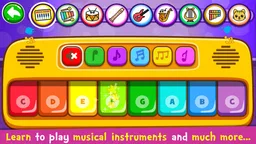
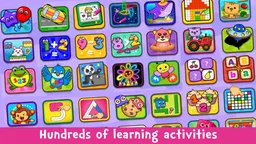
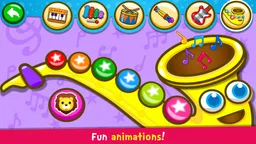
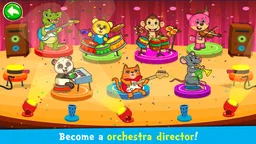
The main idea is easy to grasp: the screen presents musical play in a child-friendly format, with piano at its centre and a range of other activities to explore. The breadth can help maintain interest when a child is not ready to repeat the same exercise. The trade-off is that a wide selection can also make it less obvious which activity to choose if you want a specific learning outcome. I would treat it as guided discovery, not as a curriculum that steadily builds technique.
That distinction matters when comparing it with a conventional piano-learning app. A lesson-focused alternative is usually a better fit for a child who is ready to practise particular notes, follow a sequence, or work toward playing a piece accurately. Piano Kids is more suitable when the goal is to make music feel approachable: let a child hear what a tap does, try a tune, and move on when attention fades. For a beginner who feels intimidated by a real keyboard, that low-pressure first contact can be a genuine advantage.
Readable prompts and simple navigation
The game’s child-oriented design aims to make the activities approachable without demanding much explanation from an adult. In practice, I would still sit with a young child for the first session. A quick demonstration—where to tap, how to return to the activity choices, and how to keep the sound at a comfortable level—can prevent a lot of aimless tapping and frustration. Once the child recognizes the basic pattern, independent exploration is more realistic.
For a child who does not yet read confidently, visual interaction is especially valuable. It gives an adult a chance to turn play into a small conversation: “What happens if you tap that key?” or “Can you find the sound you just heard?” These prompts support curiosity without turning the game into a test. If a child needs spoken instructions, clear text, or a consistent step-by-step route, though, I would not assume the visual presentation alone will be enough; try it together before relying on it as a self-guided activity.
A useful way to keep choices manageable is to introduce one activity at a time instead of asking a child to browse everything at once. For example, begin with piano play, then let them choose whether to repeat it or try something different. This is a small adjustment, but it helps children who become overwhelmed by menus or too many options. It also makes it easier to notice which kinds of music play hold their attention.
Touch, sound, and different ways of joining in
Touch-based music play can feel rewarding because a child’s action produces an immediate sound. That direct connection can invite experimentation even when a child has little musical experience. It may also suit a child who prefers exploring by doing rather than listening to a long explanation. I would not, however, assume every child will find the touch interaction equally easy: a child with limited finger control, tremor, or difficulty aiming at screen elements may need an adult nearby or may prefer a larger physical instrument.
One practical workaround is to let the child use a relaxed finger and focus on broad exploration instead of accuracy. If tapping precisely becomes frustrating, the adult can demonstrate a few notes and let the child imitate at their own pace. This keeps the emphasis on making sounds rather than getting every action right. It will not remove a genuine motor barrier, but it can show whether the child enjoys the experience before you decide to keep using it.
Sound is just as important as touch here. A piano game is naturally more satisfying with audio on, yet the same sounds may be distracting or uncomfortable for a child who is sensitive to noise. I would start with the device volume low and check the child’s reaction before handing over the screen. For a shared room, a waiting area, or a moment when quiet matters, the game may be a poor fit even if its controls are otherwise comfortable.
It also works best when an adult treats the child’s response as useful feedback. If the child covers their ears, loses focus, or becomes upset by a sound, stop rather than encouraging them to push through. If they enjoy the sounds but tire of screen tapping, use the session as a short musical prompt and then switch to singing, clapping, or a real keyboard. The app can start an activity; it does not need to carry the whole experience.
Where it fits into an ordinary day
I can picture using it during a short stretch at home when a child wants something hands-on but an adult still wants the activity to feel creative. A parent might sit nearby, open a piano activity, and take turns making sounds for a few minutes before moving on to a song or another part of the day. That is a more realistic use than expecting a young child to practise independently for a long time. Short sessions also make it easier to notice when the novelty is wearing off.
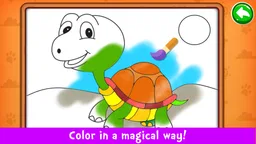
For travel or a quiet public setting, the main question is not simply whether the game is portable; it is whether audio and screen interaction will suit the surroundings. Music play can disturb people nearby, and a child who needs close supervision may not be occupied by the game for long. I would reserve it for places where a little sound is acceptable and an adult can stay engaged. In a situation requiring silence, a colouring activity or a book is likely a better choice.
Families can also use the game as a low-pressure way to see what kind of musical play a child enjoys. Does the child prefer making their own sounds, returning to a familiar tune, or sampling different activities? Watching those choices is more informative than treating the game’s broad range as proof of musical progress. If the child repeatedly gravitates toward the piano, that can be a cue to offer a toy keyboard or a beginner lesson; if they prefer variety, free exploration may be all they want for now.
Limits worth considering before handing over the device
The same variety that keeps the game lively can make it less focused than a dedicated teaching tool. Children who need a predictable routine may prefer repeating a small set of activities rather than choosing among many. Likewise, a child who wants clear feedback on posture, fingering, note names, or practice progress will need something more instructional. I would not use this game to judge whether a child is learning piano technique; it is better understood as musical play.
There is also a difference between “free to start” and “free of every possible cost.” Piano Kids is free, with in-app purchases listed at $3.99 per item. If a child uses the game, I recommend checking purchase settings on the device and discussing expectations before play. That is sensible for any children’s app where a child may explore menus. The game is rated for Everyone, but an age rating does not tell you whether its sounds, visuals, or touch demands match your child’s individual needs.
Another limitation is that a screen cannot replace the social and physical parts of learning an instrument. A real piano or keyboard gives a child a broader sense of touch and lets an adult model hand position directly. A music teacher can adapt explanations to the learner in ways a general-purpose game cannot. If your goal is a first playful encounter with music, the app has a clear role; if your goal is sustained instruction, I would pair it with a more structured option rather than expecting it to do everything.
A welcoming starting point, with a few conditions
For children who enjoy tapping, listening, and choosing their own pace, Piano Kids offers an accessible-feeling entry into musical play without asking them to begin with theory. Its broad reach and strong average rating make it a familiar option for families to consider, but the more important question is whether the individual child finds its interface comfortable and its sound enjoyable. I would start together, keep the first session brief, and let the child’s response guide what happens next.
I would recommend it most to caregivers looking for a playful screen activity that can spark curiosity about piano and music. I would hesitate if the child is sensitive to sound, finds touch controls difficult, needs a highly predictable interface, or is ready for serious, sequenced instrument instruction. In those cases, a quiet non-screen activity, a physical keyboard, or a teacher-led lesson may be the kinder fit. The best use of Piano Kids is as an invitation to explore, not a promise that every child will learn in the same way.
What we like
- Colorful visuals make the interface inviting for young children.
- Large touch targets are easy for little hands to tap.
- Includes simple activities beyond playing piano keys.
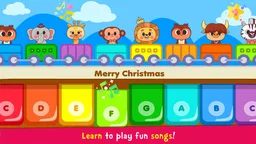
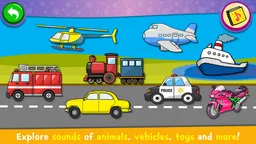
- Animal sounds add variety to musical exploration.
- Works well as an informal introduction to rhythm.
What could be better
- Ads may interrupt play or lead children outside the app.
- Some activities can feel repetitive after extended use.
- Sound quality depends on the device speakers or headphones.
- Young children may need adult help navigating the menus.
- The app offers limited guidance for learning formal piano skills.







