




Piano Rush: Magic Rhythm review
 Analysis by Appsdrops
I like rhythm games that make a spare minute feel lively without asking me to learn a complicated control scheme. Piano Rush: Magic Rhythm is built around that simple appeal: follow musical timing, tap quickly, and keep your attention on the next beat. It is a free music game from Dream Tiles Piano Game Studio, and its straightforward premise makes it easy to understand what kind of session it offers. The more important question is whether that quick-play style suits you—and whether its purchase options fit the way you like to play.
Quick rhythm play, with a spending choice to consider
Piano Rush: Magic Rhythm is available at no upfront price, while in-app purchases range from $0.99 to $39.99 per item. That gives you a clear starting point: you can consider the game without paying to download it, but optional spending is part of the package. I would treat the free entry as a chance to see whether its pace and musical feel suit you before deciding whether anything in the game is worth buying.
Those purchase prices describe a broad range, not what each item does or whether a particular purchase is necessary. I wouldn’t assume that paying improves scores, removes interruptions, unlocks specific songs, or gives a competitive advantage. If you are cautious about accidental spending, check your device’s purchase controls before handing the game to a child or letting someone else use your device. The game carries a Mature 17+ age rating, so it is not a title I would casually recommend for younger players.
The game is listed at a 3.5 average from around 5,500 ratings, with 15 written reviews. I read that as a reason to keep expectations measured rather than as a verdict on any one person’s experience: a score can hint at mixed satisfaction, but it doesn’t tell me exactly what another player liked or disliked. Its reach is substantial, with over 10 million installs, yet popularity alone cannot answer whether the timing, song selection, or purchase choices will work for you.
What the rhythm format is good at
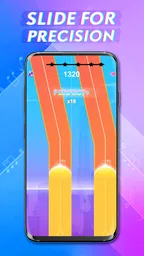
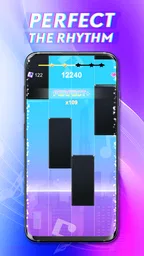
The appeal is immediate. A music game organized around tapping and sliding asks for little setup or explanation, so it can fit a short break between tasks, a commute when you are standing still and can safely use your phone, or a few minutes of downtime at home. I find this kind of focused interaction more satisfying than passively scrolling when I want a small, active distraction.
There is a useful distinction between enjoying a rhythm game and wanting piano lessons. The name and musical theme may suggest keyboard practice, but a tap-and-slide game should be approached as an entertainment challenge, not as a substitute for learning notes, hand position, or piano technique. If your goal is to build instrument skills, a lesson-focused app or a real keyboard will serve you better. If you want a compact test of timing and attention, this format is a more natural fit.
For an everyday example, I’d use it during a short wait when I have both hands free and can give the screen my attention. I would not start a demanding session while walking, crossing a street, or trying to listen closely to someone. Rhythm play can pull focus toward the display, and that is a genuine trade-off: its quick engagement is also why it is best saved for a safe, interruption-free moment.
Progress feels better when you set your own pace
Fast input can make a music game feel exciting, but it can also turn a casual break into a test of concentration. I recommend beginning with a brief session rather than assuming that a longer run will automatically be more enjoyable. If you find yourself rushing, missing cues, or tapping without listening, pause and return when you can give the rhythm your attention. That small habit can keep the game from becoming a frustrating reflex exercise.
A practical way to judge whether you are improving is to focus on consistency rather than chasing a perfect run immediately. Pay attention to whether you can follow the musical pulse more calmly from one attempt to the next. This is a personal benchmark, not a claim about a specific progression system. I avoid treating any one score as proof of skill, especially in a game where timing, device responsiveness, and the player’s focus can all shape how a session feels.
Version 1.3.6 is the current release, and the minimum operating-system requirement is Android 7.0. Those details help with basic compatibility planning, but they do not guarantee that every device will feel equally responsive. If the timing seems off, first try playing in a quiet setting and holding the phone steadily; those simple changes help separate distraction and handling from the game’s own feel. I would not buy anything simply to solve a timing problem before checking whether the issue is your environment or device.
Fairness, purchases, and what I would check first
For a rhythm game, fairness is not only about whether everyone can access the same content. It is also about whether success feels tied to listening and timing rather than to spending. The available purchase range tells me that paid items exist, but it does not establish what they provide or how they affect play. So I can’t responsibly call the game pay-to-win—or claim that purchases are purely cosmetic—without knowing what those items do.
If you care about competing with other players, that uncertainty matters. Before spending, look at the item descriptions in the app and decide whether the purchase offers something you actually want. If the game presents rankings or other comparisons, judge them on their own terms rather than assuming that every result reflects equal conditions. I would be especially cautious about paying for an advantage unless the purchase details clearly explain what changes and you are comfortable with that effect.
Another useful test is to play first and make a spending decision later. Note what you can enjoy without paying, then ask whether a purchase would solve a real problem for you or merely promise a vague improvement. Keeping that distinction in mind is a simple way to avoid turning a quick music game into an impulsive purchase. The free download makes trying the basic experience possible, but it does not mean every feature or item is free.
Compared with music-learning apps, this is the lighter, more game-like choice: it prioritizes immediate interaction over structured instruction. Compared with slower music games, its tap-fast, slide-sharp identity points toward a more reactive feel. If you prefer careful practice, broad customization, or a clear lesson path, I would look elsewhere. If you want an easy-to-grasp rhythm challenge that can occupy a small pocket of free time, its core idea is a better match.
Who should skip it, and what remains uncertain
I would skip this game if you strongly dislike time pressure, find repeated screen tapping uncomfortable, or want music play that can continue while your attention is elsewhere. It is also a poor fit for anyone specifically seeking piano instruction or a purchase model they can evaluate in advance from a simple, fixed price. The stated range covers items from $0.99 to $39.99, so I would set a spending limit before exploring optional purchases.
There are practical questions I would answer by checking the game directly before committing time or money: which songs and modes are available, what each paid item changes, and whether the experience works well offline. Those points affect whether it suits your routine, but I would not guess at the answers. Similarly, a rating and install count can offer context, not a reliable prediction of how the game will run on your phone or whether you will enjoy its music.
That is why I’d approach the first session as a trial, not a promise to keep playing. Notice whether the input feels comfortable, whether the musical cues are enjoyable, and whether you can stop after a short run without feeling pushed toward a purchase. If those checks go well, the game may be a handy occasional diversion. If the controls or pace irritate you, there is little reason to force it just because rhythm games are popular.
My verdict on its place in your library
Piano Rush: Magic Rhythm makes the most sense for someone who wants a compact music game with an immediate premise and is happy to judge it through play rather than expecting a full piano course. I like the low-commitment way to try a rhythm-focused title, but I would keep the spending decision separate from the fun of the first session. Free access is a useful starting point; optional purchases still deserve a deliberate look.
Developer Dream Tiles Piano Game Studio has a game with broad reach, but the 3.5 average and modest number of written reviews suggest I should recommend it with some restraint. That does not make it a bad choice; it simply argues against assuming it will suit every rhythm-game fan. Its Mature 17+ rating is another reason to check suitability before installing it for someone else.
My honest recommendation is to give it a short try if you enjoy focused tapping, want an easy game to pick up during safe downtime, and are comfortable assessing optional purchases for yourself. Choose a music-learning app if you want instruction, or a less demanding game if you need something forgiving and hands-off. For the right player, this can be an engaging little test of timing; for everyone else, the quick pace and unanswered purchase details are good reasons to move on.
What we like
- Quick rounds make it easy to play during short breaks.
- Simple tap controls are easy for beginners to learn.
- Rhythm challenges can help develop timing and focus.
- A wide range of songs keeps repeated play more varied.
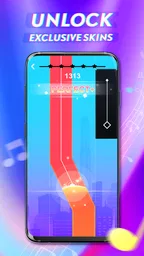
- The colorful visuals make the notes easy to follow.
What could be better
- Fast note patterns may feel difficult for new players.
- Some songs or features may require in-app purchases.
- Ads can interrupt the flow between rounds.
- Touchscreen accuracy can affect performance on smaller phones.
- The experience may become repetitive after extended play.







