




Piano Beat: Music Game review
 Analysis by Appsdrops
I like music games that turn a spare minute into something focused, and Piano Beat: Music Game is built around that quick, rhythmic appeal. It is a free music game from Dream Tiles Piano Game Studio, with a Teen content rating. Its pitch is simple: play along with the beat, rather than treat it as a full piano-learning course. That distinction matters. I’d recommend it to someone looking for a casual rhythm challenge, but not to anyone expecting detailed instrument lessons or a realistic keyboard simulator.
How it feels in a quick session
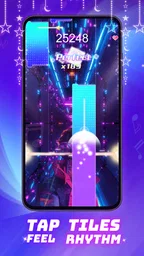
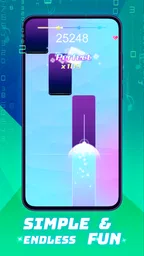
The main attraction is the immediate link between listening and reacting. A rhythm game asks for attention in short bursts: follow the music, keep your timing, and try to stay composed as the pace demands more of you. That makes Piano Beat a natural choice for a short break, a commute with your phone in hand, or a few minutes of play between other tasks. It is less suited to a moment when you want to leave the screen untouched and simply enjoy a playlist.
I would go in expecting a game-like music experience, not a shortcut to playing piano. Tapping along can sharpen your sense of timing and give your hands something to do while you listen, but it does not replace practice with keys, music reading, or instruction. If your goal is to learn chords and build a reliable technique, a dedicated lesson app or a real keyboard will be a better fit. If your goal is to test your concentration against music, this is much closer to what you want.
For speed, the sensible expectation is that a session should feel responsive enough for a rhythm game, but perceived smoothness depends on the device and the conditions around it. I pay special attention to whether the sound and visual cues feel aligned: even a small sense of mismatch can make a timing challenge frustrating. If a session feels off, I’d first close other demanding apps, check that the phone is not struggling with heat or low battery, and try again in a quieter setting. Those are practical checks, not a promise that every device will behave identically.
When the rhythm gets demanding
The most revealing moments in a music game tend to arrive when I stop treating it as background entertainment. A faster or more complex stretch—whatever the current track asks of you—requires me to look ahead, settle into a steady grip, and avoid tapping in a panic. That is where the game’s quick-session appeal can become a real concentration test. It also explains why playing while walking, talking, or watching something else is a poor match: divided attention makes timing feel harder and turns a relaxing break into a string of avoidable misses.
One useful habit is to begin with a short session when you first open the game, rather than immediately committing to a long stretch. It gives you a chance to judge how the controls feel on your screen and whether the sound is comfortable at your usual volume. If your hands get tense, pause and reset your posture instead of trying to force a better run. That small adjustment is especially helpful on a phone, where a cramped grip can make accurate taps less natural than they would be on a larger surface.
Another trade-off is that a game built around quick reactions rewards focused repetition more than passive listening. I would use it as a small, deliberate challenge: pick it up when you can give the screen your attention, then stop when the session stops being fun. That makes it easier to enjoy the music without turning a casual game into an exhausting attempt to improve every run. People who want a calm, hands-off music player should choose a streaming app instead.
Reliability and what to do when a session falters
For a rhythm game, reliability is not only about whether it opens. The important question is whether the controls, music, and screen continue to feel consistent enough that a mistake seems like yours rather than the phone’s. I would judge that in a few short sessions across ordinary conditions, not from one unusually smooth or troublesome attempt. A brief interruption, a crowded device, or an unstable connection can change how enjoyable any phone game feels, so it is worth separating a one-off hiccup from a pattern.
If the game stutters or stops responding, my first recovery steps would be the usual low-risk ones: leave the session, close other apps, reopen the game, and restart the phone if the problem persists. Before updating, I’d also make sure there is enough free storage for the app and its routine operation. These steps cannot guarantee a fix, but they help identify whether the issue is isolated to the game or part of broader device strain. If problems recur, check the app store for an update and consider whether the phone itself is running unusually slowly.
I would also avoid relying on a rhythm session as something that must survive an interruption perfectly. A phone call, notification, or switching apps can break concentration even if the game returns normally. If you want to protect a run, use a quiet moment and reduce avoidable interruptions before starting. That is a particularly useful workflow for a game where a split second of lost attention can matter more than it would in a slow-paced puzzle title.
Choosing the right device and expectations
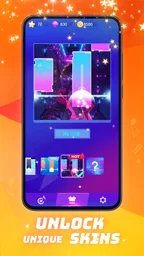
The listed minimum operating system is Android 6.0, so the game is aimed at a broad range of Android devices rather than only the newest phones. That does not mean performance will be identical across them: an older handset may have less room for multitasking, and a busy or nearly full phone can feel less responsive than a well-maintained one. I would install it only if the device has enough free space and still handles other everyday tasks comfortably. The game is free to download, with in-app purchases priced from $0.99 to $39.99 per item, so I’d check purchase prompts carefully if I’m sharing the phone with a younger player.
The game has a 4.1 average from around 48,000 ratings and more than 50 million installs, which suggests that many players have tried it. Those figures are useful context, not a guarantee that it will suit your phone or taste. There are 109 written reviews, and I’d look at recent comments in the app store if I wanted to understand how it is behaving on devices similar to mine. The current version is 1.7.6, and the game was released on June 20, 2025; those details help identify the version and release, but they do not by themselves tell me how smoothly it will run on a particular handset.
Compared with a conventional piano-learning app, Piano Beat appears aimed at quick reaction and entertainment rather than structured lessons. Compared with a music player, it asks you to participate instead of simply listening. And compared with slower puzzle games, it is a better fit when you want a direct link between the soundtrack and your actions. That makes its audience fairly clear: casual players who enjoy tapping to music and want short, active sessions. It is a weaker choice for anyone seeking a quiet, low-attention game, music theory, or dependable practice on a real instrument.
Purchases, age rating, and everyday fit
Because it is free to start but offers paid items, I’d treat optional purchases as a separate decision rather than assume every part of the experience is included at no cost. The listed range runs from $0.99 to $39.99 per item. If you are setting it up for a teenager, the Teen rating is another reason to review the app store page and purchase settings together, rather than handing over a phone with payment access already open. That is a sensible precaution for any free-to-download game with in-app purchases.
A realistic use case is a short wait at a station or a quiet break at home: I can open the game, focus on the music for a few minutes, and put it away when I need to move on. For that situation, I’d keep the phone steady, use a comfortable volume, and avoid playing while crossing a street or doing anything that needs my attention. If I am travelling in a noisy place, I would not assume the experience will be enjoyable without suitable listening conditions; the rhythm depends on being able to follow the audio and screen together.
My overall view is that Piano Beat: Music Game makes the most sense as a compact rhythm-game diversion. It has a clear use when I want music to demand a little concentration, and its free entry makes it easy to try before deciding whether optional purchases matter to me. The main caveat is expectation: it is not a piano course, and performance comfort will depend on the device and the conditions in which you play. If you like short, active music challenges and can give them your attention, I think it is worth a try; if you want lessons, passive listening, or a game that never competes for focus, I’d choose something else.
What we like
- Rhythm gameplay is easy to understand for new players.
- Short levels suit quick play sessions.
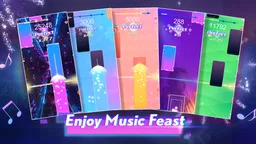
- A range of songs keeps the playlist varied.
- Visual feedback makes notes easy to follow.
- The game offers a simple way to practice timing.
What could be better
- Fast note patterns can feel difficult for beginners.
- Some songs or features may require in-app purchases.
- Ads can interrupt the flow between levels.
- Touch controls may miss taps on smaller screens.
- Repeated play can make the soundtrack feel familiar.







