


PBS KIDS Games review
 Analysis by Appsdrops
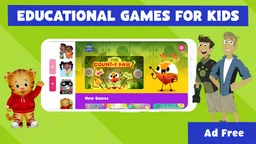
When I need a low-pressure activity for a young child that feels more purposeful than another video, I look for games that invite them to make choices and try things themselves. PBS KIDS Games brings together familiar characters, including Daniel Tiger and the Wild Kratts, in a collection of child-focused activities. My main impression is that it works best as a small, repeatable part of a family routine: easy to offer for a short stretch, with enough variety to suit different interests.
Getting started: a simple routine that works
This is an educational game from PBS KIDS, aimed at children and rated Everyone. It is free to play, which makes it easy to try without first deciding whether a subscription or purchase is worthwhile. The app has been available since April 27, 2016, and its current version is 6.14.0. It has a 4.3 average from around 55,000 ratings, with more than 10 million installs.
The collection approach shapes how I would use it. Rather than expecting one long game to hold a child’s attention, I’d let them choose a character or activity and treat that as the session. Daniel Tiger may be the more inviting starting point for a child who already knows him, while the Wild Kratts can appeal to someone drawn to animals and exploration. Familiar characters provide a useful bridge into play, but a parent should still expect to help a younger child decide where to begin.
A practical first session is deliberately short: open the app together, browse the choices, and let the child pick one. Stay close long enough to see whether they understand the activity and whether its pace suits them. That first look also gives you a chance to steer away from a game that feels too challenging or not interesting to them, instead of handing over the device and hoping the collection makes the choice obvious.
For an everyday example, I can see this fitting into the few minutes before dinner while an adult is nearby. The child can take a turn choosing and playing, while the grown-up can ask what they are doing or help when they get stuck. That is a better fit than treating the app as a hands-off babysitter: it offers an activity, but the useful part is often the conversation and decision-making around it.
Make the first choice easy
With a collection of games, the initial browsing can be more effort than the play itself, especially for a preschooler who does not yet read confidently. I’d narrow the choice verbally rather than asking “What do you want to play?” across a large set of possibilities. Offering two visible options, or choosing a familiar character together, helps a child get into an activity without turning the opening screen into a test of patience.
It is also worth watching how a child reacts to the first activity before deciding that the whole app is or is not for them. A child who loses interest in one game may simply prefer a different character or style of play. Conversely, a favourite character alone does not guarantee that every activity will suit their age, attention span, or current mood.
Settings and boundaries worth checking
I would check the device and app setup before making this part of a regular routine, rather than assuming that “child-friendly” means every surrounding detail is settled automatically. Set the device’s usual screen-time boundaries, make sure a child knows how to return to the activity if they leave it, and supervise the first few sessions. These are practical household habits, not claims about a particular setting inside the game.
Parents should also decide how they want to handle transitions. Children can find it hard to stop a game they are enjoying, so a simple warning before the device goes away is often more useful than ending play abruptly. If the app is being used during a busy moment, agree beforehand on one activity or a clear stopping point. That makes the experience easier to manage than offering an open-ended session and negotiating the finish later.
Because this is a collection, a small amount of adult guidance can keep the experience from becoming aimless browsing. I would help a child pick a game, then let them take the lead within it. For a child who taps quickly through choices or gets frustrated when something does not respond as expected, staying nearby is especially helpful. The benefit is not just avoiding a wrong tap; it is being able to notice when the activity is no longer working for them.
Faster patterns for repeat play
Once a child has found a game they enjoy, make that preference the starting point next time instead of reintroducing the entire collection. A familiar activity can reduce the time spent deciding and let the child settle into play sooner. I’d still leave room for them to choose something different now and then, but a dependable first option is useful on a rushed morning or during a short wait.
A second helpful pattern is to connect the play to an ordinary conversation. If the child chooses a Wild Kratts activity, ask what animal or idea caught their attention; after a Daniel Tiger game, invite them to explain what they tried. I would avoid turning every session into a quiz. A relaxed question lets the child share what they noticed without making the app feel like homework, and it gives the adult a better sense of whether the activity is engaging them.
It can also help to separate “choosing time” from “playing time.” If a child spends longer browsing than playing, guide them toward one option and save further exploration for another session. This is a simple way to make a short window feel satisfying: the child gets a real turn with an activity rather than using most of the available time deciding among choices.
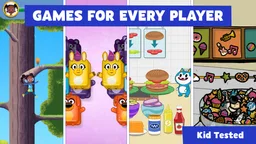
For siblings or children with different interests, take turns choosing rather than expecting one game to satisfy everyone. A character collection can make that arrangement more workable, but it does not mean every activity will be equally appealing or appropriate for every child. A younger child may need help navigating, while an older one may prefer more challenging games elsewhere. The family routine should follow the children, not the assumption that one app has to serve all ages equally.
Where this collection fits among alternatives
Compared with a single-purpose learning game, PBS KIDS Games is appealing when a child wants to move between familiar characters and different kinds of play. That variety is its practical advantage: it gives a parent more than one starting point when a child’s interests change. In contrast, a focused reading, number, or puzzle app may be a better choice if the goal is to practise one particular skill in a structured sequence. I would not choose this collection expecting it to replace a dedicated lesson or a teacher’s guidance.
It also occupies a different role from passive cartoons. The child is interacting rather than only watching, which gives them choices to make and actions to try. Still, interactive does not automatically mean educational in every moment, and screen play is not a substitute for reading together, imaginative play, or time outdoors. I see the app as one option in a balanced set of activities, particularly useful when a family wants a character-led game rather than another video.
The app’s free price removes a common barrier to trying it, and its Everyone rating gives parents a quick age-category reference. Those points do not tell you whether a specific activity will suit your child personally. If your child is sensitive to busy screens, quickly frustrated by game instructions, or looking for a more advanced challenge, test it together before relying on it as a regular activity.
Limits that matter in daily use
The breadth of a game collection can be a drawback as well as a strength. A child may spend time browsing, or may enjoy one activity and ignore the rest. That is not necessarily a problem, but it means the app’s variety should not be mistaken for a carefully paced course. If you want steady progress through a specific subject, a specialist learning app or a book-and-practice routine is likely to be a clearer fit.
There is also no guarantee that a child can manage every part independently. Comfort with a familiar character does not mean a young player will understand every instruction, menu, or game mechanic. I’d expect some children to need an adult nearby, particularly at first. If your priority is an activity that a child can use without any help or supervision, try a session before building it into a routine.
Another limitation is that a screen activity can be an easy default when adults are busy. I would keep it intentional: use it for a particular short window, and have a stopping plan. If a child becomes upset whenever play ends, or the app is crowding out sleep, shared play, or other routines, the sensible response is to reduce or pause use—not to search for a trick that makes unlimited play work.
My recommendation is strongest for families who already like PBS KIDS characters and want a free, approachable collection of educational games to try together. It is less compelling for someone seeking a deep, single-subject curriculum, a guaranteed independent activity for every child, or a replacement for offline play. The 4.3 average and around 12,000 written reviews suggest that many people have taken an interest in it, but your child’s response in a first supervised session matters more than any overall score.
A considered choice for family play
With a repeatable routine—choose together, play one activity, talk about it, and finish at an agreed point—PBS KIDS Games can be a useful way to make a short stretch of screen time more interactive. I like its character-led variety and the fact that trying it does not require a purchase. I would keep expectations grounded: it is a collection for playful learning, not a personalized teaching plan, and some children will need help choosing or playing.
If that balance suits your household, I’d give it a try and let the child’s interests guide which games become regular favourites. If you need a structured lesson, a more advanced challenge, or an activity with no adult involvement, another option may serve you better. For families who want an easy, familiar starting point for shared digital play, PBS KIDS Games is a sensible one to explore.
What we like
- Games feature familiar PBS KIDS characters.
- Activities suit a range of young children.
- Many games can be played without an account.
- Kid-friendly controls are easy to understand.
- Content is designed for preschool and elementary ages.
What could be better
- Some games require an internet connection.
- The selection may feel too simple for older children.
- Game availability can vary by region.
- Parents may want to supervise screen time.
- Some activities may take time to load on older devices.







