

Netflix Playground: Kids Games review
 Analysis by Appsdrops
I’d look at Netflix Playground: Kids Games as a family activity first and an educational game second. It brings children’s play and familiar characters into the same app, which can make it easier to get a young player interested than a traditional learning app with worksheets or drills. The trade-off is that parents should treat it as a playful option, not as a complete learning plan: its appeal depends on whether the child enjoys the activities and characters on offer.
What the app is like for a family
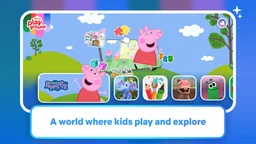
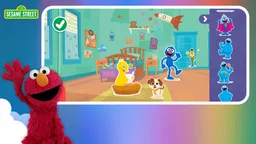
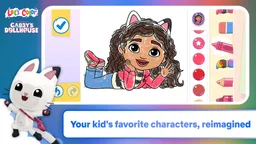
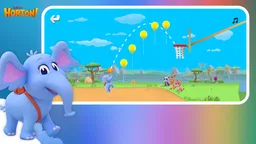
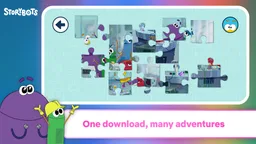
This is a free educational game from Netflix, Inc., intended for everyone. Its central idea is straightforward: children can play games and encounter characters they already know from kids’ shows. In my view, that combination is most useful when you want a low-pressure activity to fill a short stretch of time, rather than a structured course that asks a child to follow a lesson sequence.
Netflix Playground: Kids Games is rated 4.4 on average from around 3,800 ratings, and it has more than a million installs. Those figures suggest that plenty of families have tried it, but they don’t tell me whether a particular child will enjoy it. A child who likes recognizable characters may be drawn in quickly; one who prefers open-ended building, puzzles without a show tie-in, or a very specific subject may find a different app more satisfying.
The name also sets a useful expectation: this is a playground, not a replacement for schoolwork. I would introduce it as a collection of things to try, then see what holds a child’s attention. That framing avoids promising that every session will teach a measurable skill and gives the child room to choose activities based on mood.
A good fit for short, supervised play
A practical use case is the end of a busy afternoon, when a child needs something engaging while a parent prepares dinner or gets a bag ready for the next day. I’d offer the app for a short, agreed period and stay nearby at first. That gives the child a chance to explore while letting an adult see whether the activities feel age-appropriate and whether the interface is easy for that child to navigate.
It can also work as a shared activity. Rather than handing over the device and walking away, a parent can ask the child to explain what they are doing or choose a character together. That small change makes the game more social and helps an adult judge whether it is holding attention for the right reasons. It is a particularly sensible approach for younger children who may need help switching between activities or stopping when playtime is over.
The Everyone age rating makes the intended audience broad, but it doesn’t mean every child will find every game equally suitable or interesting. Children vary widely in reading ability, patience, and comfort with tapping through menus. I’d watch the first session rather than assume that the rating alone answers whether the experience is right for a specific child.
Where the educational angle works—and where it may not
Character-led play can be a helpful invitation. A familiar face may make a child more willing to try something new, especially if they are hesitant about apps that look like lessons. The strongest use, in my opinion, is as an enjoyable break that may encourage curiosity and participation. I would not count on it to teach a particular topic in a complete or carefully sequenced way unless the child’s experience actually demonstrates that over time.
That distinction matters when comparing it with usual alternatives. Dedicated early-learning apps often make a narrower promise around numbers, letters, reading, or another skill; their structure may suit a parent looking for repeated practice. A general children’s game may offer more variety or less emphasis on familiar media characters. Netflix Playground sits closer to the accessible, character-led end of that spectrum, so I’d choose it for an easy invitation to play, not as my first pick when I need targeted instruction or a clear progression plan.
There is also a useful family trade-off in the Netflix connection. Children who already recognize the characters may need less encouragement to start. But if a child has little interest in those shows, the tie-in may add no value. I’d make the decision based on the child’s interests rather than assuming that a well-known brand automatically makes an activity engaging.
What the current version tells me
The current version is 9.91.0, and the game’s release date is March 31, 2026. Those are concrete markers of its present state, but I would not read a version number by itself as proof of a particular redesign or new feature. The useful takeaway for a prospective user is simply to check that the installed app is up to date before deciding how it works on their device.
For someone already using it, an update can be a reason to revisit the app with a child, but I’d avoid promising that the experience has changed in a specific way without checking what appears after updating. A sensible routine is to look at the available activities together, let the child pick one, and notice whether the app feels clearer or more engaging than the last time. That’s more informative than relying on a version label alone.
The minimum operating system is version 9. Before planning a family activity around it, I’d check the device’s software version and make sure there is enough time to install or update the app. That simple check can prevent the frustrating moment when a child is ready to play but the device is not compatible.
Small choices that improve the experience
One useful approach is to make the first visit exploratory rather than instructional. Let the child browse with you, try an activity, and say what they liked. If they keep returning to one kind of play, that tells you more about their interests than trying to push them through every available option in a single sitting. It also helps you decide whether the app deserves a place in the family’s regular rotation.
Another practical tip is to use a clear stopping point before opening the game. For example, agree that play ends when a snack is ready or after a short session, rather than waiting until a child is deeply absorbed and then abruptly taking the device away. This is not a special feature of the app; it is a simple way to make screen time easier to manage, especially with young children.
I’d also treat it as a shared discovery tool when a child is new to independent app use. Sit alongside them once, observe whether they can find and start an activity without repeated help, and then decide how much independence makes sense. If navigation becomes the main challenge, the app may be better as a parent-and-child activity than as a hands-off distraction.
What to weigh before installing
The game is free, which makes it easy to try without paying upfront. That does not, on its own, answer every family’s questions about how the app fits into their household, so I’d check the app’s current in-app details and settings before giving a child independent access. For a young player, an adult’s first look is worthwhile even when the download itself costs nothing.
If you are choosing between this and a dedicated learning app, ask what you need from the next session. For relaxed character-based play, Netflix Playground may be a natural fit. For a child who needs systematic practice in one subject, a focused educational product is likely the better choice. For a child who is easily overstimulated by screens or has no interest in the featured characters, an offline activity may be more rewarding altogether.
The main limitation I see is that a broad, playful concept gives parents less reason to assume a specific educational outcome. A child may enjoy it without making visible progress in a skill you care about, and that is not a failure if the goal was simply an enjoyable break. It becomes a mismatch only when a family expects the app to substitute for guided learning or a carefully planned curriculum.
My recommendation for parents
I’d recommend trying Netflix Playground: Kids Games if your child is drawn to familiar kids’ characters and you want a free, approachable game for occasional play. Its educational category gives it a useful place in a family’s mix of activities, but I’d judge it by how your child actually responds, not by the label. Start together, keep expectations modest, and let the child’s interest guide whether it becomes a repeat choice.
For existing users, the most sensible thing to watch is the child’s experience after each update: whether they can still find something they enjoy, whether the app remains easy to use, and whether it continues to fit your household’s screen-time routine. The release and current version provide a snapshot of the product, not a guarantee about what will come next. I’d wait for visible changes in the app itself before forming expectations about future direction.
Overall, I see it as a potentially handy option for light, character-led play—not a must-have for every family and not a substitute for targeted learning. If your child lights up at the characters and enjoys exploring, it is worth a try. If your priority is a structured lesson, a specific skill, or an activity that keeps screens out of the picture, I’d choose a more focused alternative.
What we like
- Kid-friendly games offer a playful way to explore familiar characters.
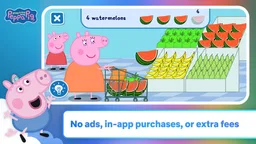
- No ads interrupt play during games.
- Games are included with an eligible Netflix membership.
- Simple controls are accessible to younger players.
- Parents can manage access through Netflix profile settings.
What could be better
- A Netflix subscription is required to play.
- Game availability can vary by country and over time.
- Some games may need an internet connection to download.
- The selection may feel limited for older children.
- Device compatibility can exclude some older phones and tablets.







