Math Kids: Math Games For Kids review
 Analysis by Appsdrops
When a preschooler asks for “just one more” activity while dinner is being made, I like having a game that turns a few spare minutes into gentle number practice. Math Kids: Math Games For Kids is an educational game from RV AppStudios, aimed at young learners who are starting to count and work with simple sums. Its appeal is its narrow focus: it can make basic maths feel more approachable, though it is not a substitute for patient help from an adult or a broader learning program.
Quick sessions that suit early learners
The game is free and rated for Everyone, which makes it easy to consider for a family device. It has been available since August 22, 2017, and has grown to more than 50 million installs. Its average rating is 4.6 from around 76,000 ratings, with roughly 1,100 written reviews. Those figures suggest that many families have tried it, but they do not tell me whether it will suit a particular child; age, confidence, and the kind of practice they need matter more.
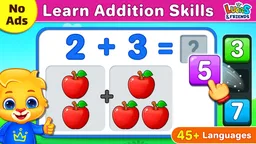
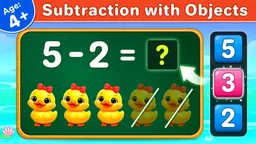
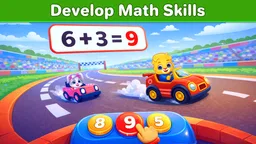
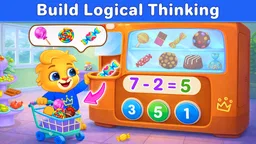
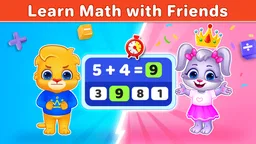
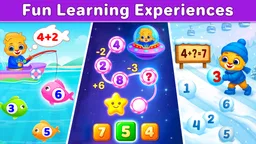
The basic learning territory is clear: counting, addition, and subtraction for preschoolers. I would introduce it as a short, supervised activity rather than hand it over with the expectation that a young child will navigate every task independently. With early learners, the useful moment is often the conversation around an answer: “How did you work that out?” A game can prompt practice, while an adult can connect the numbers to toys, snacks, or steps on the way to the door.
For a child who is reluctant to sit with a worksheet, a game format may feel less like a lesson. That is a real advantage, but it depends on the child. Some children enjoy answering number questions on a screen; others learn more comfortably by moving objects and talking through a problem. I would treat Math Kids as one option in a small mix of activities, not as a universal fix for maths anxiety.
How I would fit it into a normal day
A practical use is a brief turn while a parent is nearby: a child plays a little before breakfast, during a quiet wait, or after putting toys away. Rather than setting a long session, I would agree on a natural stopping point, then ask the child to show a similar sum with blocks or fingers. This gives the screen activity a bridge to real objects and makes it easier to see whether the child understands the idea or is simply tapping through.
It can also be useful when a child already recognizes numbers but needs more chances to practise combining or taking away small amounts. I would watch for signs of frustration rather than assuming that repetition is automatically helpful. If the child starts guessing quickly, loses interest, or needs the same explanation again and again, I would pause and switch to a simpler hands-on example. Keeping the session short is not a drawback; for preschoolers, it can be the sensible way to use a focused learning game.
Speed expectations and busy moments
I would set modest expectations for what “fast” means here. Math Kids is a learning game, not an action title where split-second response or complex animations are the point. The important test for a young child is whether an activity begins without a confusing wait and whether the child can stay focused on the numbers. I would try it once on the device the child will actually use, since performance and comfort can differ between phones and tablets.
The busiest moments are likely to be practical rather than technical: a child moving quickly through questions, asking an adult for help, or wanting to keep playing when the family needs to move on. A useful approach is to sit together for the first session, explain that the game is a short practice turn, and agree on what happens afterward. That small routine can matter more than squeezing in extra questions, especially for children who find transitions difficult.
If the app seems slow to open or a task does not respond as expected, I would avoid immediately blaming the child or assuming the answer was wrong. Check whether the device is busy, close other demanding apps if needed, and try again when the device has settled. I cannot promise identical performance across hardware, so a brief trial is the most reliable way to decide whether it feels smooth enough for your household.
Reliability, interruptions, and returning to practice
For a preschool learning game, reliability means more than staying open: a child should be able to resume a simple activity without losing confidence. I would supervise early use and notice how the game behaves if the child leaves it, the screen locks, or an adult needs to interrupt. That gives you a realistic sense of whether it fits a quick break or works better when someone can sit nearby and guide the session.
Young children often tap before they have heard a full instruction, or ask for help halfway through a question. I recommend letting them finish listening before responding, then inviting them to explain their choice. If an interruption breaks their concentration, it is fine to end the turn and return later; the learning value comes from understanding the number idea, not from completing a long run in one sitting.
Another useful habit is to notice the kind of mistake being made. A child who can count objects accurately but struggles to add them may need concrete examples; a child who loses track while counting may benefit from slowing down and pointing to each item. The game can provide a reason to practise, but an adult’s observation helps choose the next step. That is a more thoughtful use than leaving the child to repeat questions without discussion.
Device fit and the limits of a screen
Because the intended audience is preschool-aged, I would check that the device is comfortable for small hands and that the child can see and reach the relevant parts of the screen. A larger display may be easier for a child who tends to tap inaccurately, while a phone is convenient for a brief turn when away from home. Either way, an adult should handle setup and keep an eye on the device rather than treating the game as unsupervised childcare.
I would also keep expectations realistic about what the game can teach on its own. It focuses on early number practice, so it is not the right choice for a child who needs advanced arithmetic, a complete school curriculum, or a tailored explanation of a learning difficulty. If the child is ready to explore patterns, measurement, or word problems, a broader educational resource—or a teacher’s guidance—may be a better next step.
Compared with paper worksheets, the game may feel more inviting to a child who resists pencil-and-paper work, but worksheets make it easier to see each written step and practise handwriting at the same time. Compared with counting real objects, the app is convenient and repeatable, while physical items make quantities easier to touch and rearrange. I would use the two approaches together instead of expecting either one to do everything.
What makes it worthwhile, and when I would skip it
The clearest reason to try Math Kids is its focused scope: it gives a young child a playful route into counting and simple addition and subtraction. RV AppStudios has made an educational game with a straightforward audience, and its large install base makes it a familiar choice for families browsing this category. For someone who wants a free starting point for early maths practice, that is a reasonable case for giving it a short trial.
I would skip it if a child becomes more absorbed in screen time than in the numbers, or if they need an adult-led lesson that adapts closely to their pace. I would also look elsewhere when the goal is a wider range of subjects or deeper progression than basic early maths. A game can make practice easier to begin, but it cannot judge whether a child is tired, worried, or misunderstanding a concept in the way a patient adult can.
My practical recommendation is to try one brief session together, then ask the child to solve a small, similar problem away from the screen. If they can explain or demonstrate the answer, the game may be a useful part of your routine. If they are only tapping randomly or becoming upset, stop and use counters, toys, or a simpler conversation instead. The best use of Math Kids is as a low-pressure prompt for shared practice, not a replacement for it.
My performance verdict
I would judge this game less by raw speed than by whether it stays comfortable for a young child to use in short bursts. Its learning focus is light enough to fit a small daily routine, but the family should test it on their own device and supervise the first sessions. That is the fairest way to assess responsiveness, stability, and whether interruptions are manageable without assuming every phone or tablet behaves the same.
Overall, I see Math Kids: Math Games For Kids as a sensible, accessible option for preschoolers who are beginning to work with numbers and enjoy learning through play. It is not a complete maths course, and its usefulness depends on keeping sessions purposeful and noticing how the child responds. If your goal is a little extra practice woven into an ordinary day, I would give it a try; if you need detailed instruction or a broader curriculum, choose a resource designed for that instead.
What we like
- Simple controls make activities easy for young children to navigate.
- Bright visuals help keep early math practice engaging.
- Short exercises fit well into brief learning sessions.
- Basic addition and subtraction are introduced through play.
- Parents can use the games for extra practice at home.
What could be better
- Some activities may feel too easy for children with stronger math skills.
- The app is mainly aimed at younger learners.
- Repeated exercises can become predictable over time.
- An adult may need to help younger children get started.
- Progress may not offer enough detail for parents to track learning.







