


LogicLike: ABC & Math for Kids review
 Analysis by Appsdrops
When I hand a young child a learning game, I want the first few minutes to feel inviting rather than like a test. LogicLike: ABC & Math for Kids is aimed at children from two to eight, with activities covering early maths, letters, logic, and related learning. That breadth makes it an appealing option for a short, purposeful play session, especially when a child is curious but not ready to sit with a workbook.
My main advice for a first-time user is to treat it as a menu of learning activities, not a complete replacement for reading, conversation, or hands-on play. The game can give a child a reason to notice patterns, practise letter recognition, or spend a few minutes thinking through a problem. An adult’s small contribution—asking what the child noticed or letting them explain a choice—can turn that screen time into a more useful shared moment.
What the first session feels like
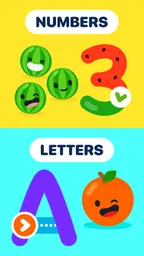
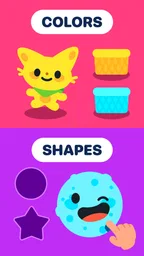
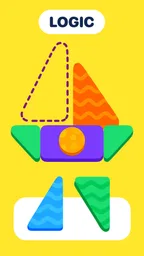
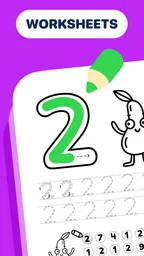
The central appeal is variety. Rather than focusing only on counting or the alphabet, LogicLike brings several early-learning themes together. That can be helpful when a child’s interests shift quickly: one day they may want to work with numbers, while another day they are more willing to look at letters or try a logic activity. The mix also gives parents a way to explore what holds a particular child’s attention.
It is an educational game, not a conventional classroom course. I would not expect every activity to match a child’s school level or to provide a carefully sequenced lesson for a specific curriculum. Instead, I would approach it as a flexible practice tool: useful for introducing and revisiting basic ideas, with the adult deciding when to pause, encourage, or switch to another kind of learning.
For a realistic first try, choose a quiet moment when the child has a little attention to spare—perhaps while waiting at home before dinner, rather than when they are already tired or upset. Sit nearby and let them explore a task. If they make a mistake, give them time to look again before stepping in. The aim is not to finish as much as possible; it is to find one activity they understand and enjoy enough to try again.
The game is free to download, so trying it does not require an upfront purchase. It does include optional in-app purchases, with listed items ranging from about two dollars to two hundred dollars. I would keep that in mind if a child uses the device independently: check the purchase settings and talk through any buying prompts together. The broad range makes it especially sensible to understand the available choices before allowing a child to tap around without supervision.
A calm start beats a rushed setup
LogicLike is made by Massiana - Educational Games, and its audience is children from toddler age through the early school years. For a first setup, I would have an adult open the game before handing over the device. That simple step lets you see how the activities are presented, decide whether the interface suits the child, and establish that this is a short learning activity rather than an unrestricted invitation to keep playing.
The age range is wide, so it is worth matching the first activity to the child rather than assuming that age alone tells you where to begin. A two-year-old and an eight-year-old can have very different abilities, patience, and interests. Stay close enough to notice whether the child understands what the activity is asking. If they seem lost, choose a simpler-looking task or explain the prompt in your own words; if they solve it quickly, invite them to say how they knew what to do.
One useful approach is to make a small routine around the game. For example, let the child choose between a letter activity and a number activity, then stop after a satisfying task and ask them to show you what they did. This gives the child some control without leaving the session open-ended. It also makes it easier to judge whether the app is genuinely engaging them or merely holding their attention.
The age content rating is Everyone, which indicates broad suitability as a store rating, but it does not mean every activity will be a good fit for every child. Young children still benefit from an adult nearby, especially when they are navigating a new app or encountering purchase options. I would treat the rating as a starting point, not a substitute for checking how the particular child responds.
Finding the first meaningful win
For a child who is new to learning games, a meaningful first success is not necessarily completing a long sequence. It may be recognising a familiar letter, choosing a correct answer after thinking it through, or explaining why two things seem to belong together. I would let the child lead the pace and use the activity as a prompt for conversation: “What made you pick that?” is often more valuable than simply celebrating a correct tap.
That is one of the app’s practical strengths: its subject mix gives adults more than one way to meet a child’s mood. If numbers feel frustrating, a letter-focused activity may be a gentler change of direction; if the child is restless with the alphabet, a logic task may invite a different kind of attention. This is a useful trade-off compared with a narrowly focused alphabet or maths app, which may offer more depth in one area but less flexibility when a child loses interest.
Another tip is to avoid turning every answer into a lesson. If the child gets something wrong, try asking them to look at the choices again or describe what they see. A brief hint can preserve the feeling that they solved it themselves. If they become irritated, stop rather than pushing through; a learning game works best when the child is willing to return to it.
LogicLike has an average rating of 4.6 from around ninety-three thousand ratings, and it has been installed over ten million times. Those figures suggest that many families have tried it, but they cannot tell you whether its style will suit your child. I would use them as context, then make the decision based on whether the child can understand the activities and whether the content feels worthwhile in your own routine.
Where parents may need to step in
The first common confusion is expecting one app to serve every child in the same way. Its intended ages span several developmental stages, so some activities may be too easy for an older child or too demanding for a younger one. If the child is guessing at random, losing patience, or asking for help on every step, that is a sign to change the activity or take a break—not evidence that they need to be pushed harder.
A second point to keep in mind is the difference between practice and teaching. A child may enjoy repeating an activity without fully understanding the underlying idea. When you notice a pattern, connect it to something outside the screen: count snacks together, point out a letter on a familiar book, or ask the child to spot a shape at home. That little bridge helps you see whether the idea is sticking and avoids treating on-screen success as the only measure of learning.
There is also a practical distinction between “free to download” and “everything is free.” Optional purchases are part of the experience, and a child may not understand the difference between a game choice and a purchase choice. I recommend reviewing the purchase controls on the device before the child plays alone. If you prefer a learning app with no optional spending at all, this may not be the most comfortable fit unless you are happy to manage that boundary yourself.
The current version is 3.12.0, and the game requires Android 8.0 or later. Those details matter if you are installing it on an older device; checking compatibility before planning a session can save frustration. The app is listed as free, but the optional purchases mean families should decide in advance whether they will ignore them, consider them with an adult, or use device-level purchase restrictions.
How it fits beside other learning options
Compared with a paper activity book, LogicLike offers a more interactive way to invite a child into a task, but a book is easier to share across siblings and does not put a screen in the middle of the activity. Compared with a dedicated alphabet or counting game, LogicLike’s broader set of subjects can make it easier to change direction without opening a different app. The compromise is that a focused alternative may be a better choice if your child needs sustained practice in one particular skill.
It is also not the right choice for every kind of screen time. If your priority is open-ended drawing, imaginative storytelling, or physical movement, a collection of educational activities may feel too task-oriented. Likewise, if an older child needs structured instruction at a specific grade level, I would look for a resource designed around that need rather than relying on a game intended for a broad early-childhood audience.
For families who want a simple way to add brief learning moments to the day, the variety is the strongest reason to try it. I would keep sessions short, stay involved at first, and use the child’s reactions to decide what to revisit. If the child is engaged and can explain a choice now and then, the app is doing something more useful than merely filling time.
Who I would recommend it to
I would recommend LogicLike to parents and caregivers looking for a free starting point for playful practice with early letters, maths, and reasoning. It is particularly promising when a child likes interactive tasks but has not settled on one learning topic. Its Everyone content rating and wide intended age span make it approachable for families, while adult guidance helps make the activities feel appropriate to the individual child.
I would skip it, or pair it with something more focused, if you need a curriculum-led course, a screen-free activity, or a single-skill programme with a clearly defined progression. I would also avoid handing it over as an unsupervised way to occupy a very young child until you have checked the experience and handled purchase settings. Those are manageable limitations, but they matter more than the overall popularity of the game.
My practical next step would be to install it, sit with the child for one short session, and let them try a couple of different subject areas. Notice which prompt they understand, which one makes them curious, and whether they can talk about a choice afterward. If you find a good fit, bring that idea into an everyday activity away from the screen. That is where this kind of game can become a useful part of learning rather than just another app to tap through.
What we like
- Lessons cover early math skills such as counting and comparing.
- Alphabet activities introduce letters through short interactive tasks.
- Progress tracking helps parents see which topics children have practiced.
- The colorful interface is designed to appeal to young learners.
- Activities can provide structured screen time for preschool children.
What could be better
- Some lessons may require a paid subscription to access.
- Young children may need adult help to navigate the app.
- Repeated activity formats can feel less engaging over time.
- Screen use may require parental limits for young children.
- The app may need an internet connection for some features.







