
LEGO® DUPLO® World review
 Analysis by Appsdrops
When I want a young child to have something more thoughtful to tap through than a stream of cartoons, I look for play that leaves room for experimenting. LEGO® DUPLO® World is aimed at that sweet spot: it’s an educational game built around familiar chunky bricks, simple interactions, and little scenes that invite children to explore. I like the idea of a child learning by trying things rather than being asked to sit through a lesson, though the best experience still depends on an adult setting expectations and choosing when to step in.
Starting with a simple play routine
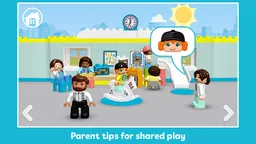
The most useful way to introduce the game is to treat it as a small play activity, not an open-ended substitute for toys or company. Sit beside your child for the first session, let them choose what catches their eye, and ask them to describe what they are doing. That turns tapping into a chance to practice naming, noticing, and making choices without turning play into a quiz.
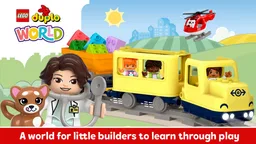
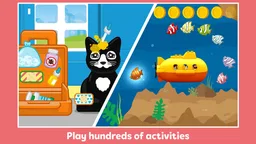
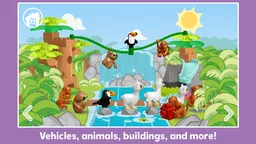
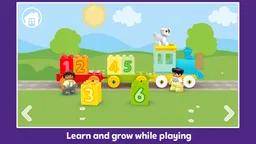
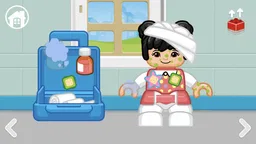
StoryToys makes the game for the educational games category, but its appeal is less about formal instruction than playful exploration. The scenes use the recognizable DUPLO style to make the digital world feel approachable to preschool-age players. Children who already enjoy stacking blocks or making up stories may quickly understand the basic invitation: look around, try an interaction, and see what happens.
A practical routine is to begin with one scene and give the child time to explore before offering suggestions. If they get stuck, try a gentle prompt such as “What happens if you touch that?” rather than taking over the screen. I find this approach works better than narrating every action: the child gets to lead, and the adult can notice which interactions genuinely hold their attention.
For a familiar everyday moment, imagine waiting for dinner to finish or sitting together during a quiet part of the afternoon. A short shared session can give a child something hands-on to focus on while you talk about the objects and choices on screen. I would keep it bounded and intentional, especially for a child who tends to move from one activity to another quickly. The game is most useful as one option in a varied day, not as a promise to occupy a child indefinitely.
Let the child lead, then add a small challenge
After the child has had a chance to explore freely, an adult can make the same play feel more purposeful with a tiny challenge: ask them to find a particular object, describe what they notice, or explain what they want to try next. These are not special game modes; they are simple ways to bring conversation into the play. They also make it easier to see whether the child is engaged or only tapping quickly to watch reactions.
I would avoid turning every session into a learning test. Some children enjoy naming things, while others are happier experimenting quietly. Following their lead helps keep the activity relaxed and makes it easier to stop when interest fades. That matters because the game’s value comes from the child’s curiosity, not from how long they stay on the screen.
Check the practical details before handing over the device
The game is free to download, and its age classification is Everyone. It includes in-app purchases, with individual items ranging from $0.99 to $39.99, so I recommend checking the purchase setup on the device before a child plays independently. That simple preparation is more useful than assuming “free” means every part of the experience is included. If a child is likely to tap around without asking, keeping the device’s purchase controls in mind can prevent an avoidable interruption.
It was released on October 10, 2019, and the current version is 36.0.0. The minimum operating-system requirement is Android 6.0. On the store, the game has a 4.3 average from around 27,000 ratings, with over 10 million installs. Those figures suggest it has reached many families, but they cannot tell you whether its play style fits your child; a brief supervised try is still the best test.
One setting-related habit is worth more than searching for obscure controls: check the device itself before play. Make sure the sound level is comfortable, the screen is set up where the child can reach it safely, and purchase controls are appropriate for your household. I would also consider whether the child is using a shared device and whether you want to stay nearby. These are practical choices around the game, not claims about special features inside it.
Build repeatable habits instead of rushing through
Children often enjoy repeating an action, and repetition can be part of the fun rather than a sign that they need a new activity immediately. If your child returns to a scene or interaction, use that familiarity to encourage a slightly different kind of attention: ask what they noticed this time, or invite them to choose what to explore next. That creates a simple rhythm—child chooses, child experiments, adult follows up—that is easy to repeat without needing a complicated plan.
A useful shortcut for parents is to keep prompts short and concrete. “What do you see?” leaves a young child with too much to sort through; “Can you find the thing you touched before?” gives them a clearer starting point. If they want to move on, let them. The point is not to extract a lesson from every minute, but to make a digital activity more interactive than passive watching.
Another good habit is to decide in advance how the session will end. A calm warning that play is nearly finished gives the child a chance to complete what they are doing and transition to another activity. This is especially helpful if the game has become part of a regular routine. I would not rely on an app to manage that transition for you; the adult’s consistency matters more than any assumed timer or automatic stopping feature.
Where it sits among other choices
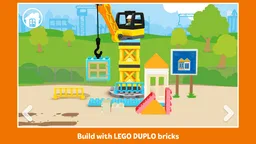
Compared with a general-purpose building game, this is a more guided, child-oriented way to explore the DUPLO world. Compared with a video, it asks the child to interact rather than simply watch. And compared with physical blocks, it is easier to offer on a phone or tablet when the bricks are not at hand, but it cannot replace the tactile experience of picking up, balancing, and rebuilding real pieces.
That trade-off is central to deciding whether it belongs in your household. If your child loves real DUPLO bricks, the game can extend that interest into a different setting, especially when you sit together and connect what appears on screen with familiar play. If the child needs movement, sensory variety, or hands-on construction, physical toys will likely be the better choice. For parents seeking a quiet, interactive diversion, the app has a clearer role than it does as a complete play solution.
The same applies when comparing it with broad educational apps that cover many subjects. A focused, brick-themed environment can feel more inviting to a child already drawn to building and pretend play. But families looking for a structured curriculum, a specific skill sequence, or a tool that adults can use to track formal progress may be better served by a different kind of learning resource. I would choose this for approachable exploration, not as a replacement for teaching or guided activities.
Know what the game can and cannot do
The main limitation is that a digital scene offers a different kind of play from a real toy. A child can explore what the game presents, but the screen does not provide the open-ended physical possibilities of a pile of bricks on the floor. That distinction may matter less during a short wait or a shared play session, and much more if you are hoping to encourage extended building or active movement.
There is also a difference between an app being educational and it teaching a particular child in a measurable way. I would judge its success by whether the child is curious, making choices, and talking about what they notice—not by assuming that every interaction produces a lasting lesson. Some children will enjoy the colorful DUPLO setting; others may lose interest quickly or prefer the freedom of their own toys. Neither response means the child is using it incorrectly.
It is not my first choice for a child who gets frustrated by touchscreens, who needs a fully hands-off activity, or whose family wants to avoid in-app purchases altogether. In those cases, a physical DUPLO set, a book, or a simple offline activity may fit better. It may also disappoint older children looking for deep construction systems or more demanding gameplay, since its intended feel is gentle and accessible rather than complex.
My verdict for families
With a 4.3 average and a large audience, LEGO® DUPLO® World has clearly found families who enjoy its style, but the number of players is less important than the way your child responds to it. I would recommend giving it a supervised trial if your little one likes DUPLO, enjoys tapping through interactive scenes, or needs an occasional shared activity during a quiet stretch of the day. The free download makes it easy to consider, while the in-app purchases mean it is sensible to review purchase controls first.
My strongest recommendation is to use it with a repeatable, low-pressure routine: let the child choose, give them time to explore, add one thoughtful prompt, and stop when attention runs out. That approach makes the game feel like a conversation starter rather than digital babysitting. It works best as a small part of a child’s play mix, alongside physical building, stories, and time away from screens. If that is what you want, this is a friendly option; if you need a complete learning program or a substitute for hands-on play, I would look elsewhere.
What we like
- Simple controls make it easy for young children to play independently.
- Familiar DUPLO characters and toys make activities appealing to toddlers.
- Open-ended play encourages children to explore at their own pace.
- Activities are designed for preschool-age learners.
- Parents can play alongside children and guide their exploration.
What could be better
- Some activities require additional purchases to unlock.
- The free version offers limited content compared with the full app.
- Young children may need help navigating between activities.
- Repeated play can make some activities feel predictable.
- The app may take up substantial storage as content is added.







