Learn to Read: Kids Games review
 Analysis by Appsdrops
I see Learn to Read: Kids Games as a practice companion for young children who are starting to recognize written words and make sense of short sentences. It is an educational game from RV AppStudios, and its focus is narrower than a general children’s learning app: reading is the point, rather than one activity among many. That makes it easier to consider for a specific need, such as giving a child a little extra exposure to English words at home.
It is free to download, so trying it does not require paying an upfront price. The game is rated Everyone, and it has built a broad audience, with over ten million installs and an average rating of 4.7 from around fifteen thousand ratings. Those figures suggest that many families have found it worth exploring, but they cannot tell you whether its approach suits your child. I would treat the free access as a low-risk chance to test the fit, not as a promise that it will replace reading together or structured teaching.
What the free game can contribute to early reading
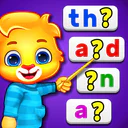
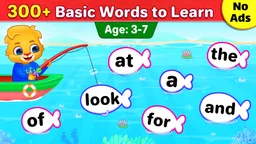
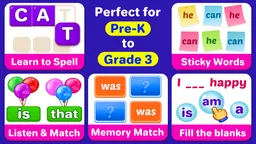
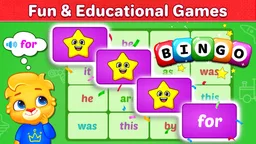
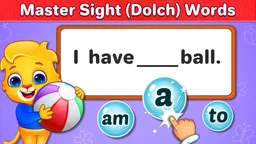
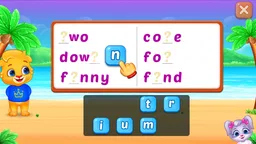
The useful question is not simply whether a child can play it, but what kind of reading practice it encourages. Its learning focus brings together sight words, sentence-making and English reading. In practical terms, that gives families a way to connect individual word recognition with the larger task of understanding how words work together. A child who knows a few familiar words but has not yet started reading short phrases may find that progression more relevant than another app built mainly around letters or unrelated activities.
I would use it in short sessions alongside a real book, not as a substitute for one. For example, after a child encounters a familiar word in a story, you can invite them to notice it again during a game session and then find it on the printed page. That small bridge between screen and book is a more meaningful use of the app than treating a successful game round as proof that a word has been fully learned. Seeing, saying and using a word in different contexts gives an adult a better sense of whether recognition is becoming understanding.
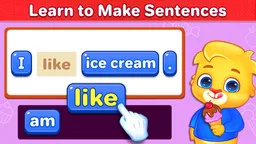
A particularly helpful way to approach sentence practice is to pause before giving assistance. If a child is arranging or working through words, ask them to say what the sentence means, rather than only checking whether they can complete the task. This turns a screen activity into a conversation about meaning and word order. It is a simple technique, but it can help a parent notice the difference between guessing from a familiar pattern and actually following the sentence.
Make a small routine rather than a long lesson
For a realistic everyday routine, I would set aside a brief moment after a snack or before a bedtime story, when the child is alert but not expected to sit through a formal lesson. Let them try a little independently, then ask them to read or explain one word or sentence aloud. Finish by opening a printed book and looking for a word they remember. The point is not to make every session a test; it is to keep screen practice connected to ordinary reading.
If the child becomes frustrated, I would stop rather than push through. A game can make practice feel approachable, but motivation is not automatic, and a child who is tired or overwhelmed may not benefit from another task on a screen. Parents can keep the experience gentler by taking turns, offering a clue only after the child has had time to think, and praising careful attempts instead of speed. Those choices matter especially when a child is just beginning to sound out or recognize written words.
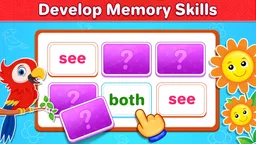
The game’s value is therefore partly in how an adult uses it. A child can interact with reading material in a more playful setting, while a parent can observe which words seem familiar and where sentence meaning becomes difficult. I would not assume that a child’s progress in an app automatically carries over to books, conversation or classroom work. Checking that transfer in everyday reading is a practical way to decide whether the activity is helping.
Where it sits among reading options
Compared with a paper picture book, an educational game offers a different kind of participation: the child can work directly with reading tasks rather than only listening to an adult or looking at a page. Compared with a broad learning app, this one is more clearly aimed at early English reading. That focus is an advantage if word recognition and sentence practice are the immediate goals, but it is a limitation if you want one place for a wide range of school subjects or language skills.
It is also not the same as a teacher-led reading lesson. A teacher or caregiver can adapt a prompt in the moment, explain a confusing word, and tell whether a child is relying on context or recognizing the text. A game can provide an engaging way to practise, but it cannot take over that responsive support. I would pair it with conversations and shared reading, especially for children who need help connecting written words to their sounds or meanings.
Families should also consider the language goal. The game is centered on English reading, so it is a more natural fit when a child is learning or practising English. If your main aim is literacy in another language, or you need a resource aligned with a particular school curriculum, a dedicated book, class resource or language-specific app may be a better match. A child can enjoy an activity without it addressing the skill the family most needs to develop.
Tradeoffs to keep in mind
Free access makes it easy to try, but it does not answer every question about long-term value. I would not infer from the price that every part of the experience is available on identical terms or that the app will suit every family’s preferences. Before making it part of a regular routine, a parent should explore the experience together with the child and decide whether the reading tasks, pace and presentation feel comfortable. The sensible test is whether the child returns to the words with curiosity, not merely whether they enjoy using a device.
Another tradeoff is screen time. Even a reading-focused game still asks a child to look at a screen, and some families may prefer physical books or activities that involve writing and handling letters. If a child already spends plenty of time on devices, I would keep this as an occasional supplement and protect time for paper books, drawing or conversation. If screens are not appropriate for your household’s routine, a simple shared-reading activity can serve the same broad purpose without adding another digital session.
There is also a difference between recognising a word in a familiar activity and being able to read it elsewhere. Children can become comfortable with the immediate task while still needing support when the same word appears in a new sentence or on a printed page. To avoid overestimating what has been learned, revisit words away from the game: ask the child to spot one in a story, say it aloud or explain what it means. That check is more useful than repeating a successful round.
Finally, the game should not be treated as a diagnostic tool. If a child consistently struggles with reading, an app session cannot tell a parent why. A conversation with a teacher or another appropriate reading specialist is more useful when the concern is persistent. The game may still offer low-pressure practice, but it should not delay seeking guidance or become a source of pressure for a child who is finding reading difficult.
Who is most likely to find it worthwhile
I would recommend giving it a try if you have a young child beginning to read English and want an extra, game-based way to encounter sight words and short sentences. It may also suit a caregiver looking for a shared activity: the adult can sit nearby, prompt the child to explain an answer, and then connect the exercise to a book. RV AppStudios released it on February 21, 2020, and its established audience makes it a familiar option to consider, though popularity alone is not a substitute for checking whether your child responds well to it.
It is less suitable for someone seeking a comprehensive literacy curriculum, a tool for advanced readers, or a resource that teaches a language other than English. It may also be the wrong choice for a child who finds device-based activities distracting or becomes upset when practice feels like a test. In those cases, a parent-led story, printed word cards or guidance from a teacher may offer more control and a better emotional fit.
For families comparing alternatives, I would decide first whether the need is independent practice, shared reading, or formal instruction. This game is easiest to justify when the first two are the goal and an adult can remain involved. If the priority is detailed feedback tailored to a child’s reading difficulties, human instruction is more valuable. If the child simply needs calm exposure to words, a short session here can complement a familiar book, but it should not crowd out that book.
My verdict on trying it
My recommendation is to treat it as a free reading supplement, not a complete solution. Its strongest case is straightforward: it gives children a playful setting for early English reading practice, with attention to both familiar words and sentences. The free price makes an initial trial accessible, while the Everyone age rating makes its intended audience clear. I would still make the first session a shared one so you can see whether the child understands the tasks and enjoys the style of practice.
If the child is engaged, keep sessions modest and connect what they encounter to a physical story or everyday conversation. If they lose interest, struggle without support, or need a more structured plan, there is no reason to insist that this is the right tool. I would choose it for families who want an additional way to practise early reading and are willing to guide that practice. For a child who needs individualized teaching or a non-screen approach, I would skip it in favor of a book, an adult-led activity or professional support.
Overall, Learn to Read: Kids Games is worth considering because its purpose is specific and its cost of entry is zero. The useful value comes not from replacing reading time but from giving a child another chance to engage with English words and sentences, with an adult nearby to connect play to understanding. Used that way, it can earn a place in a small home-learning routine; used as a stand-alone reading plan, it asks more of a game than I would expect it to deliver.
What we like
- Short activities can fit easily into a child's daily routine.
- Bright visuals help keep early learners interested.
- Simple controls make the games accessible to young children.
- Practice covers useful early reading skills.
- Parents can use the games for brief independent practice.
What could be better
- Some children may need adult guidance to stay focused.
- The activities may feel repetitive after frequent play.
- A screen cannot replace reading books together.
- Progress may vary depending on a child's starting level.
- The app may not suit older children who already read confidently.







