Kids Toddler & Preschool Games review
 Analysis by Appsdrops
When I hand a preschooler a phone or tablet, I want something they can begin exploring without a long explanation—and something I can put away again without turning the moment into a battle. Kids Toddler & Preschool Games is an educational game for young children, built around short activities rather than one long lesson. My overall impression is that it works best as a small, supervised play session: a child can try different kinds of tasks, while an adult helps connect the on-screen activity to what they are learning.
Made by RV AppStudios, it is aimed at children around ages three to five. The app is free, has an Everyone age rating, and has reached over ten million installs. Its average rating is 4.6 from around ten thousand ratings, alongside 89 written reviews. Those figures suggest broad interest, but they do not tell you whether its particular activities suit your child; the useful test is whether your preschooler enjoys trying them and can make sense of the prompts.
What to expect from the activities
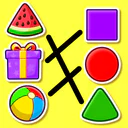
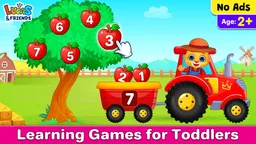
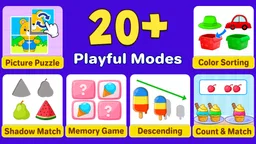
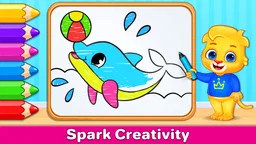
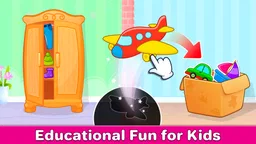
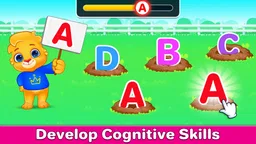
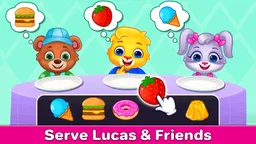
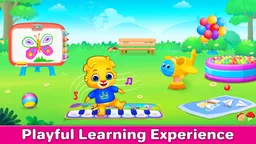
The game brings together more than fifteen educational activities for young children. That variety is its main practical appeal: rather than opening a single-purpose app for one skill, a parent can offer a child a choice of different preschool-style tasks in the same place. It is better thought of as a collection of brief learning games than as a structured course with a fixed sequence.
That distinction matters. If your goal is to fill a few minutes with age-appropriate interaction, a mix of activities can be useful. If you want a clearly staged curriculum, visible progress tracking, or a carefully planned path from one lesson to the next, this is not the sort of experience I would rely on by itself. A bundle can provide variety, but variety is not the same thing as a teaching plan.
For a first visit, I would keep expectations modest. The best early outcome is not that a child completes every activity or masters a skill; it is that they understand how to begin one task, stay engaged long enough to try it, and feel comfortable stopping. That small success gives you a better basis for deciding whether to keep the game in your routine.
Before you pass the device over
I would open the app myself first, while the child is not waiting for the screen. Look through the available activity choices and identify one that seems familiar and manageable for your child. This quick preview lets you avoid searching through menus together and gives you a chance to choose a calm starting point rather than presenting a preschooler with a screen full of unfamiliar options.
There is no need to turn setup into a lesson. Sit beside the child, name the activity you have chosen, and invite them to explore. A young child may need a little time to understand what the screen is asking. Staying nearby makes it easier to offer a simple prompt—such as asking what they notice—without taking over every action.
On the first session, I would also treat the app as shared play rather than a babysitter. Watching how the child responds tells you more than a rating or an age label can: do they understand the task, enjoy repeating it, or become frustrated when something does not go as expected? Their reaction is useful guidance for what to try next.
Finding the first meaningful success
Choose one activity and let the child attempt it before you demonstrate. If they hesitate, give one short clue instead of explaining the whole screen. The point is to help them make a choice or complete a small part themselves. When they succeed, pause and let them enjoy the result; immediately jumping to another game can make the session feel like rapid browsing rather than a satisfying learning moment.
A realistic everyday use is a short wait at home while dinner is being prepared. I would sit the child nearby, open a familiar activity, and stay within earshot. If they finish or lose interest, that is a natural stopping point. The game can make a quiet interval more engaging, but it need not become a promise of unlimited screen time or a reward that has to be negotiated later.
Another useful approach is to connect what appears in a game to something away from the device. If the child has been working with a familiar concept, ask them to notice an example during play or conversation afterward. Keep that connection light: the app can be a starting point for interaction, not proof that a child has learned a skill. Repeating an activity may be enjoyable, but adult observation is what helps you judge whether the idea is carrying over.
What can feel confusing
A collection of activities can leave a new user unsure where to begin. The answer is not to test everything at once. Pick one activity that appears approachable, and save the rest for later visits. This makes it easier to see whether the child is struggling with the task itself or simply adjusting to an unfamiliar app. It also avoids the common trap of spending the whole session choosing instead of playing.
Do not assume that an activity is automatically easy just because the game is intended for preschoolers. Children differ in attention, confidence, and familiarity with touchscreens. If yours taps repeatedly without following the prompt, try slowing down and describing what you see together. If they remain confused, switch to another activity or close the game; frustration is a sign to change the approach, not a reason to insist that they finish.
Another possible mismatch is the difference between a child enjoying a game and an adult seeing clear educational progress. Short interactive tasks can support practice and curiosity, but a child may mainly be attracted to the novelty of moving through activities. I would not use the game as a substitute for talking, drawing, handling real objects, or playing with another person. Those alternatives are often better when a child needs hands-on exploration or more personal guidance.
How it compares with other preschool options
Compared with a single-skill learning game, this collection offers a broader set of activities in one app. That can be convenient when a child wants to try something different without an adult having to find another title. The trade-off is that a broad collection may feel less focused than an app built around one subject. If your child is eager to practise a particular skill in depth, a specialist activity—or a real-world game you can play together—may be the better fit.
Compared with videos, interactive games invite a child to respond rather than only watch. That can make them a more active choice for a brief session, but it also means a child may need help understanding what to do. For a very tired child who wants to relax, a quiet story or an offline activity might suit the moment better. I would choose based on the child’s mood and the purpose of the break, not assume that a game is always the most useful screen option.
Because it is free, it is easy to try without making a purchase first. Still, I would review the app together with the child before making it a regular part of the day. The Everyone rating is reassuring as a broad age classification, but it is not a personal recommendation for every child or a replacement for a parent’s judgement about screen use.
Who should try it—and who may prefer something else
I would consider it for a parent or caregiver looking for a varied, accessible set of preschool activities to explore alongside a child. It is especially worth trying if your child enjoys short tasks and benefits from an adult nearby who can help turn a screen prompt into a conversation. The game’s large install base and strong average rating may give a first-time user some confidence to take a look, but your child’s response should be the deciding factor.
I would skip it, or keep it as only one small option, if you want a formal learning program, detailed evidence of progress, or a screen experience that a child can use entirely independently from the outset. It may also be the wrong choice when a child is already overstimulated or needs to move around. In those cases, a book, puzzle, outdoor play, or a more focused learning resource may offer a better match.
A sensible next step
For the first session, preview the activities, select one approachable task, and sit with your child while they try it. Keep the visit short enough that you can end on a positive note, then decide whether the child seemed curious, comfortable, and able to follow the basic interaction. On another occasion, offer a different activity only if there is a reason to explore one; there is no need to rush through the collection.
My recommendation is to treat Kids Toddler & Preschool Games as a flexible starting point for shared screen play, not as a replacement for a parent, teacher, or broader preschool routine. Its variety and free access make it easy to test, while its open-ended collection format means adults should guide the choice and set the pace. When you keep the first visit simple and stay involved, the app is most likely to become a useful little part of play rather than just another screen to hand over.
What we like
- Simple touch controls are easy for young children to learn.
- Short activities suit brief play sessions.
- Bright visuals make activities engaging for preschoolers.
- Varied puzzles help keep children interested.
- Offline play can work without an internet connection.
What could be better
- Some activities may feel too easy for older children.
- Repeated sounds and animations may become tiring.
- Young children may need help navigating the menus.
- Progress may not offer much challenge over time.
- In-app purchases may require parental supervision.







