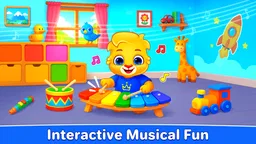
Kids Music: Piano, Xylo, Drums review
 Analysis by Appsdrops
When I want a quick music activity for a young child, I look for something they can understand without a lesson, a long setup, or a precise touch. Kids Music: Piano, Xylo, Drums is aimed at that kind of moment: it is a free music game from RV AppStudios, designed for babies, toddlers, and kids to explore instrument sounds. My overall impression is that it works best as a small, supervised play activity—not as a substitute for a real instrument or a structured music course.
A simple starting point for little music-makers
The appeal is easy to grasp: a child can tap around and encounter familiar musical instruments without needing to read instructions or know musical terms. That makes the game a natural option for a short wait, a quiet stretch at home, or a first playful introduction to making sounds. For a parent, the useful question is less “Will this teach piano?” and more “Will my child enjoy experimenting with sound for a few minutes?”
RV AppStudios places it in the music-game space, and the audience is broad: the content rating is Everyone. That label makes the intended audience clear, though I would still keep a young child nearby while they use any screen-based activity. A child can enjoy tapping independently, but an adult can turn those taps into a better experience by naming sounds, taking turns, and connecting the play to instruments they have seen outside the app.
The game has an average rating of 4.4 from around 3,600 ratings, and it has passed one million installs. Those figures suggest it has reached many families, but they do not tell me whether it will suit a particular child. Age, patience, sensitivity to sound, and the way a family handles screen time matter more than popularity.
Best in short, shared sessions
A realistic use case is a parent waiting with a toddler before an appointment. Rather than handing over a complicated game, you can open this one and invite the child to try a few sounds, then ask which one they want to hear again. That simple turn-taking gives the activity a purpose: the child is listening and choosing, not just tapping as quickly as possible.
I would also use it as a brief transition activity at home—for example, while dinner is being prepared or before putting away toys. Keeping the session short helps avoid treating the app as an all-purpose distraction. It can be a pleasant change of pace, but it is most rewarding when an adult joins in and helps a child notice how different sounds feel and compare.
One practical tip is to give the child a small listening challenge rather than simply saying “play.” Ask them to make a sound, pause, and then choose another one that feels different. This encourages attention and gives a parent a way to see whether the child is exploring or just repeatedly touching the screen. It is a small adjustment, but it makes the same play session more interactive without requiring the app to function like a lesson.
What the current release can—and cannot—promise
The game was released on August 25, 2025. That is a useful point of reference for anyone considering how established the product is, but a release date alone does not tell me what has changed since launch. I would not treat the date as evidence of a particular update, new instrument, or improvement. What I can say is that the current product is presented as a children’s music game, and its appeal rests on accessible instrument play rather than a detailed musical curriculum.
The store identifies the game as free, which makes it easy to try without an upfront purchase. Free access is especially useful for families who want to test whether a child is interested before committing to a paid learning app or buying a toy instrument. I would still make the download decision through the app store and check the current on-device experience before leaving a child to use it alone; the price label by itself is not a full account of how an app behaves in everyday use.
For existing users, the most sensible way to judge any future evolution is to focus on changes that would affect play: whether the app remains easy for small hands to use, whether the instrument experience stays clear, and whether it continues to suit brief sessions. I would be cautious about expecting a major shift from a title whose core identity is uncomplicated music play. If a later version adds depth, that could be welcome, but I would want to see that confirmed in the product itself rather than assume it from its age.
That distinction matters because parents often look for progression once a child has mastered an activity. A straightforward sound-play game can be a good first step, yet the same simplicity may mean a child who wants to learn tunes, follow lessons, or build a repertoire will outgrow it quickly. In my view, the best measure of whether it still earns a place on the device is whether the child is listening and choosing in new ways—not simply whether the app keeps them occupied.
How it compares with other ways to explore music
Compared with a video of someone playing an instrument, a touch-based music game offers a more active role: a child can make a sound rather than only watch one. Compared with a dedicated piano-learning app, this is a lighter commitment. A teaching app is the better choice if your child is ready to follow guided practice, develop technique, or work toward recognizable pieces. This game makes more sense when the goal is curiosity and unpressured experimentation.
It also differs from a physical toy instrument. A toy can offer tactile feedback and a break from screens, while a digital activity is easy to bring along and can introduce a child to musical play in a compact format. If your child likes pressing real keys, shaking a toy, or banging a small drum, I would not replace that hands-on experience with a phone or tablet. I would use the game as a supplement, then encourage the child to listen for similar sounds in their surroundings.
For a child who is easily overwhelmed by noise or rapid changes, I would sit with them at first and watch their response. The right activity is not automatically the one with the most sounds; it is the one the child can enjoy comfortably. If they become frustrated, lose interest, or seem to tap without engaging with the sound, there is little reason to prolong the session. A simple instrument toy, a music book, or singing together may be a better fit that day.
Where the simplicity becomes a limitation
The same low barrier that makes the game approachable can also limit its staying power. Children who want a clear sense of progress may prefer activities that give them a sequence to follow or a concrete musical goal. If your child is asking to learn a song or imitate a particular tune, I would look for a purpose-built teaching option rather than expect casual instrument play to meet that request.
It is also worth remembering that a touchscreen is not the same as an instrument. Tapping can spark curiosity, but it does not build the physical habits involved in playing a real piano or drum. I would avoid presenting this as a shortcut to musicianship. Instead, treat it as an invitation to notice sound, experiment, and perhaps discover which kinds of instruments interest your child.
Another trade-off is that children’s games can become repetitive when the child returns to the same activity without a new prompt. Parents can help by varying the interaction: take turns, copy a rhythm with hands on a table, or ask the child to choose a sound for a pretend story. These ideas do not require a feature inside the game; they are ways to make the play more meaningful. If you find yourself doing all the work to keep a child engaged, that is a good sign to switch activities.
Who I would recommend it to
I would recommend giving it a try if you have a young child who enjoys tapping, listening, and exploring sounds, especially when you want a short activity that can be shared. Its free price lowers the risk of trying it, and the Everyone rating matches its broad family audience. The developer, RV AppStudios, has positioned it for children rather than for adult musicians, so I would judge it by whether it makes early musical play inviting—not by whether it offers professional-level control.
I would skip it, or at least keep expectations modest, if your main aim is formal instruction, instrument technique, or sustained progression. It may also be the wrong choice when you are trying to reduce screen use or when your child responds better to physical play. In those situations, singing, rhythm games without a device, or a real toy instrument may offer more of what you want.
My recommendation is to try it during a calm moment, stay close for the first session, and see whether your child engages with the sounds rather than only the screen. If they do, it can make a handy little addition to a family’s collection of music activities. If they lose interest quickly, there is no need to push it: its strongest role is as an easy, low-pressure introduction, not a must-have learning tool.
What I would watch as it develops
For families already using it, I would watch for clear, confirmed changes that preserve the simple entry point while giving children a reason to return. Any future additions would matter most if they helped a child listen more carefully or explore music with a little more intention. Until such changes are visible, I would assess the game on what it offers now and avoid assuming that a newer release will automatically make it deeper.
In the end, Kids Music: Piano, Xylo, Drums seems most useful when a parent treats it as a shared prompt for curiosity. It is free, easy to consider, and aimed at a broad age group, but its value depends on the child and the moment. I like it as a brief musical detour; I would choose a physical instrument or a structured learning app when the goal is more than playful sound discovery.
What we like
- Simple touch controls make it easy for young children to explore.
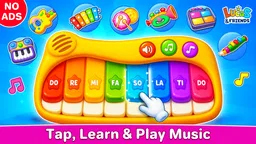
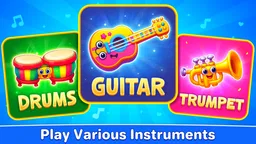
- Several instrument sounds encourage playful musical experimentation.
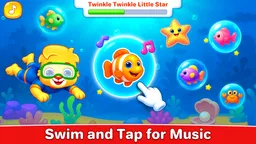
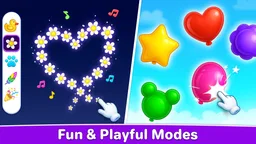
- Bright visuals help keep little learners engaged.
- Short activities suit brief play sessions.
- Can offer a fun introduction to rhythm and sound.
What could be better
- Young children may need adult guidance to navigate the app.
- Repeated sounds may become tiring during longer sessions.
- Musical activities may offer limited challenge for older children.
- Accidental taps can interrupt play on smaller screens.
- The app may not replace structured music lessons.







