

Kids Monster Truck Games 2+ review
 Analysis by Appsdrops
I can see the appeal of Kids Monster Truck Games 2+ in a shared-device household: it gives a young child a bright, vehicle-themed activity to explore while an adult stays nearby. I would treat it as a short, supervised game rather than a substitute for a broader learning routine. Its educational category sets an expectation of child-friendly play, but the practical question for families is whether its monster-truck theme fits the child’s interests and the way the device is shared.
How it fits into a shared-device day
A realistic use might be a few minutes while a parent is preparing dinner or waiting for an appointment to begin. A child who is already drawn to trucks may be more willing to settle into a game with that theme than into a general preschool activity. I would keep the session within sight and agree on a stopping point before handing over the device. That simple routine matters more in a shared household than any assumption that a children’s label means an adult can step away.
The game is free to download, which makes it easy to try before deciding whether it earns a place on a family device. It has in-app purchases listed at $2.99 per item, so I would check the device’s purchase settings and keep a child from making transactions without an adult. That is a practical precaution for any game offered to a young child, not a reason to assume that a purchase will appear during every session.
On a shared tablet, I’d also make the handoff explicit: this is the child’s turn, and the adult remains responsible for the device and any account attached to it. The game should not be treated as a separate child account or as a replacement for household rules. If siblings take turns, a timer or a clear verbal limit can prevent the familiar argument over who gets one more go.
Setting boundaries before play
I would install and open the game myself first, then look at the experience with the same care I’d use for any app a child will handle. This gives an adult a chance to understand what appears on screen and how the child is likely to move through it, without relying on a short description to explain every detail. It is also a useful moment to confirm the device’s general purchase protections and decide whether the game belongs on a shared home screen.
The game is free, but that does not mean every part of using it is consequence-free: a shared device may have payment details or other family content attached. Keeping the device in a child-friendly place, rather than handing over an unlocked phone with access to everything, is a sensible boundary. I would avoid promising a child that the game is “theirs” if it is installed on a parent’s personal device; a clear turn-taking arrangement is more realistic.
For busy moments, the best workflow is to start the game before the child takes the device, confirm that the intended activity is ready, and sit close enough to help if they get stuck. This is especially useful with younger players who may tap around quickly or switch away from a game without understanding what they have done. It keeps the adult involved without turning every minute into instruction.
Taking turns without turning play into a chore
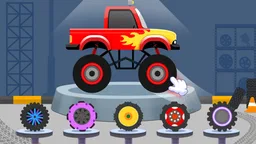
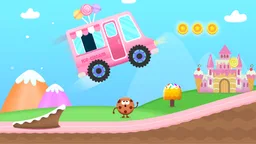
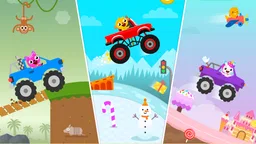
Monster trucks offer a handy shared point of interest: an adult can ask a child what they notice about the vehicles or invite them to describe what is happening, rather than simply watching in silence. I would keep those prompts light. The game is still play, and trying to turn every screen into a lesson can make a short activity feel like homework.
With siblings, I would use a simple rotation instead of letting the fastest tapper claim the device. One child can play while the other watches, then they can swap when the agreed turn ends. That arrangement gives the waiting child something to do and makes the limit easier to understand. It also helps adults judge whether the game works as a shared activity or is more enjoyable when a child has a quiet solo turn.
A useful trade-off is that a focused vehicle theme can make the game easier to offer to a truck-loving child, but it may not hold the interest of a child who prefers drawing, stories, puzzles, or pretend play. I would not keep persuading a child to continue just because the game is installed. If interest fades quickly, a book, toy vehicle, or another activity may be a better fit for that moment.
Age context and what trust should mean
The game is rated for Everyone, and its educational positioning makes it suitable to consider for a young audience. Still, age labels are a starting point, not a personal recommendation for every child. A toddler and an older child can have very different patience, motor control, and expectations, so I would watch how a particular child responds rather than assume the same experience works for all ages.
For younger children, adult presence is valuable even when the activity itself seems simple. A child may need help navigating a screen, understanding when a turn is over, or distinguishing play from a request to spend money elsewhere on the device. I would explain that purchases require an adult and keep the device’s normal safeguards in place. That gives the child a clear rule without making the game sound more risky than it is.
There is also a difference between trusting a game to entertain and trusting it to manage a household’s boundaries. I would not assume the app handles sibling turns, screen-time limits, or a child’s account separation. Those are family decisions. In practice, supervision and device settings do more to establish a safe routine than a game’s theme or age label alone.
What the game’s scale says—and what it does not
Toy Tap LLP is the developer, and the game has reached over 10 million installs. It holds an average rating of 4.7 from around 6,400 ratings, with 53 written reviews. Those figures suggest that many people have tried it and that the overall response is favorable, but they cannot tell me whether a specific child will enjoy the theme or whether it suits a particular household routine.
The release date is March 18, 2024, and the current version is 6.6.3. It requires Android 7.0 or later, which is useful to check before trying it on an older family device. I would still make the decision based on the device the child actually uses: if the household shares one phone and that phone needs to remain available for work or calls, a game may be better kept for a tablet or a planned quiet-time slot.
Because it is an educational game, it may be an appealing change from open-ended video watching, but I would not treat that category as proof that it teaches a specific skill or replaces hands-on learning. The strongest reason to choose it is likely the child’s interest in monster trucks and the convenience of having a themed game ready. For deliberate practice in reading, counting, or another defined subject, I would compare it with an app designed specifically around that goal.
Where it sits among children’s games
Compared with broad preschool collections, a truck-centered game has a narrower appeal. That focus can be a strength: it gives a vehicle enthusiast a familiar subject instead of asking them to choose among unrelated activities. The trade-off is variety. A child looking for several kinds of play in one place may be better served by a broader collection, while a child who repeatedly asks for trucks may prefer this more specific option.
Compared with toys or books, a screen game is easier to hand over for a short pause, but it does not offer the same physical play or shared storytelling. I would pair it with a toy truck or a drawing activity if the child wants to continue the theme after putting the device away. That small transition can turn screen time into one part of a play routine rather than the whole activity.
I would skip it if the child has little interest in monster trucks, if the household wants a carefully structured subject-learning tool, or if the adult cannot supervise a shared device at the time it will be used. A different activity is also preferable when a child is already upset about stopping screens; introducing a new game in that moment may make the transition harder, not easier.
My household verdict
Kids Monster Truck Games 2+ makes most sense as an easy-to-try, theme-led option for a young child who already enjoys trucks. Its free entry point lowers the barrier to testing it, while the listed in-app purchases mean I would still set purchase boundaries before handing over a family device. I would use it in short, planned turns, especially when an adult can stay nearby and help a child move smoothly into the next activity.
For a household, the practical value is less about expecting the game to manage children’s routines and more about deciding where it fits: a brief solo turn, a sibling rotation, or a quiet shared moment with an adult asking a few playful questions. Its Everyone rating and broad reach make it reasonable to consider, but neither tells a parent how a particular child will react. I’d try it with the child, keep the first session supervised, and let their interest—not the download count—decide whether it stays on the device.
What we like
- Simple controls make it easy for young children to play.
- Bright truck designs keep the visuals appealing for little kids.
- Short activities suit brief play sessions.
- The toddler-friendly theme avoids complex storylines.
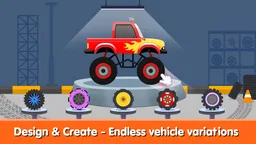
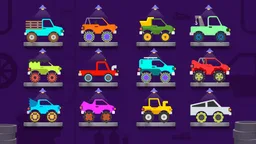
- Vehicle choices let children pick a truck they like.
What could be better
- Gameplay may feel repetitive after a few sessions.
- Some content may require an internet connection.
- Advertisements may interrupt play depending on the version.
- The simple mechanics offer little challenge for older children.
- Parents should check in-app purchase settings before handing over the device.







