Kids Games: For Toddlers 3-5 review
 Analysis by Appsdrops
When I choose a game for a preschooler, I care less about how many activities it promises and more about whether a child can settle into it without turning the phone into a constant negotiation. Kids Games: For Toddlers 3-5 is an educational game from RV AppStudios, aimed at making early learning feel like play. It is free and rated for everyone, so it is an easy one to consider for a shared family device. My view is that it works best as a short, adult-approved activity—not as a substitute for books, conversation, or hands-on play.
What matters when choosing a preschool game
For children around preschool age, the useful question is whether an app can hold attention while leaving room for a grown-up to join in. A child might enjoy tapping through an activity independently, but the learning value often comes from the small conversation around it: naming what appears, asking what might happen next, or connecting a game moment to something at home.
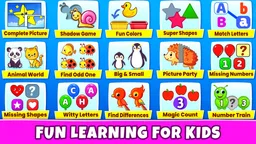
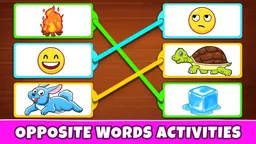
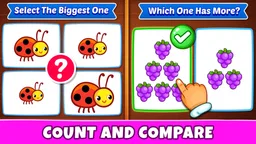
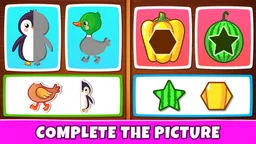
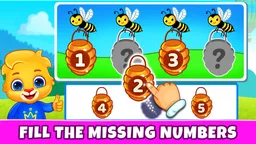
This is a broad educational game rather than a narrowly focused tool for one subject. That breadth can be convenient when a child’s mood changes quickly, but it also means parents should decide what they want from a session. If the goal is a calm, quick distraction while waiting for dinner, a playful collection of activities may suit the moment. If the goal is to practise one specific skill in a structured way, a dedicated learning app or an offline activity may be a better fit.
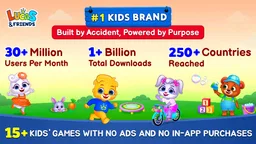
The game has been available since February 22, 2022, and has reached more than 50 million installs. It has an average rating of 4.5 from around 67,000 ratings, alongside 367 written reviews. Those figures suggest it has found a wide audience, but popularity alone does not tell me whether a particular child will enjoy its style. I would treat the first session as a trial and watch how the child responds rather than assuming the age label guarantees a match.
Use the first session as a fit check
I would begin with a short, supervised visit rather than handing over the device for an open-ended stretch. Notice whether the child can understand what to do, whether they stay interested without help, and whether they become frustrated when an activity changes. These observations are more useful than judging the game by how long it keeps a child occupied.
A practical tip is to give the session a purpose before opening the app. For example, invite the child to explore for a few minutes and then tell you what they liked, or use a game moment as a prompt to practise a word together. This makes the screen time easier to end because there is a natural transition back to the room, instead of a sudden stop at the point of maximum excitement.
Where this game makes a useful choice
The main appeal is its broad, child-focused educational identity. For a household that does not want to install several separate apps for casual learning, one game can be a convenient starting point. I can see it working particularly well on a family tablet during a quiet moment at home, or as a small activity while a parent is nearby and available to help when a young child gets stuck.
It is also a reasonable choice for adults who want a free option to try before committing to a paid learning product. That matters because preschool preferences can be unpredictable: a child may love a particular activity one day and ignore it the next. A free game lowers the cost of finding out whether this style of learning holds their interest, though parents should still check the current app-store page and device settings before letting a child use it regularly.
Because the game is aimed at young children, it can serve as a shared activity rather than a silent hand-off. I would sit beside the child and ask them to explain what they are doing. If they are tapping quickly without noticing what appears, slow the pace by asking them to look carefully before choosing. If they are already engaged, let them lead and use their choices to start a conversation. That simple change can make a short session feel more purposeful without turning play into a lesson.
The developer, RV AppStudios, has presented it as a children’s game, and the everyone age rating makes it broadly suitable from a content-rating standpoint. Still, an age rating is not a parenting plan. I would use the device’s own child-safety settings, keep the app within sight for younger users, and decide in advance when the session ends. Those habits matter especially when a phone is shared and the child can move from one app to another.
Why a collection can beat a single-purpose app
Compared with a narrowly themed learning game, a broad children’s game can be more forgiving when a child is not in the mood for one particular subject. The trade-off is focus: a specialized app may make it easier to practise a defined skill repeatedly, while a general game is better approached as varied play. I would choose this one for flexible, low-pressure exploration, not as my only tool for helping a child catch up or follow a formal learning plan.
It can also be more convenient than opening a video when the aim is active participation. A child using a game has to make choices and respond, whereas passive viewing asks less of them. That does not make every minute of gameplay educational by itself, so I would still join in occasionally and connect what happens on screen to everyday objects, words, or routines. The best use is a bridge to interaction, not a replacement for it.
When another option may fit better
If your child thrives on predictable repetition, a focused app devoted to one skill may be a clearer choice. If they are easily overstimulated by screens or become upset when play ends, a puzzle, picture book, or simple activity away from the device may be more suitable. And if you need a curriculum, progress tracking, or a carefully sequenced teaching path, do not assume that a broad preschool game provides those things simply because it is educational.
There is also a difference between a game that is safe for a wide audience and one that is right for every child. Some children want an adult to explain each step; others prefer to explore alone. A parent should be ready to help at first and to stop if the child seems confused or restless. For a child who is not yet comfortable tapping accurately or following on-screen prompts, physical toys and face-to-face play may offer a more satisfying experience.
One everyday scenario where I would use it is during a short wait at home while a parent finishes preparing a meal. I would set the device down in a shared space, stay close enough to see what the child is doing, and agree that play ends when the meal is ready. That arrangement is more realistic than expecting a preschooler to manage screen time alone, and it avoids making the game responsible for filling a long stretch of the day.
Managing the switch away from the screen
Moving from one learning app to another is usually less important than keeping the routine around device use consistent. If you decide to try this game, make the first few sessions brief and predictable. Tell the child what comes next before they start, then give a gentle reminder before the device is put away. I find that a clear transition is more useful than searching for an app that promises to solve the challenge of stopping.
If you later switch to books, toys, or a more focused educational app, you do not need to turn that decision into a judgment about the child’s ability. It may simply mean their interests have changed or that the family needs a different kind of activity. The useful test is whether the chosen option fits the child’s attention, the adult’s availability, and the purpose of that moment.
My recommendation for families
I would recommend Kids Games: For Toddlers 3-5 to parents who want a free, general-purpose educational game to try with a preschooler and who are comfortable supervising early sessions. Its broad appeal and large audience make it an approachable starting point, while its 4.5 average rating offers a helpful—but not decisive—signal from other users. The strongest case for it is convenience: a family can see whether this kind of playful screen activity suits their child without first paying for a specialized product.
I would skip it if you are looking for a tightly structured teaching program, a guaranteed fit for a particular child, or an app that can replace adult involvement. I would also choose something offline when the child is already tired, frustrated, or struggling to disengage from screens. Those are not shortcomings unique to this game; they are reasons to match the activity to the moment rather than expecting an app to do every job.
Overall, I see it as a useful option in a parent’s small collection of activities, not the whole collection. Try it together, keep sessions intentional, and pay attention to whether your child is curious and comfortable. If those signs are there, it can earn a place in your routine. If not, there is no need to persist: a book, a conversation, or a more focused learning activity may be the better choice for your family.
What we like
- Bright visuals and simple controls suit young children.
- Short activities are easy to fit into playtime.
- Varied mini-games can hold a toddler's interest.
- Playable activities can support independent exploration.
- Age-focused content is designed for preschoolers.
What could be better
- Some activities may feel repetitive after frequent play.
- Young children may need help navigating the menus.
- The app may include ads or prompts for purchases.
- Screen time still needs supervision and limits.
- Compatibility and features can vary by device.







