


Kids Coloring Pages & Book review
 Analysis by Appsdrops
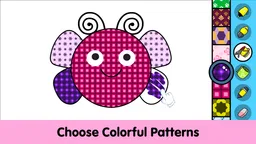
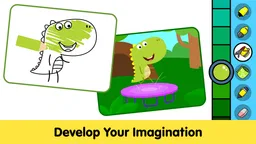
The appeal of a coloring game for young children is easy to understand: open it, choose a picture, and start making something. Kids Coloring Pages & Book is built around that simple action, with coloring pages intended for pre-k and kindergarten children. I see it as a low-pressure creative activity rather than a structured lesson or a game with elaborate goals. That distinction matters: it can give a child a pleasant way to explore colors, but parents should not expect it to teach a full art curriculum.
From choosing a page to making the first mark
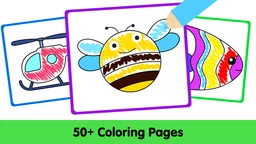
The first useful question is whether a child can get into the activity without much adult help. The premise is straightforward enough for a young child to grasp: pick a picture, choose colors, and fill it in. Its collection offers more than one hundred pages, so there is room to change subjects when a child loses interest in one image. The simplicity is a strength for short play sessions, especially when an adult is nearby but does not want to direct every step.
In practice, I would introduce the game by sitting with the child for the first picture. That gives you a chance to see how they handle selecting a page and applying color, and to show that there is no single correct palette. A child might color a familiar object in an unexpected shade; letting that choice stand keeps the activity playful instead of turning it into a test. The best use is often a few minutes of independent experimenting within a calm, supervised routine.
The educational angle is most convincing when it comes from conversation rather than the screen alone. Ask which colors the child chose, invite them to compare two shades, or have them name what they are coloring. That turns a simple digital activity into a small opportunity to practice color words and make choices. I would not assume that completing a page automatically teaches color recognition, though: a child who taps rapidly without discussing or noticing the colors may be getting entertainment more than learning.
What the coloring rhythm feels like
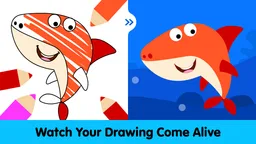
The core loop is easy to explain: choose an image, apply color, see the picture change, and decide whether to keep going or start another page. The immediate visual response gives a young child a clear sense that their action did something. This is the kind of feedback that can keep attention without needing scores, timers, or competition. For a child who enjoys choosing colors and watching a picture take shape, the next mark supplies its own small reward.
That rhythm also makes the game forgiving in spirit. A young child can approach a page as open-ended play instead of worrying about producing a polished drawing. If they are content to color a small area and then move on, the activity still has value as a brief creative break. Parents can help the session feel purposeful by asking the child to pick a color for a reason—perhaps a favorite shade or one they have not used yet—without insisting that every choice match real life.
There is a trade-off in this simplicity. Children who want drawing tools, detailed control, or a strong sense of progression may find coloring pages limiting. This is not the same experience as making a picture from a blank canvas, and I would choose a more flexible art app for a child who is already eager to sketch their own characters. Likewise, if a child expects levels, challenges, or a story to unlock, the page-based loop may not hold their attention for long.
Small rewards, without turning it into a contest
Here, the natural reward is seeing a page become more colorful. That can be enough for preschoolers who enjoy the act itself, and it gives an adult an easy opening to notice effort: “You tried two colors there” is more useful than judging whether the picture looks neat. I prefer that kind of feedback because it keeps the child focused on exploring rather than trying to earn a score. The game’s value is strongest when finishing a page is optional, not a demand.
A practical routine is to let the child choose one page before a quiet moment, such as while waiting for dinner or winding down after an outing. If they finish it, they can decide whether to continue; if they stop halfway, that is fine too. This avoids turning the app into a bargain or a reward that has to be earned. It also gives parents a natural stopping point: one picture can be the whole activity, rather than an invitation to keep handing over the device.
It is worth being clear about the purchase model before handing the device to a child. The game is free to download, while optional in-app purchases are listed at $4.99 to $5.99 per item. I would review the purchase settings on the device and explain that buying something is an adult decision. That small bit of preparation helps prevent an otherwise relaxed coloring session from becoming a negotiation about paid content.
When a session ends—and why another might begin
The natural reset is simply moving from one page to another. Having a broad collection gives a child a reason to return after finishing an image, especially when they want a different subject or a fresh color combination. The reset is not a dramatic new round; it is a quiet invitation to make another choice. That works well for children who like familiar activities with enough variety to avoid repeating exactly the same page each time.
For parents, the same reset is a useful moment to check whether the child is still engaged. If they are browsing endlessly instead of coloring, offer a choice between two pages and let them begin. If they have already completed a picture and seem ready to leave, stopping there is a sensible outcome. A coloring app does not need to keep a child occupied indefinitely to be worthwhile; a short, cheerful session can be a better fit than prolonged screen time.
One non-obvious way to get more from the loop is to connect a screen session with offline coloring. Let the child choose a color combination in the game, then invite them to use those same colors on paper later. The digital version can be a prompt for choosing and naming colors, while paper offers more room for free drawing. This pairing also makes the app’s limits clearer: it is useful for guided coloring-page play, but it does not replace crayons, blank paper, or hands-on art.
Who will enjoy it, and who may outgrow it
I would consider it for families with pre-k or kindergarten children who want a simple coloring activity and do not need a competitive game. It is rated for Everyone, and its educational framing suits early color exploration when an adult adds a little conversation. It may also be a handy option for a short wait, provided the child already knows how to navigate the activity and the device is set up appropriately.
I would look elsewhere for a child who wants to draw freely, learn specific techniques in a step-by-step course, or play through a story with meaningful challenges. Traditional coloring books are a better fit when you want a screen-free activity or a finished page the child can keep. A general drawing app may suit older children who want more control. Compared with those alternatives, this game’s advantage is its focused, approachable page-based loop; its limitation is that the same focus leaves less room for open-ended creation.
The game is made by IDZ Digital Private Limited. It has a 4.3 average from around 5,700 ratings, with more than 10 million installs. Those figures suggest that many families have tried it, but I would still judge the fit by the child’s temperament: some enjoy repeating a simple coloring routine, while others need more varied interaction to stay interested.
My verdict on the repeat-play loop
Kids Coloring Pages & Book works best as a straightforward digital coloring pastime with a gentle learning opportunity built around color choices. The action is clear, the visual feedback is immediate, the reward is seeing a picture change, and the next page offers a natural reset. I like that this cycle can support a short, low-pressure session without requiring a complicated set of rules.
Still, I would not treat it as a complete educational program or a substitute for drawing materials. Its current version is 1.4.7, and the game requires Android 6.0 or later. Those details are useful when checking whether it suits a particular device, while the more important decision is whether the child likes coloring pages in the first place. If they do, this is a reasonable option to try; if they want to invent their own images or need more varied play, a paper coloring book or a more open drawing tool is likely to be the better choice.
What we like
- Simple controls make the app approachable for young children.
- A range of pictures gives kids plenty of coloring choices.
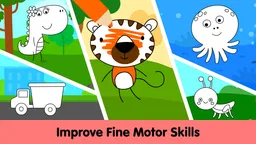
- Coloring can encourage creativity and fine motor practice.
- Digital pages avoid the need for paper and markers.
- Children can experiment with colors without making a mess.
What could be better
- Some children may need help navigating the app.
- Screen time may not suit every family's routine.
- Digital coloring does not offer the feel of real art supplies.
- The available designs may not match every child's interests.
- Young users may accidentally leave their current page.







