



Keiki Learning games for Kids review
 Analysis by Appsdrops
When a young child wants screen time, I’d rather offer something that asks them to think than another stream of videos. Keiki Learning games for Kids is an educational game from Benipol Limited, aimed at early learners and framed around maths and alphabet practice. Its appeal is easy to understand: short play sessions can turn a spare moment into a chance to recognize letters or work with numbers. The harder question is whether that appeal lasts once the bright first impression wears off. I see it as a useful addition to a child’s routine, not a replacement for a parent, a teacher, or hands-on play.
What the first week can offer
The game is designed for children, including those around kindergarten age, so the basic promise is approachable learning rather than a complicated game to master. In the first few sessions, that can be a real advantage. A child can explore educational activities at their own pace, while an adult has a simple way to introduce a little practice without turning every moment into a formal lesson.
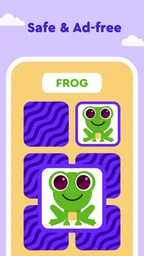
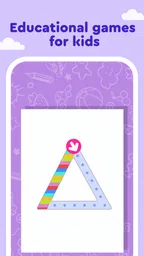
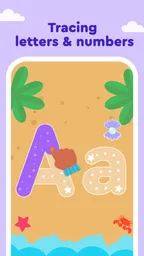
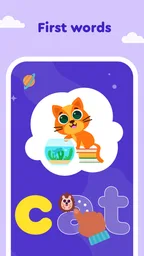
The store summary points to maths and alphabet activities for young children. That gives parents a practical starting point: use the game when a child is beginning to engage with letters or numbers, or when they need a change of pace from paper exercises. I would still sit nearby at first. A young learner may need help understanding what an activity is asking, and sharing the session lets you notice whether the content feels encouraging or frustrating.
One useful way to test the fit is to keep the first sessions brief and observe what the child chooses to revisit. If they return to the same kind of activity, that can help you decide whether it supports a genuine interest or is simply new and exciting. I wouldn’t treat a few enthusiastic sessions as proof of lasting learning; the more meaningful sign is whether the child begins recognizing ideas away from the screen too.
The strongest early use is as a small, supervised learning break, especially when a child is receptive to playful practice but not ready to sit through a longer lesson. It can also give a caregiver a shared activity for a quiet moment at home. I would avoid presenting it as a reward that must be earned or as a way to keep a child occupied indefinitely; those expectations can make an educational game feel like a substitute for attention rather than a prompt for it.
Turning play into a useful routine
A realistic scenario might be a child asking for a game while a parent prepares dinner. Instead of handing over a device for an open-ended stretch, the parent can agree on a short session, stay within earshot, and ask afterward what the child tried. That follow-up matters: a quick conversation about a letter or number can connect screen activity to daily life, while also showing whether the child understood the task or merely tapped through it.
For families using it alongside preschool or kindergarten, I’d treat the game as reinforcement rather than curriculum. If a child has been working on recognizing letters, for example, digital practice can be one more encounter with the idea. But a child who needs structured instruction, individual feedback, or a specific learning plan will likely benefit more from an adult-led approach or resources chosen with a teacher.
There is also a practical trade-off in the game’s broad early-learning framing. A child who enjoys both numbers and letters may welcome having more than one kind of subject to explore. A child who already has a clear preference, or who needs concentrated practice in one narrow area, may do better with a more focused resource. I’d watch for that difference rather than assuming a general learning game will suit every learner equally well.
Does it keep earning its place?
Keiki Learning games for Kids has a 4.6 average from around 123,000 ratings, and it has passed five million installs. Those figures suggest that many families have tried it, but popularity alone cannot tell me whether a particular child will stick with it. What matters at home is whether the game continues to offer a useful reason to return after the novelty of a new app has faded.
For lasting value, I’d connect use to a routine that already exists instead of making the game the routine. A short turn after a snack, for instance, is easier to manage than letting screen time expand whenever the child asks. I’d also alternate it with books, drawing, counting household objects, and ordinary conversation. That mix reduces the risk of treating on-screen practice as the only route to learning.
In comparison with a printed workbook, the game is likely to feel more inviting to a child who resists sitting down with a page. A workbook, however, gives an adult a direct view of the child’s marks and mistakes, and it doesn’t turn learning into another device session. Compared with open-ended video viewing, an educational game has a clearer learning purpose, but it still needs boundaries and adult judgment. The best choice depends on whether the child needs motivation, focused teaching, or a break from screens.
I’d check in every so often rather than assuming that regular use is automatically beneficial. Ask the child what they enjoy, notice whether they are becoming impatient, and see whether the activity still connects to something they are learning outside the app. If interest drops, there is no need to insist on a daily streak or keep the game installed out of habit. A resource earns its space when it serves the child now, not merely because it once worked.
Keeping the experience manageable
The game is free to download, but it includes in-app purchases ranging from $3.99 to $69.99 per item. That range makes it sensible for a parent to review purchase choices before handing over the device. I would make sure the child knows that tapping around is for playing, not for approving a purchase, and keep an adult in charge of any spending decisions. A free starting point is helpful, but it does not mean every part of the experience is necessarily included at no cost.
Another kind of maintenance is deciding when and how the game fits into family life. A simple household rule—play only at an agreed time, with an adult nearby—can prevent negotiation from taking over the session. If the child tends to become upset when a game ends, set the limit before opening it and give a gentle reminder as the session winds down. That approach is useful for digital play generally, but especially for young children who are still learning to move between activities.
The app is rated Everyone, which makes its intended audience broad, but that label does not guarantee it is right for every child or every household. I would consider the child’s age, attention span, comfort with a device, and readiness for independent play. A younger child may need an adult beside them; an older child who wants deeper challenges may outgrow an early-learning focus. The age label is a starting point for judgment, not a substitute for it.
Keiki Learning games for Kids is currently at version 11.0.1 and was released on August 11, 2020. It is made by Benipol Limited. For a parent, those details are less important than whether the game works well for the child’s present needs, but they help identify the particular product being considered. I’d revisit that decision periodically rather than assuming an app that suited a preschooler will remain useful as the child’s skills change.
Where fatigue can set in
The main risk is not that an educational game has no value; it is that repeated screen sessions can become a habit without much thought about what the child is gaining. If a child starts asking for the app mainly because it is familiar, or becomes reluctant to stop, I’d scale back and offer another activity. Variety is not a punishment. It keeps practice from feeling like a chore and gives children chances to learn through conversation, movement, and physical objects.
There is also a limit to what I would expect from game-based practice. A child may enjoy an activity without mastering the underlying idea, and a game cannot read a caregiver’s mind or adapt a family’s teaching approach in the way a person can. If a child repeatedly struggles, gets bored, or needs a concept explained differently, pause the session and work through it together. Continuing to tap through an activity is not the same as understanding it.
Some families may also prefer not to add another app to a device used for school, work, or other entertainment. In that case, a library book, counting game with household objects, or simple paper activity may be the better fit. Those alternatives require more adult involvement, but they also make it easier to tailor the pace and examples to the child. I would skip Keiki if the household is trying to reduce screen use, or if the child already has plenty of digital learning time.
My long-term take
I’d recommend Keiki Learning games for Kids to caregivers looking for a free starting point for playful early maths and alphabet practice, provided they are comfortable supervising a young child’s device use and managing optional purchases. Its focus makes it more purposeful than handing a child an unrelated game, and its broad early-learning appeal can suit a family seeking a light supplement to everyday learning.
I would not rely on it as a complete educational plan, and I would not keep it installed just because it was exciting during the first week. The best test is whether the child returns willingly, stays within sensible limits, and can connect something from play to life beyond the screen. If that continues, it may deserve a small, regular place in the week. If the child tires of it or needs more personal instruction, switching to a book, adult-led practice, or a more targeted resource is the wiser choice.
Overall, I see it as a potentially useful companion for short, supervised learning sessions, with lasting value dependent on how thoughtfully a family uses it. Let the child’s interest guide the trial, keep the boundaries clear, and check that play is supporting—not replacing—the richer learning that happens through people and the world around them.
What we like
- Short activities can suit young children with limited attention spans.
- Bright visuals make the games appealing to preschoolers.
- A range of activities gives children different ways to learn.
- Simple controls are accessible to children who are new to mobile games.
- Parents can use the app for short learning sessions on the go.
What could be better
- Some content may require a paid subscription.
- In-app purchases may be a concern for parents.
- A stable internet connection may be needed for some features.
- The app may collect usage data from young users.
- Screen time still needs supervision and limits.







