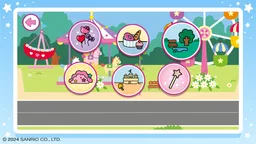
Hello Kitty: Beauty Salon review
 Analysis by Appsdrops
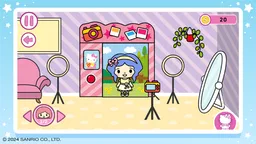
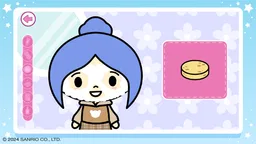
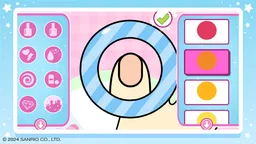
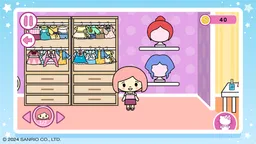
I’d consider Hello Kitty: Beauty Salon when I wanted a gentle, creative game for a child who enjoys choosing looks more than racing through levels or solving puzzles. Its focus is a beauty-salon theme, with makeup, hairstyles, and manicures forming the play concept. That makes it easy to understand at a glance, but also gives it a narrower appeal than a general kids’ game. The key question is whether a child enjoys experimenting with appearance and colors, rather than whether they need a broad educational activity.
Choosing a salon game for a young player
This is an educational game from Hippo Kids Games, aimed at children and rated for Everyone. The central attraction is imaginative styling: a child can approach the activity as pretend salon play, making choices about how a character should look. I see that as a better fit for relaxed, short sessions than for a child seeking a demanding challenge or a story with substantial progression.
The Hello Kitty identity gives the theme an immediate point of recognition for children who already like the character. It can make a familiar, low-pressure setting more inviting, though it is not a substitute for variety. If a child is indifferent to salon play or prefers building, drawing, or action games, the theme alone is unlikely to hold their attention for long.
One useful way to judge the fit is to watch how a child plays with dress-up toys or drawing apps. A child who likes comparing colors, changing a look, and showing a finished creation is more likely to enjoy this than one who wants clear goals and frequent rewards. I would also treat it as creative screen play rather than a complete learning course: the educational label does not mean it teaches formal beauty skills or offers a structured lesson plan.
What makes this particular theme appealing
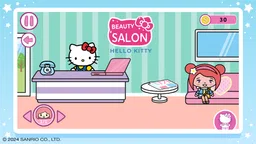
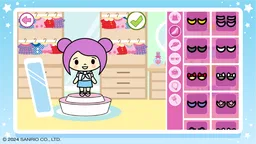
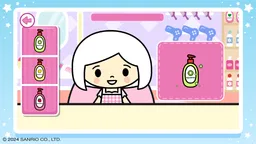
The salon premise offers a simple role-play prompt: instead of merely tapping through an unrelated collection of activities, a child can imagine preparing a character for a new look. Makeup, hair, and nails provide different creative angles, so a child can switch from one kind of styling decision to another without leaving the overall theme. That connection is the game’s clearest strength.
For an everyday example, it could work well during a quiet stretch at home when a child wants something more interactive than watching a video but does not have the patience for a long game. I would suggest inviting them to describe the look they are trying to create before they start. That small prompt can turn quick tapping into a more deliberate activity: choose a style, explain the color choices, and decide whether the final result matches the idea.
Another practical tip is to keep sessions child-led. Beauty themes can invite adults to steer toward what they consider a “good” look, but the more useful play comes from letting the child make their own choices. Asking open questions—such as what they wanted the hairstyle to feel like—encourages imagination without turning the game into a lesson or implying that one appearance is better than another.
Where it stands out, and where it does not
Compared with broad children’s collections that jump between puzzles, animals, numbers, and mini-games, this one has a more focused identity. That focus is helpful for a child who asks specifically for salon or makeover play: there is less thematic switching, and the activity is easy to explain. It is also more suitable for imaginative choices than for practicing a particular academic skill.
That same focus is the main limitation. A child who expects a varied sequence of challenges may find the salon theme repetitive after the novelty wears off. I would not choose it as the only game on a device if the aim is to offer several kinds of play. A general-purpose children’s game may be a better match for a household trying to cover different interests, while a drawing app may suit a child who wants more freedom to create from scratch.
There is also a difference between a themed game and an open-ended art tool. Salon activities give children a particular context for making choices, which can help younger players get started. But children who want to sketch original characters or compose their own scenes may prefer a drawing app, where the creative task is less bounded by makeover conventions. The right choice depends on whether a child enjoys working within a playful prompt or inventing everything themselves.
The game has an average rating of 4.4 from around 5,200 ratings, with 75 written reviews, and has passed 5 million installs. Those figures suggest that it has found a substantial audience, but I would not use popularity as a replacement for checking whether the theme suits a particular child. A strong fit with salon play matters more here than choosing the most widely used option.
Practical considerations before handing over the device
The game is free to download, with in-app purchases ranging from $1.99 to $7.99 per item. For a parent, that makes it sensible to review purchase settings on the device before a child plays independently. A child may treat on-screen purchase prompts as part of the game, so I would explain in advance that any paid choice needs an adult’s approval. This is a useful precaution for any free-to-start children’s game, especially one likely to be explored through repeated tapping.
If you are choosing it for a younger child, the Everyone rating is a reassuring starting point, but age ratings do not tell you whether the theme or pace will suit that child personally. I would sit nearby for the first session and see whether the child understands the choices and stays engaged without help. That also gives you a chance to notice whether the purchase flow or any other screen needs adult attention before handing over the device for longer periods.
The current version is 1.5.0 and requires Android 7.1 or later. It was released on December 31, 2024. Those details are useful when checking compatibility on an Android device; iOS users should check the requirements shown in their own app store before installing. The game is made by Hippo Kids Games, a developer whose name is worth noting if you are comparing it with other children’s titles from the same publisher.
A small but helpful way to reduce frustration is to set a clear stopping point before play begins. For example, a parent can suggest finishing one chosen look and then putting the device away. This is more practical than expecting a child to stop at an arbitrary moment, particularly when they are absorbed in making one last styling choice. It also helps keep the game in the role of a short creative break rather than an activity that stretches indefinitely.
Switching to another kind of play
The cost of switching is low if a child loses interest: the game is free to try, and its theme is easy to assess in a brief session. The main trade-off is not financial so much as attention. A child who already enjoys pretend salon play may return to it, while a child who prefers varied objectives may quickly ask for something else. I would avoid buying in-app items until the child has shown repeated interest in the basic experience.
If the goal is a quieter creative activity, compare this with drawing or coloring apps rather than only with other makeover games. If the goal is learning a specific skill, a focused educational app with explicit practice may be more useful. And if the child wants a bigger mix of activities, a general children’s collection is likely to offer a better match. These alternatives serve different needs; none is automatically better than a salon game for a child who genuinely likes styling play.
One realistic approach is to treat it as an option in a small rotation. A parent might offer this when the child wants character-based make-believe, then switch to a drawing activity on another day. That avoids expecting one narrow game to satisfy every mood, and it makes the strengths clearer: this title is for choosing and imagining a look, not for open-ended drawing or a broad set of lessons.
My recommendation
I’d recommend Hello Kitty: Beauty Salon for children who are drawn to Hello Kitty and enjoy make-believe around hairstyles, makeup, and manicures. Its focused theme is an advantage for that audience, and its free download makes it straightforward to try before deciding whether any paid items are worth considering. The best use is a short, supervised creative session where the child gets to make the choices and talk about the look they have created.
I would skip it for a child who wants substantial challenge, wide-ranging educational content, or a blank canvas for original artwork. It is also not the choice I would make when I need a game with a broad mix of activities to suit several different interests. For the right child, though, the salon setting gives pretend play a clear starting point. If that specific kind of creativity is what they enjoy, this is a sensible game to try; if not, a drawing app or more varied children’s game will probably be a better use of their screen time.
What we like
- Colorful visuals suit Hello Kitty fans and younger players.
- Salon activities offer a relaxed and easygoing experience.
- Simple touch controls are accessible for children.
- Character styling encourages creative outfit combinations.
- Short activities work well for quick play sessions.
What could be better
- Some items or features may require in-app purchases.
- Gameplay may feel repetitive after several salon sessions.
- Young children may need help navigating menus.
- The game offers limited challenge for experienced players.
- Performance and availability can vary by device and region.







