
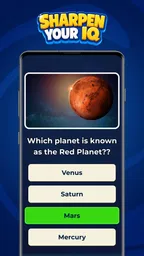
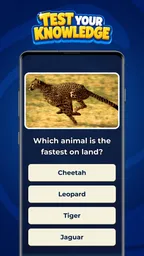
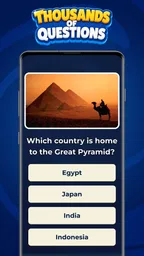
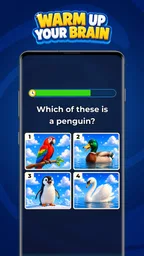




Guess The Answer: Trivia Game review
 Analysis by Appsdrops
Guess The Answer is a trivia game built around a simple invitation: test what you know, trust your instincts, and work out the answer. That straightforward premise makes it easy to understand, but a welcoming quiz needs more than familiar questions. Readability, navigation, and the demands a game places on a player can all influence whether a quick round feels comfortable. I find this a useful lens for considering who might enjoy the experience and where it may be less accommodating.
A simple premise, with accessibility questions worth considering
As a free trivia game from Quiz & Trivia Games by Mno Go Apps, Guess The Answer aims at players who enjoy general knowledge and making a best guess. Its store description is direct rather than elaborate, which gives newcomers a quick idea of the central activity. The game is rated for Everyone, and it has an average rating of 4.8 from around 24,000 ratings. Those figures suggest broad interest, although popularity alone cannot tell me how well the interface works for every individual.
The main appeal is the familiar quiz format: read a prompt, think through possible answers, and choose what seems right. That low barrier to understanding can help people who are new to trivia games, as well as experienced players looking for something uncomplicated. I also appreciate that the concept does not require a player to learn a complicated fictional world before getting started. The challenge is mental rather than a demand to master a large set of rules.
Readability and finding your way around
For a quiz game, text is central to the experience. Players need to read each prompt, consider the wording, and identify the answer options. That means legibility matters at least as much as visual polish: small text, weak contrast, or crowded layouts can make otherwise simple questions tiring. Since the game’s premise relies on answering questions, I would treat comfortable reading as an important part of deciding whether it suits you.
The product is presented as a guess-the-answer experience, so the core task is easy to grasp from its name and short description. That can reduce uncertainty for a first-time player. Clear navigation also matters: people should be able to tell where a question begins, how to submit a response, and what happens next. I would pay attention to whether the screen feels orderly during play, especially if I were using a smaller phone or preferred larger text elsewhere on my device.
Trivia can be welcoming when instructions are concise and the important information is easy to distinguish from decorative elements. It can become more demanding when a question depends on a subtle wording distinction or when answer choices are visually dense. Those are common considerations for this kind of game, not claims about a particular screen in Guess The Answer. If reading comfort is a priority, trying a short session is a practical way to see whether its question presentation works for you.
The game is free to download, with optional in-app purchases ranging from $0.59 to $19.49 per item. That makes the initial decision to try it relatively straightforward, while players who prefer to avoid spending should still be mindful of purchase prompts in any free-to-play app. For a younger player or someone who benefits from guidance, it may be helpful to review the app together and discuss purchases before play. The Everyone content rating is a useful general cue, but it does not replace a personal check of how the game appears and feels on a particular device.
Motor and sensory considerations
Trivia generally asks for more thinking than physical precision, which can make it appealing to people who want a less action-heavy mobile game. The likely interaction is centered on reading and selecting an answer rather than reacting to a fast-moving scene. Still, even a simple selection task can be uncomfortable if buttons are difficult to target, controls demand repeated tapping, or a player has limited dexterity. I would judge those details in practice rather than assume that a quiz format automatically works for every motor ability.
Sensory comfort is another individual matter. Players may be sensitive to bright screens, motion, busy visuals, or sound, while others may prefer audio cues or stronger visual feedback. A trivia game can remain mentally engaging without requiring sound, but the overall experience depends on how its prompts and responses are presented. Adjusting device-level brightness, text size, or sound settings may help, though those adjustments cannot compensate for every interface barrier.
For someone who uses assistive technology, the key question is whether the game’s interactive elements are presented in a way that their device can interpret. A quiz may look simple while still posing challenges if controls lack clear labels or if the reading order is confusing. I would not assume compatibility or certification without checking the experience directly. A brief trial can reveal whether selecting answers and following the screen works comfortably with the tools a player already relies on.
It is also worth considering fatigue. A player who enjoys answering questions may still need breaks, particularly when reading on a small display or concentrating for a long stretch. The uncomplicated premise is well suited to casual play in principle, but the pace and comfort of any session are personal. I like that the idea does not require a lengthy commitment to understand; whether it feels relaxing or demanding will depend on the player and the presentation.
Where and when it can fit
A short-form trivia concept can fit into spare moments: a quiet break, a wait, or a relaxed evening at home. That flexibility is one of the strongest attractions of a simple quiz. Players can approach it as a light mental challenge rather than a game that calls for elaborate preparation. With more than 100,000 installs, it has reached a sizeable audience, though each person’s ideal setting will be different.
Context matters because reading and concentration are harder in some environments. Glare, interruptions, background noise, or an unstable connection can make a question less enjoyable, regardless of how accessible the game’s design may be. I would be more inclined to play when I can comfortably see the screen and give a question a little attention. For someone who wants a game to use in noisy places, checking whether the experience remains clear without relying on sound is sensible.
The game’s minimum operating system is 7.1, which gives some indication of the device compatibility needed to run it. That does not guarantee the same experience across every phone or tablet, since screen size, system settings, and assistive tools can vary. Players should consider how their own device handles the app and whether its display is comfortable for them. A title that works well on one screen may feel cramped or harder to navigate on another.
Age suitability is also part of situational access. An Everyone rating makes the game broadly positioned for players of different ages, and trivia can be a pleasant shared activity between family members or friends. People have different reading levels and knowledge backgrounds, however, so a question that feels obvious to one person may be unfamiliar to another. That variety can be part of the fun, provided nobody feels pressured to answer quickly or treated as less capable for needing more time.
What may still get in the way
The clearest limitation of a question-and-answer game is that its central activity depends on understanding written prompts. Players with reading difficulties, limited proficiency in the language used, or visual impairments may encounter extra effort. This is not unique to Guess The Answer; it is a natural challenge for trivia. Still, it matters when deciding whether the game is a good fit, especially for someone who finds dense text or unfamiliar vocabulary tiring.
Trivia also rewards knowledge that varies by age, education, culture, and personal interests. A player may know plenty about one subject and little about another. That can make a quiz feel lively, but it can also leave some people feeling shut out if they repeatedly encounter questions outside their experience. I see the best use for this kind of game as low-pressure entertainment: guessing is part of the premise, and a wrong answer need not be treated as a judgment of someone’s intelligence.
Another practical consideration is spending. The app is free, but its optional purchases have a listed range of $0.59 to $19.49 per item. Players who want a strictly no-cost experience should keep that in mind and take care around purchase options. Families may want to check device purchase controls before handing the game to a child. This is a general precaution for apps with in-app purchases, not a reason to assume that payment is required to enjoy the basic idea.
Finally, accessibility is not a single yes-or-no quality. A person may find the text comfortable but the controls awkward, or may be happy with the interaction but prefer a different sensory presentation. I would avoid treating an age rating, a high average score, or a simple game concept as proof that every need is covered. The most useful test is whether the actual interface suits the player’s vision, reading preferences, motor comfort, and device setup.
A considerate choice for casual quiz fans
Overall, Guess The Answer has an approachable premise that can appeal to people who like general trivia and quick decisions. Its strongest inclusive quality is conceptual simplicity: the goal is easy to understand, and the game does not present itself as a complex action challenge. At the same time, the experience depends on reading and interacting with a mobile screen, so individual comfort with text, controls, and sensory presentation remains important.
I would recommend giving it a try if you enjoy a relaxed quiz and want a free game to explore. The title has an average rating of 4.8 and 242 written reviews, signs of a positive reception among players, but personal fit matters more than a score. Take a moment to check how the questions appear on your device, whether the controls feel manageable, and whether the game is comfortable in the places you expect to use it.
My inclusive verdict: Guess The Answer is a promising option for casual trivia fans who value a clear, familiar challenge, especially when they can play in a comfortable setting and at their own pace. Its simple idea lowers the learning barrier, but it does not erase the usual hurdles of text-heavy mobile play. I would consider it most suitable for players who can comfortably read and select answers on their device, while encouraging anyone with specific access needs to try a short session before settling in. With that practical check, it can be an enjoyable way to test your knowledge, trust your instincts, and share a few lighthearted guesses.
What we like
- Quick rounds make it easy to play during short breaks.
- A broad mix of trivia prompts keeps the questions varied.
- Simple controls are easy for new players to understand.
- Hints can help when an answer is difficult to guess.
- Offline play may be available for gaming without internet.
What could be better
- Some answers may depend on spelling them exactly right.
- Repeated questions can make longer sessions feel less fresh.
- Hints may be limited or require in-game currency.
- Ads can interrupt the flow between questions.
- The difficulty may feel uneven across different topics.







