Disney Coloring World review
 Analysis by Appsdrops
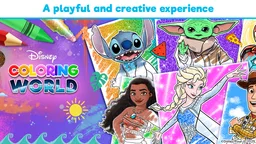
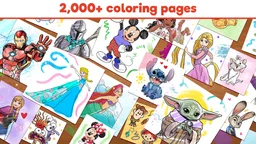
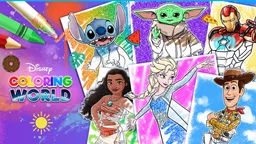
When a child wants to color a familiar Disney character, choosing the picture can be half the fun. Disney Coloring World makes that recognizable cast its central draw: this is an educational coloring game from StoryToys, with characters including Frozen favorites, Disney Princesses, and Stitch. I’d recommend it most to families looking for a themed, low-pressure creative activity, rather than a general-purpose drawing tool or a game built around challenges and progression.
Familiar characters make the coloring feel inviting
The strongest idea here is not simply that children can color; it is that the subject matter is already meaningful to many of them. A familiar character can make a young player more eager to begin, and can give them a natural reason to make choices about color and decoration. That makes the app feel different from a basic digital coloring book filled with unfamiliar shapes.
In my view, that familiarity is also the clearest practical benefit for a parent. If a child is hesitant about drawing from scratch, a character-led coloring activity gives them a starting point without asking them to invent a whole picture. They can focus on making the image their own. The experience is creative, but the blank-page problem is reduced.
The game is free to download and is rated for Everyone. It has a 4.3 average from around 60,000 ratings, and has passed 10 million installs. Those figures suggest that it has found a broad audience, though they cannot tell you whether its particular style will suit your child. The most useful question is whether a Disney-themed coloring activity is what your family wants.
A guided activity, not a replacement for drawing
I would think of this as a character-focused coloring space, not a full art studio. That distinction matters when deciding what to install. Children who want to color recognizable figures may be happy with a guided canvas; children who want to sketch freely, build their own scenes, or practice drawing from a blank page may prefer a more open-ended art app.
That tradeoff is not a flaw so much as a difference in purpose. A structured image can help a younger child get started and keep the activity manageable. It can also feel limiting to an older child who wants precise control or a wider range of original subjects. Before handing over a device, I’d set expectations around coloring existing characters rather than creating anything whatsoever.
How the character-led approach works in everyday use
The useful way to approach the app is as a short creative activity: choose a character or picture that appeals, spend time coloring it, then decide whether to continue or move on. The recognizable cast helps make that first choice easy. For a child who already has a favorite from Frozen, the Disney Princesses, or Stitch, the subject itself can provide enough motivation to start.
One small but useful tip is to let the child choose the picture before giving suggestions about colors. It gives them ownership of the activity and avoids turning a relaxing break into a lesson. If they ask what to do, try a simple prompt such as choosing a color for one part of the character, rather than directing the whole image. That keeps the focus on their decisions.
Another practical use is to treat coloring as a transition activity. A parent might offer it while waiting for a meal, during a quiet stretch at home, or when a child needs a calm change of pace after a busier activity. The themed images make it easier to get going than a blank canvas, while the coloring itself leaves room for the child to work at their own speed. I would still use it as one option among screen-free activities, not as a substitute for them.
For younger players, staying nearby at first can help with the basic routine: selecting an image, getting comfortable with the controls, and knowing when to stop. A child who is already confident using a tablet may not need much guidance, but an adult can still help make the activity more intentional. Ask them to describe a color choice or show you the finished picture; that turns a few minutes of tapping into a simple conversation about their ideas.
It is also worth keeping the session goal modest. Rather than expecting a child to finish a picture in one go, let them enjoy a short stretch of coloring. That makes the app easier to fit into real family routines and reduces the pressure to keep playing. If the child loses interest, there is no need to push them through the image just because it is unfinished.
What it offers compared with other coloring apps
Many coloring apps emphasize broad collections of patterns, abstract pages, or tools for making art from scratch. This one’s appeal is more specific: it puts licensed Disney characters at the center. That can be a real advantage when a child recognizes the cast, but it is not automatically better than a generic coloring book. A child who prefers animals, vehicles, or completely original designs may find a non-Disney option more compelling.
Compared with a physical coloring book, a digital game is convenient when the device is already on hand and you do not want to gather paper and crayons. A physical book, on the other hand, offers a different kind of tactile activity and does not involve navigating an app. I would choose between them based on the moment: the digital option for a quick character-themed activity, and paper when the goal is a break from screens or a more hands-on art session.
Compared with open-ended drawing apps, the advantage here is the familiar starting point. The cost of that convenience is less freedom than a blank canvas can provide. If a child is beginning to draw their own characters or wants to practice freehand work, I’d use a drawing app alongside this one rather than expecting a coloring game to meet both needs.
Costs, limits, and the parent’s decision
The download is free, but in-app purchases range from $0.99 to $59.99 per item. That is an important detail for parents: “free” describes getting started, not necessarily every available item. I recommend checking the purchase options and setting appropriate device-level purchase controls before giving a child independent access. A quick check before play can prevent an unexpected request to buy something from interrupting what should be a relaxed activity.
The range of purchase prices also makes it sensible to treat the free experience as a trial of fit. First see whether your child returns to the coloring and enjoys the character-led format. If they do, you can decide whether any paid content is worth considering; there is no need to buy anything simply to find out whether the basic idea appeals. I would avoid framing extra purchases as necessary for a child to enjoy coloring.
There is a similar tradeoff in the theme itself. Disney characters can be a strong hook, but a child who is not interested in those characters may not get much from the app. The branding also makes this a more focused choice than a broad creative tool. If your main goal is to encourage open-ended imagination, drawing, or a wider mix of subjects, a general art app or a physical coloring book may serve you better.
StoryToys lists the game as version 18.10.0, with Android support from version 7.0 onward. It was released on December 19, 2018. That makes it a long-running option rather than a new experiment, though I would still check that your device meets the operating-system requirement before installing. The simple point for a parent is to confirm compatibility first, particularly on an older device.
Who will enjoy it most
I think the best fit is a child who already enjoys Disney characters and likes coloring but does not always want to invent a picture from nothing. The guided, familiar subject matter can make it easier to begin, and the activity can work well in short bursts. It is also a reasonable choice for an adult who wants to sit alongside a child and talk about what they are making, rather than leave the device to entertain them without interaction.
It is less suitable for children who want detailed drawing tools, a broad library unrelated to Disney, or a game with clear goals and challenges. It may also disappoint families specifically seeking a no-purchase digital experience, since optional items are available at a wide range of prices. In those cases, a paper coloring book or a more open-ended drawing app is likely the better match.
Overall, I see Disney Coloring World as a focused, approachable coloring game whose main strength is giving children familiar characters to work with. It is worth trying if that theme is already a hit at home, especially for a short creative break. Just keep the purchase options in mind and choose it for character coloring—not as a complete art studio or a replacement for every kind of creative play.
What we like
- A large selection of Disney characters appeals to fans of different ages.
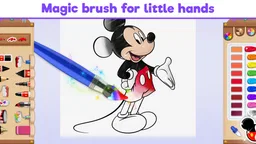
- Simple controls make coloring approachable for young children.
- Digital tools let children experiment without making a mess.
- Finished artwork can be saved and revisited later.
- The familiar characters can make creative play more engaging.
What could be better
- Some content requires a paid subscription or purchase.
- The full character collection may take time to unlock.
- Young children may need help navigating menus and settings.
- Digital coloring does not provide the feel of physical art supplies.
- The app may require an internet connection for some features.







