Daily Jigsaw Puzzles review
 Analysis by Appsdrops
I’d recommend Daily Jigsaw Puzzles to someone who wants a calm, familiar activity they can pick up without needing to learn a complicated game. It is a jigsaw puzzle game from Big Cake Apps, and its appeal is straightforward: choose an image, work out where the pieces belong, and enjoy the small satisfaction of seeing the picture come together. In my experience, that makes it an easy fit for a quiet break, especially when I want something more engaging than scrolling but less demanding than a fast-paced game.
The app is free, rated for Everyone, and has a 4.8 average from around 9,600 ratings, with more than a million installs. Those numbers suggest broad appeal, but the more useful question is whether its style suits you. This is a jigsaw-focused trivia-category game, not a quiz built around general knowledge. If you are looking for questions with right-or-wrong answers, you may want a conventional trivia app instead. If you like picture puzzles and a relaxed pace, the format is much closer to what you want.
What the puzzle experience feels like
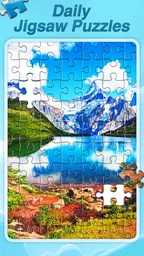
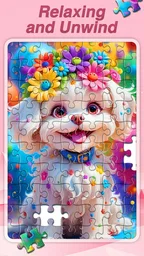
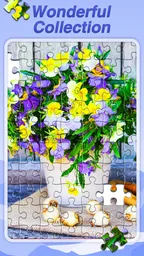
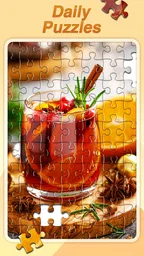
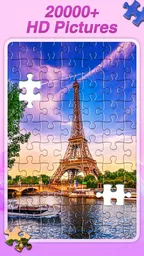
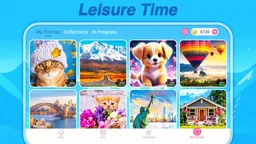
Daily Jigsaw Puzzles is built around a large selection of high-definition images, with more than 20,000 puzzles available. That breadth matters less as a headline than as a practical advantage: you are not committing to one theme or a short campaign. You can browse for an image that suits your mood, whether you want a colorful scene or something quieter, and return for another puzzle when you have time.
The basic satisfaction comes from visual problem-solving. At first, I look for pieces with distinctive colors, edges, or recognizable parts of the image. Once a few sections begin to form, the remaining pieces become easier to judge by their neighbors and the shape of the picture. This gradual change—from a scattered set of parts to something recognizable—is what gives the game its relaxing rhythm.
That rhythm is also a limitation. A jigsaw puzzle asks you to focus on matching shapes and image details; it does not offer the variety of a trivia collection that switches between subjects, question formats, or quick rounds. I would choose this game for a patient, hands-on pause, not when I want a burst of competition or a test of what I know.
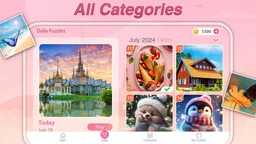
The “daily” framing makes the game sound like a small routine, and that is a useful way to approach it: start a puzzle when a spare moment appears, rather than treating it as something you need to finish in one sitting. A picture puzzle can be a good companion to a calm morning or a wind-down break. I would not assume every session needs a goal beyond making a little progress.
Who is likely to enjoy it
I think it is a strong match for people who already enjoy paper jigsaws but want a version they can keep on a phone or tablet. It also suits beginners who find traditional puzzles intimidating: on a screen, it is easy to try one and see whether the process feels satisfying before making a larger commitment. The Everyone content rating makes it suitable for a broad audience, though a child’s experience will still depend on their patience and comfort with using a touchscreen.
It is less compelling for anyone who mainly wants timed challenges, detailed competition, or a story that pushes them through a sequence of stages. It is also not my first choice when I have only a few seconds to spare. A quick word or number puzzle may fit that moment better, while a physical jigsaw may be more satisfying if you want a tactile, shared activity around a table.
Getting started without overthinking it
The game is currently at version 1.5.102 and supports Android 7.0 or later. After installing it, I would keep the first session simple: open the game, choose an image that is easy to read at a glance, and begin. There is no need to hunt for the “best” puzzle before you have tried the basic activity. A scene with clear color differences is usually a more reassuring first pick than an image where everything appears similar.
For the first attempt, I would treat the goal as learning how the pieces behave on the screen, not completing the hardest puzzle available. Start by looking for pieces that obviously belong together: a strong color boundary, a recognizable object, or a section of the image with a distinctive pattern. Once those pieces make a small cluster, use that finished section as a visual anchor. This is a practical way to avoid repeatedly scanning every loose piece without a plan.
A useful habit is to pause briefly before moving a piece and compare its image with the area you are building. When several pieces look alike, work from the larger visual feature rather than guessing from color alone. This may feel slower for a moment, but it reduces aimless shuffling and helps the picture reveal its structure. The first meaningful success is often not finishing a whole puzzle; it is finding a small group that clearly fits.
If you are playing on a phone, give yourself enough screen space to inspect the image rather than trying to solve while rushing between other tasks. A tablet can feel more comfortable for a longer session because the picture has more room, but a phone makes the game easier to carry into a short break. I would choose the device based on how much time and attention I have, not on a belief that one is required.
Making a short session work
A realistic everyday use is opening the game while waiting for a meal or taking a quiet break at home. I would pick one image, find a few obvious matches, and stop when I need to return to what I was doing. That approach keeps the game restful instead of turning it into an unfinished task hanging over the day. If I have more time later, I can continue with the same general approach: build recognizable sections and use them to make the next choices easier.
There is also a useful trade-off between browsing and playing. With a large image library, it is tempting to spend more time choosing a puzzle than working on one. I recommend deciding what kind of picture you feel like tackling, then starting the first appealing option rather than searching endlessly for a perfect match. The catalogue is most useful when it helps you find a fresh image, not when browsing replaces the activity itself.
For a first session, I would also avoid judging the game by whether I finish quickly. Jigsaws are naturally slower than many mobile games, and the pleasure is in recognizing how separate details connect. If that process feels soothing, the app is doing what I want from it. If I keep wishing it would hurry up or give me a different type of challenge, that is a good sign that another genre may suit me better.
Where confusion can creep in
The main point to understand is that the game’s trivia category label can give the wrong impression. The actual activity centers on assembling picture puzzles, so someone expecting quiz questions may open it and wonder where the knowledge test is. I would approach it as a picture-based pastime rather than a trivia challenge, and decide whether I like that style before investing much time.
Another common source of frustration is choosing an image that is visually repetitive for a first attempt. If a large area contains similar shades or textures, it can be harder to spot where pieces belong, especially while you are still getting used to the puzzle flow. Start with a picture that has distinct sections, then try more subtle images once you have a feel for how you prefer to sort and compare pieces. That is not a rule about which puzzles are objectively easy; it is simply a way to make the learning curve gentler.
It also helps to distinguish a calm game from a game with no effort. Jigsaws still ask for attention, and repeated visual scanning can become tiring if you play when you are already distracted. I would take a pause rather than force progress. The relaxed pace works best when I can give the picture a little focus, even if the session is brief.
As with many free mobile games, I would check the app’s current screens and store details before making assumptions about the exact play experience on my device. The core decision is simpler: if you want accessible picture puzzles, this is the right kind of app to try; if you need a particular competitive mode, detailed customization, or a specific feature, make sure that exact requirement is met before choosing it. I would rather match the game to the reason I am installing it than expect every jigsaw app to work the same way.
How it compares with other ways to play
Compared with a paper jigsaw, a phone puzzle is easier to keep at hand and does not require setting aside a physical surface. That convenience is particularly valuable when I want to start and stop around everyday interruptions. The trade-off is that a screen cannot reproduce the tactile feeling of picking up and turning cardboard pieces, and the activity is less naturally suited to several people leaning over the same table.
Compared with a typical mobile trivia game, Daily Jigsaw Puzzles is quieter and more visual. A quiz app is a better fit for testing recall, learning facts, or competing over answers. Here, the challenge is recognizing image details and deciding where they belong. That difference is worth keeping in mind before downloading: it is not a broad collection of trivia rounds simply because the store classifies it in the trivia area.
Its scale is one reason I would try it before searching for a specialist alternative. Big Cake Apps has gathered a large library, and the game has received a 4.8 average across roughly 9,600 ratings. There are also more than 630 written reviews, which can help a prospective player get a sense of other people’s experiences. Still, ratings cannot tell you whether the puzzle pace suits your attention span, so a short personal trial is more informative than the score alone.
My recommendation after the first try
I would give Daily Jigsaw Puzzles a try if I wanted an uncomplicated way to enjoy image puzzles in small, flexible sessions. My advice is to choose a clear picture, aim for one recognizable cluster, and let that first small success guide the rest of the session. That is a better introduction than starting with an image that looks difficult or expecting the game to behave like a quiz.
The game is at its best when I want calm concentration and the freedom to make gradual progress. It is not the right pick for instant action, tactile puzzle solving, or general-knowledge questions, and that distinction matters more than its large catalogue. If the act of fitting visual details together is enjoyable to you, its extensive selection gives you plenty of room to find pictures that match your mood. If that process feels repetitive after one attempt, I would move on without guilt to a word game, quiz, or physical jigsaw that better fits the kind of break I want.
What we like
- New puzzles are available daily to keep the experience fresh.
- Adjustable difficulty suits both beginners and experienced players.
- Jigsaw play offers a relaxing break from busy routines.
- Completed puzzles provide a satisfying sense of progress.
- The familiar format is easy to learn and play.
What could be better
- Some puzzles may feel repetitive over time.
- Larger puzzles can take a while to complete on a phone.
- Small pieces may be harder to select on compact screens.
- Daily puzzle availability may not suit players who want endless variety.
- Frequent play can become less challenging for experienced solvers.







