

Coloring Games for Kids: Color review
 Analysis by Appsdrops
I see Coloring Games for Kids: Color as a cheerful, low-pressure way to give children a creative activity on a phone or tablet. Its appeal is easy to understand: it offers a large collection of coloring and drawing activities, so a child can settle into a picture without needing to learn complicated controls. In my view, it works best as a convenient pastime and a gentle introduction to digital coloring, rather than as a full art-learning tool.
A broad coloring collection for quick creative breaks
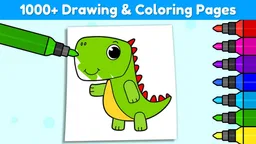
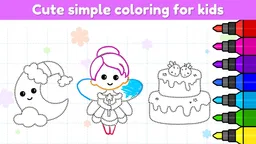
This is an educational game from IDZ Digital Private Limited, made for children who want to color on a screen. The collection is described as containing over a thousand coloring games, which gives families plenty of variety to explore. That breadth is its strongest practical advantage: a child who has finished one picture can move on to another instead of facing the same small handful of pages every time.
The game’s basic appeal is also its most useful one. Coloring is an activity children can dip into for a few minutes or stay with for longer, depending on their mood. I would keep it in mind for a quiet moment at home, a short wait before an appointment, or a change of pace after a more demanding game. It gives a child something to do without asking them to follow a story, compete, or master a complex set of rules.
That makes the experience approachable for a wide range of young users. The age rating is Everyone, and the simple premise is easy for a parent to explain: choose a picture and make it your own. A child who already enjoys crayons and coloring books may recognize the appeal immediately, while a child who is hesitant about drawing from scratch can begin with the structure of a picture already on screen.
There is a meaningful difference between this and a blank digital canvas. A blank canvas can feel daunting to a young child who does not know what to draw; a coloring activity offers a clear starting point. In everyday use, that can reduce the need for an adult to invent a prompt or guide every step. I would still expect younger children to benefit from some help getting started, especially if they are unfamiliar with touch controls, but the format itself is less intimidating than open-ended drawing.
Why the variety matters in everyday use
A large library is valuable only if it helps a child find something that suits their mood. Here, the range of coloring activities is the reason I would choose this over a very small digital coloring book. It gives children room to browse and make a fresh choice, which can help the activity feel less like repeating the same exercise. The trade-off is that a large collection can also make choosing part of the task; a child who wants an immediate, highly guided activity may need a parent to help narrow the options.
One practical approach is to treat it as a short creative station rather than an unlimited screen-time destination. I would let a child choose one picture, finish it at their own pace, and then decide whether to continue. That keeps the focus on making something rather than scrolling through options. It also makes the game easier to fit into a routine, such as a brief activity before dinner or while a family member finishes a phone call.
Another useful approach is to use the activity as a conversation starter. Instead of judging whether the finished picture looks neat, I would ask the child why they chose particular colors or what they might add if they were drawing the scene themselves. That turns a simple coloring session into a small chance to talk about choices and imagination, without pretending the game itself is a structured art lesson.
What it does well, and where it can feel limited
The collection’s scale and straightforward premise are its clearest strengths. The game is easy to recommend to a parent looking for a child-friendly creative option that does not require a long explanation. Its average rating is 4.6 from around 31,000 ratings, and it has been installed over 10 million times. Those figures suggest broad uptake, but I would still judge it by whether a particular child enjoys coloring on a touchscreen; popularity cannot make a child interested in an activity they do not like.
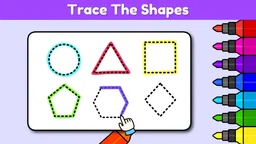
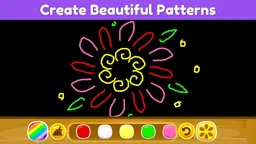
The main limitation is inherent to the format: filling in pictures is not the same as learning to draw. A child who wants to practice making their own shapes, sketching from observation, or building a picture from a blank page may get more from a dedicated drawing app or traditional paper and art supplies. Coloring can encourage choices and patience, but parents should not expect it to teach technique simply because it sits in the educational-games category.
There is also a difference between a relaxed creative tool and a complete substitute for hands-on coloring. On a screen, the physical feel of crayons, pencils, and paper is missing. That matters if your goal is to strengthen a child’s familiarity with real art materials or give them a break from devices. I would use this game alongside offline activities, not as a replacement for them.
Families should also pay attention to the purchase model. The game is free to download, with in-app purchases ranging from $1.99 to $19.99 per item. That does not make it unsuitable, but it does mean I would check the purchase settings on a child’s device and agree on expectations before handing it over. A free starting point is useful; it is still worth making sure a child understands that not every available option necessarily comes without an additional cost.
Version 5.31.0 is listed for devices running Android 6.0 or later. The release date is June 26, 2019, so this is an established app rather than a newly launched experiment. For parents, the practical step is to check that the device meets the minimum operating-system requirement before installing, particularly if the child uses an older hand-me-down phone or tablet.
Who I would recommend it to
I would recommend Coloring Games for Kids: Color to families whose children already enjoy coloring and want an easy digital option for short stretches of free time. It is particularly well suited to a child who likes selecting colors and completing pictures but is not yet eager to create artwork from a blank page. The extensive choice can also help when one theme or image has lost its novelty and a child is ready to pick something different.
It may be useful in a realistic everyday situation such as waiting at a clinic or sitting through a quiet interval while dinner is being prepared. In that setting, a parent can help the child choose a picture, then let them work independently for a while. I would not rely on it to occupy a child indefinitely, and I would keep the device’s purchase controls in mind, but it can offer a calmer alternative to a fast-paced game when a brief distraction is all that is needed.
I would be less likely to recommend it to a child who prefers physical toys, outdoor play, or drawing freely without outlines. It is also not the best fit for a parent specifically seeking a guided curriculum with lessons, progressive exercises, or measurable art instruction. For those needs, a drawing-focused app or real materials would be a better match. The important distinction is whether the child wants to color existing pictures or learn to create their own.
For a first try, I would sit with the child for the opening few minutes, let them choose a picture, and see whether they understand the interaction without repeated help. If they enjoy making color decisions and can manage the touchscreen comfortably, the game’s large selection gives them room to continue exploring. If they become frustrated by the interface or lose interest once a picture is complete, there is little reason to push it; paper coloring or another kind of activity may suit them better.
My verdict for families
Coloring Games for Kids: Color gets the essentials right for its intended purpose: it offers children a broad supply of digital coloring activities in a format that is easy to understand. I like it most as a handy, low-pressure creative diversion, with the important caveat that it is not a replacement for drawing instruction or the tactile enjoyment of coloring on paper.
The app is free to start, rated for Everyone, and has a strong audience record, but I would still approach it as a family choice rather than an automatic download for every child. Try it if your child genuinely likes coloring, supervise purchases, and use it in short, intentional sessions. If the goal is open-ended drawing or hands-on art practice, choose a different tool. For children who simply want a fresh picture to color on a device, this is a sensible option with enough variety to make that small creative break feel worthwhile.
What we like
- Simple controls make it easy for young children to color independently.
- A variety of pictures gives kids plenty of designs to choose from.
- Digital coloring avoids the need for physical art supplies.
- Undo tools make it easy to fix mistakes without restarting.
- Coloring activities can help children practice hand-eye coordination.
What could be better
- Some designs may be too detailed for very young children.
- Ads may interrupt play depending on the version.
- In-app purchases may be available for extra content.
- The app may require an internet connection for some features.
- Screen time may need limits for younger children.







