Coloring for Kids: Drawing 2-6 review
 Analysis by Appsdrops
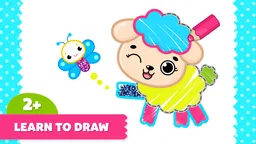
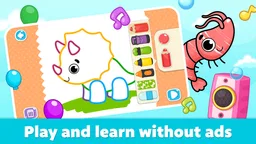
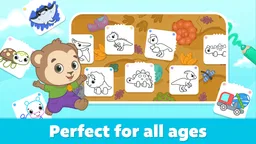
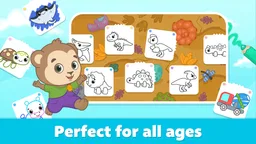
I can see the appeal of Coloring for Kids: Drawing 2-6 in the first few minutes: it gives a young child a simple creative activity without asking them to read instructions or master a complicated game. As an educational coloring game for little ones, it is aimed at children from age two, and the basic idea is easy for a parent to explain: choose a picture, add color, and enjoy making something. That low starting barrier matters when a toddler is curious but has only a short stretch of attention to give.
My lasting impression is that the game works best as a small, repeatable activity rather than a complete early-learning program. It can fill a quiet moment and give a child room to make choices, but it should not be mistaken for a substitute for paper, crayons, conversation, or other kinds of play. Whether it earns regular space on a family device depends less on its initial charm than on whether the child enjoys returning to coloring after the novelty wears off.
Easy to start, with room for a child’s own choices
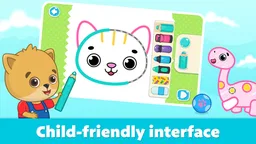
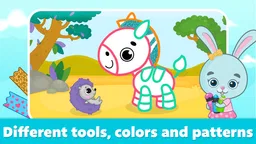
The first-week appeal is straightforward. A young child can approach a coloring activity through pictures and color choices rather than a lengthy explanation. I like that this kind of interaction lets a parent introduce it in a low-pressure way: sit together, let the child choose a picture, and ask what color they want to use. The app’s central activity gives the child a clear goal without turning the moment into a lesson with right and wrong answers.
That simplicity can be useful for children who are not yet ready to follow multi-step game rules. It also makes the game a practical option for a short wait at home or a calm break between more active activities. In a realistic everyday situation, I could see a parent using it while preparing a meal: the child can focus on choosing and coloring, then show the result when the parent is free. I would still keep the session nearby and treat it as shared screen time, especially for the youngest users.
One useful way to make the activity feel more substantial is to talk through decisions instead of tapping for the child. Ask them to pick a color for one part of a picture, explain their choice, or decide what to color next. This turns a simple screen activity into a chance to practise naming colors, making choices, and expressing an idea. The value comes from the conversation around the picture, not from assuming that coloring on a screen alone teaches a particular skill.
There is a trade-off here. Digital coloring avoids the immediate mess of physical art materials, which can be handy in a small space or during a brief pause, but it cannot give a child the same feel of holding a crayon or controlling pressure on paper. If the goal is to build hand strength, practise pencil grip, or explore texture, I would choose real drawing supplies. This game makes more sense as a convenient companion to those activities than as their replacement.
How it fits into a child’s routine
For a family deciding whether to try it, the practical starting point is that the game is free to download and is rated for Everyone. It is made by Bimi Boo Kids Learning Games for Toddlers FZ-LLC, a developer whose name signals a focus on young children’s learning games. The current version is 1.61, and the listed minimum operating system is 7.1. Those details help with basic compatibility and expectations, but the more important household question is whether the child can use the activity with an adult nearby and without it displacing other play.
It has an average rating of 4.2 from around 26,000 ratings, and it has been installed over a million times. That suggests it has reached many families, though popularity does not tell me whether a particular child will keep coming back. I would use a first session as a test: notice whether the child can settle into choosing and coloring, whether they ask to continue, and whether they can stop without a difficult transition. Those observations are more useful than assuming that a popular children’s app will suit every household.
The game is also marked as free while offering in-app purchases ranging from $5.99 to $39.99 per item. I would check the purchase settings before handing a device to a child, and I would make clear that choosing a picture does not mean every available option is included. That small bit of preparation can prevent a coloring session from turning into a negotiation about paid content. The age rating is not a judgment that every child will be ready for independent use, so adult supervision still matters.
What may keep it useful after the novelty fades
Month to month, the game’s value is likely to come from how easily it fits into a familiar routine. A child who enjoys drawing can return to a low-pressure activity without needing a parent to set up paper and clean up materials each time. I would keep sessions short and occasional rather than relying on it as the default way to occupy a child. A predictable moment—such as a brief quiet break after a busy outing—can make the game feel like one option in a routine, not an automatic reward or a constant distraction.
A second practical insight is to let the child lead the pace and stop while the activity is still pleasant. If they finish a picture and lose interest, there is little benefit in pushing them toward another one simply to extend screen time. If they want to continue, a parent can introduce a small prompt, such as choosing a different color for the next part or describing what the picture might be. This keeps the interaction purposeful without requiring the adult to invent a complicated lesson.
Compared with ordinary coloring apps, this one is specifically positioned for very young children, so the simplest test is whether its direct coloring focus feels accessible to the child. Compared with a general drawing app, it is a more suitable starting point for a toddler who needs a clear activity rather than an open-ended tool. Compared with paper coloring books, it is easier to carry as a digital activity and avoids loose supplies, but offers less tactile variety and no physical page to keep or display. Each alternative serves a different need; I would choose based on the child’s age, attention, and the purpose of the moment.
For a sibling household, there is another small but useful consideration: take turns choosing what to color rather than letting the older child make every decision. That gives the younger child a chance to participate without needing to compete over skill or speed. If the children have very different interests, however, one shared coloring activity may not hold both of them for long. In that case, separate paper activities or a broader creative app may be a better fit than expecting this one game to entertain everyone equally.
Where repetition can become tiring
The main risk to long-term value is not that coloring itself stops being creative, but that a child may tire of the particular selection and presentation available in the app. Since I cannot recommend it as an endlessly changing art studio, I would pay attention to whether the child starts repeating the same choices without much interest or asks to move on quickly. If that happens, switching to crayons, stickers, play dough, or outdoor play is a better response than trying to make every screen session last longer.
There is also a difference between a child enjoying the act of coloring and enjoying the device. Some children may focus on tapping through an activity for a short time, then become more interested in the screen itself than in making a picture. A parent can reduce that drift by sitting nearby, asking the child to explain a choice, and ending the session when attention fades. If the child needs frequent adult help to navigate or becomes upset when the device is put away, this may not be the right independent activity for that family.
Another source of friction is the presence of in-app purchases. The free entry point is helpful, but the available paid items mean parents should check what is accessible before a child begins exploring. I would not make a purchase simply to prolong interest; first I would see whether the child still enjoys the core coloring activity. If the appeal depends on unlocking more content, a physical coloring book or a different free activity could offer better value for that family’s needs.
Who should choose it—and who should pass
I would recommend giving it a try if you want a simple, screen-based coloring activity for a young child and are comfortable staying involved. It is most promising for a toddler who likes choosing colors, responds well to visual activities, and can move between screen time and other play with a little guidance. It may also suit a parent who wants a portable way to offer a brief creative pause without bringing art materials along.
I would skip it, or keep it as an occasional extra, if your main aim is handwriting practice, fine-motor work with physical tools, or open-ended drawing with no predefined picture. A paper sketchbook is better for those goals, while a broader creative app may suit an older child who wants more control and complexity. And if your child already loses interest in coloring quickly, installing another coloring game is unlikely to solve that mismatch.
The game was released on February 1, 2023, and its current version is 1.61. I see those details as useful context rather than a promise of ongoing novelty: the reason to keep it is whether it continues to make a short creative moment easier for your child. I would check in after the first few uses, then occasionally afterward, instead of letting it become a permanent fixture just because it was initially exciting.
My verdict is that Coloring for Kids: Drawing 2-6 can earn a modest place in a young child’s routine when a parent treats it as one convenient way to color, not as a complete learning solution or a replacement for real art. Its strength is its approachable focus; its limits are the usual ones of screen-based coloring, the possibility of repetition, and the need to manage purchases and transitions. If your child returns to it willingly and leaves the device calmly, it may be worth keeping available. If the interest fades, moving on to paper, crayons, or another kind of play is the better long-term choice.
What we like
- Designed for young children with simple coloring activities.
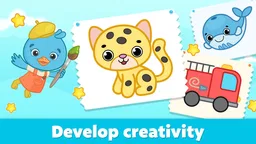
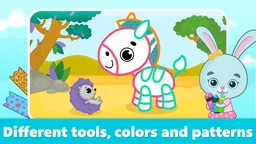
- Encourages creativity through freehand drawing and coloring.
- Age-focused content can make the app easier for preschoolers to explore.
- Coloring activities offer a quiet option for short play sessions.
- Drawing can help children practice basic hand control.
What could be better
- Some activities may feel repetitive after extended play.
- Young children may need help navigating the app.
- Screen time may require supervision from an adult.
- The app may not appeal to children who prefer active games.
- Compatibility and available features can vary by device.







