
CoComelon: Learn ABCs and 123s review
 Analysis by Appsdrops
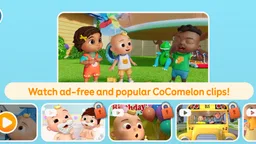
I see CoComelon: Learn ABCs and 123s as a familiar-character learning game for young children, rather than a substitute for a full teaching program. Its appeal is easy to understand: a child who already enjoys CoComelon may be more willing to spend time with early learning activities when they feel connected to characters they recognize. As a parent or caregiver, I’d think of it as a short, supervised activity for practicing foundational skills, not as something to leave running in the background and expect to teach on its own.
Learning with familiar characters
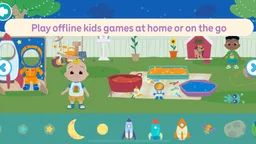
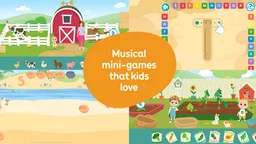
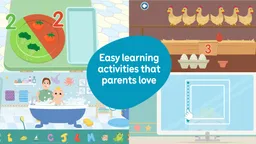
This is an educational game from Moonbug Entertainment Limited, aimed at early skill development. The focus suggested by its name is deliberately introductory: letters and numbers, skills that children begin encountering long before they are ready for formal lessons. That narrow focus can be useful. A young learner does not necessarily need a crowded app full of subjects; a small, familiar starting point can make it easier to settle into a short activity.
I would consider it most suitable for a child who responds to CoComelon and is beginning to show curiosity about letters or counting. Familiarity can lower the social and emotional hurdle of trying something new, especially for a child who is hesitant about an unfamiliar learning app. On the other hand, a child who does not care for the show’s characters may find the branding less appealing, and an older child who already reads or handles basic number work may outgrow the central premise quickly.
The game is free to download, but it includes in-app purchases ranging from $0.49 to $39.99 per item. That is an important part of the decision, especially because the intended audience is young. I would set expectations with the adult before handing over a device: free to install does not mean every possible purchase is included. The listed age rating is Everyone, and the game has an average rating of 4.1 from around 27,000 ratings, with more than 5 million installs. Those figures suggest it has found a substantial audience, but they do not tell me whether its activities suit a particular child.
What a short session can realistically do
For early learning, I find brief, repeatable practice more useful than a long session that turns into passive screen time. A practical routine might be to sit with a child for a few minutes, let them try an activity, and then connect it to something nearby: point out a letter on a book cover, or count a few blocks together. That small follow-up matters because recognizing something on a screen is not the same as using it in everyday life.
A useful, less obvious way to approach a character-led game is to treat it as a conversation prompt rather than a digital babysitter. If a child sees a letter, I might ask them to find an object that begins with the same sound, without turning the moment into a test. If numbers come up, we can count toys together afterward. This keeps the screen activity anchored in real objects and gives the adult a chance to notice whether the child is guessing, remembering, or genuinely making a connection.
I would also avoid assuming that a child’s interest means they are making steady academic progress. Enjoyment is valuable, but it is not a reliable measure of mastery. If the child repeatedly taps through content without pausing to identify letters or numbers, I would shorten the session and guide the interaction. Conversely, if they are eager to explain what they recognize, that is a good moment to build on their interest offline rather than simply extending screen time.
Progress without turning it into pressure
Early learning works best when children can explore without feeling that every answer is being graded. With a game like this, I would keep the adult’s role light: stay nearby, offer a little help when asked, and praise effort rather than speed. A child who needs more time with a letter should not be rushed because an activity is moving on. If the game holds their attention, it can create a pleasant opening for practice, but the adult still sets the pace and decides when to stop.
One trade-off with familiar entertainment brands is that children may focus more on the characters than the lesson. That is not automatically a problem; interest can be the reason they engage at all. But I would watch whether the learning goal is actually part of the play for my child. If they only want to watch or tap for the character reactions, I would not count that as meaningful practice. A book, letter cards, or counting household items may be a better choice in that moment.
For a realistic everyday use, I can imagine opening the game while waiting for an appointment or during a calm stretch at home, with an adult close enough to guide the child. I would not make it the default solution for every difficult transition. Used occasionally and with a clear stopping point, it can be one option among several. If a child becomes upset when asked to stop, that is a cue to change the routine, not to rely on the app more heavily.
Fairness, purchases, and the adult’s role
The purchase range deserves attention because the game is intended for children who may not understand the difference between play and a paid option. I would check the purchase settings on the device and explain simply that purchases are an adult decision. That advice is practical even when a child is only tapping around: an adult can prevent an accidental purchase by managing access before handing over the phone or tablet.
There is no need to treat spending as part of the learning itself. The sensible starting point is to try the free download, see whether the child actually engages with the activities, and decide afterward whether any paid content is worth considering. I would not buy something simply because a child asks for it during a session; I would first assess whether it adds a learning experience the child will use and whether the price feels reasonable to the household.
From a fairness perspective, I would judge the game by whether a child can enjoy and learn from the available experience without an adult feeling pushed into spending. The listed purchase range runs from $0.49 to $39.99 per item, so the possible costs vary considerably. That makes it worth checking the specific purchase details in the app store before deciding. I would not assume that the lowest-priced option unlocks everything, or that every child needs paid content to practice letters and numbers.
How it fits beside other learning choices
Compared with a paper alphabet book or a set of counting toys, a character-based game offers a screen-centered way to attract attention. Its likely advantage is that a child who already likes CoComelon may approach it willingly. A physical book, however, makes it easier for an adult and child to look together, talk at their own pace, and move from a page to objects in the room without navigating a device. For a child who is easily distracted by animated entertainment, that slower format may work better.
Compared with broad preschool learning apps, this title’s ABCs-and-numbers identity is a more focused starting point. That can be a strength for a beginner, but it may not be enough for a family looking for a wider mix of subjects or a structured learning path. I would choose it for a short, familiar introduction, and look elsewhere if the child needs more varied challenges or if the adult wants a clearly organized curriculum. A teacher, caregiver, or family member can also provide meaningful letter and counting practice without an app at all.
The best comparison is not necessarily between competing apps; it is between the child’s actual options at that moment. If they are engaged, calm, and trying to recognize something, this can be a reasonable screen activity. If they are tired, frustrated, or already overstimulated, a quiet book, a simple counting game with toys, or a break may be better. The app should fit the child’s mood and needs rather than become the automatic answer.
What to check before handing over the device
The current version is 3.3.4, and the minimum operating system is 8.0. I would check that the device meets that requirement before downloading. The game was released on August 13, 2024, but the release date alone does not tell me how often its content changes or whether a particular device will run it smoothly. For a child’s app, I would also take a moment to review purchase controls and decide whether the child will use it with an adult nearby.
One practical approach is to test the game yourself first. That lets you see how a child might move through it, whether the available activities hold their attention, and where an adult may need to step in. It also avoids handing a young child a new screen experience before you have checked the purchase prompts. I would then introduce it as a shared activity, rather than promising that it will teach a specific skill by itself.
That first trial can be brief. Watch for signs that the child is responding to letters and numbers, not just the visual entertainment. If they show interest, repeat the activity another time and connect it to a real-world example. If they lose interest quickly, there is little reason to force it; another format may suit them better. This simple check is more useful than assuming a high install count guarantees a good fit for every family.
Who I would recommend it to
I would recommend CoComelon: Learn ABCs and 123s to caregivers looking for a familiar, introductory learning game for a young child who already enjoys the brand. It may be especially handy when an adult wants a short activity that can lead into a bit of conversation about letters or counting. The game is free to install, but I would go in with the purchase range in mind and keep control of any spending decisions.
I would skip it if you want a screen-free approach, a broad educational program, or a clear substitute for adult-guided learning. I would also look for another option if the child is older and already comfortable with basic letters and numbers, or if the CoComelon style does not hold their attention. In those cases, books, hands-on activities, or a more advanced learning game are likely to be a better match.
Overall, I see it as a potentially useful supporting activity, not a teaching solution on its own. Its strongest case is the combination of an approachable early-learning focus and characters a child may already know. Its main caution is the need for adult oversight, both to keep screen use purposeful and to manage in-app purchases. If I were introducing it at home, I would try a short shared session, observe whether the child is actually practicing, and keep offline play in the routine too.
What we like
- Designed for young children with simple touch interactions
- Familiar CoComelon characters can make learning feel inviting
- Combines early literacy and number practice in one app
- Short activities can suit brief play sessions
- Child-friendly content avoids complex menus
What could be better
- Young learners may need adult help to navigate activities
- Repeated songs and animations may become tiring
- Learning activities may feel basic to older children
- Screen time can add up without caregiver limits
- Some features may require an internet connection







