

Cocobi Hospital - Kids Doctor review
 Analysis by Appsdrops
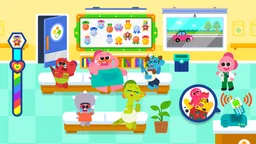
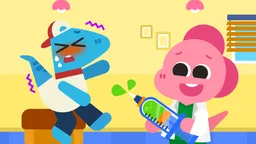
When a child wants to play doctor, I find that Cocobi Hospital - Kids Doctor works best as a gentle, guided pretend-play session rather than as a serious lesson in medicine. It puts little dinosaur characters in a hospital setting and gives young players a chance to engage with the idea of caring for someone. That makes it an easy choice for a short activity at home, though parents should treat it as entertainment with an educational theme, not as a substitute for a more structured learning game.
A simple starting point for little caregivers
The appeal is in the premise: children can approach a hospital through friendly characters instead of an unfamiliar or intimidating real-world setting. For a young player who likes dinosaurs, helping a character can make doctor play feel inviting. I would introduce it as a game about looking after others, then let the child explore at their own pace instead of turning each moment into a quiz.
That distinction matters. Educational games vary widely: some focus on letters, numbers, or clearly defined lessons, while others use imaginative play to encourage attention and role-play. This one belongs closer to the second group. Its hospital theme offers a useful prompt for conversation, but I would not expect it to teach medical facts in a systematic way. A parent can add the learning by asking what the character might need or how a child could help someone who feels unwell.
In an everyday routine, I can see it fitting into a quiet stretch after school or while a parent is nearby preparing dinner. A child can play independently for a little while, and an adult can join for a minute to ask about the dinosaur’s visit. That works better than handing over the device with an expectation that the game will occupy a child for a long, uninterrupted period. Short, shared play makes the hospital setting more meaningful and gives a parent a chance to notice whether the child understands what is happening.
KIGLE made the game for a broad young audience, and the age rating is Everyone. That makes it approachable for families looking for child-friendly play, but the label does not decide whether it suits a particular child. A child who enjoys pretend caregiving may settle into the theme quickly; one who prefers puzzles, racing, or direct instruction may lose interest. I would choose it for a child drawn to dinosaurs and role-play, not simply because it sits in the educational category.
Build a repeatable play routine
A small routine can make sessions calmer. I would first let the child look around and discover the basic interaction, then encourage them to describe what they think is happening. After that, I would leave room for them to play without constant prompting. This keeps the activity from feeling like a parent-led lesson and helps reveal whether the child is genuinely engaged or just tapping through.
For younger children, one practical approach is to sit together the first time and let them take the lead while you explain unfamiliar ideas in ordinary language. Later, they may be comfortable returning to the game on their own. If they ask a question about real hospitals or doctors, answer plainly and separate pretend play from real care. That is a useful boundary for any medical-themed game, especially when a child starts connecting a cartoon scenario to their own experiences.
I would also keep the device session tied to a clear stopping point. Rather than promising a specific amount of play, agree on a natural transition before starting: for example, play until it is time to wash hands for dinner. This is not a feature of the game; it is a simple household habit that can prevent a casual activity from turning into an argument when the child is asked to stop.
Check the practical details before handing over the device
The game is free to download, with in-app purchases listed at $1.99 per item. I would review the purchase controls on the device before a child plays, particularly if they can use the app without an adult nearby. That is a general precaution, not a claim about a particular purchase prompt or interface. It is also sensible to let children know that purchases are an adult decision, so a game session does not become a negotiation over paid items.
On Android, the listed minimum operating system is 7.0, and the current version is 1.0.50. Checking compatibility before installing can save time on an older device. The game has been available since August 1, 2022, and it has reached over 10 million installs. Its average rating is 3.8 from around 6,200 ratings, alongside 69 written reviews. Those figures suggest a widely tried game with a mixed enough reception that I would rely on a child’s interests and a brief trial rather than assume it will suit every family.
I recommend checking the device’s general child-use arrangements too: whether purchases require approval, whether the child can switch to other apps, and whether the screen is set up comfortably for them. These are not special controls I would attribute to the game. They are simple ways to make any mobile play session less interruptible and less likely to lead to an accidental purchase or an unexpected app change.
One useful parental habit is to decide in advance whether this is independent play or a shared activity. If you need to stay focused on another task, first check that the child can navigate the game comfortably and that the device is set up appropriately. If the child is new to touch-screen games, sit with them at the start. A frustrating first minute can be enough to put them off, even when the theme is appealing.
Make the most of a short session
Experienced use does not require hidden shortcuts or complicated settings. The most reliable improvement is a repeatable pattern: let the child choose how to engage, invite them to explain their choices, and avoid interrupting every few seconds with instructions. That gives them a chance to make the play their own while still turning the hospital setting into a conversation about care and kindness.
If a child is excited by the dinosaur characters, use that interest to invite a little storytelling. Ask what the character might be feeling, or what the child thinks a helpful person would do. Keep questions open and light; the point is not to test whether the child knows medical terms. This approach also helps parents see whether the game’s theme is holding attention. If the child gives a quick answer and moves on, let them. If they invent a story, follow their lead.
A second useful pattern is to alternate this game with activities that use a different kind of attention. After a short hospital-play session, a child might draw a dinosaur doctor, talk about a visit to a real clinic, or move on to a book. This prevents the game from carrying the whole burden of “learning time.” It is especially helpful when a child enjoys the theme but does not want to repeat the same kind of interaction for long.
For a parent deciding whether it is working, watch for engagement rather than assuming that screen time is educational just because of the category. Does the child return to the pretend-care idea? Do they talk about helping the character? Are they comfortable navigating the game? Those observations are more useful than asking them to repeat facts. If play becomes aimless tapping, a different activity may be a better fit that day.
Where the hospital theme has limits
The main trade-off is that a friendly hospital setting can spark curiosity, but it should not be mistaken for a detailed guide to healthcare. If your goal is to prepare a child for a specific appointment, explain a medical procedure, or teach accurate health concepts, I would choose a resource designed directly for that purpose and discuss it with the child. Pretend play can make the topic less daunting, but it cannot answer every practical question.
It may also be the wrong choice for children who are uneasy around hospitals or who prefer games with clear challenges and visible progress. A child who wants construction, logic puzzles, or structured lessons may get more from another educational app. Similarly, if a child tends to focus intensely on purchases or wants to spend whenever an option appears, I would use the device’s purchase protections and supervise play, or choose a game without in-app purchases.
The educational value depends partly on the adult’s expectations. I would not use it as a reward for completing schoolwork or as proof that a child has learned how hospitals operate. I would use it as a low-pressure invitation to pretend, talk, and practice a caring attitude. That is a modest but worthwhile role, provided the family is looking for imaginative play rather than a curriculum.
Because the game is designed for children, parents should still make the usual decision about device access and supervision. An age rating of Everyone is a helpful starting point, not a guarantee that every child will enjoy the experience or that every family’s device setup is appropriate. Try a short session together first, then decide whether independent play makes sense for your child.
Who I would recommend it to
I would consider it for a preschool or early-primary child who likes dinosaurs, enjoys caring for toy characters, and is comfortable using a touchscreen. It is also a reasonable option for a parent who wants a light activity that can lead into a real conversation about helping someone. The free download makes it easy to try, while the paid items mean that adults should set purchase expectations beforehand.
I would skip it if you need a structured lesson plan, detailed medical education, or a game that keeps a child absorbed without adult involvement. I would also look elsewhere if hospital themes are likely to worry the child, or if they are more motivated by puzzles and clear goals. Compared with alphabet or number-learning games, its strength is imaginative context; compared with open-ended toys, its limitation is that play happens inside a screen and within the game’s own presentation.
For families whose children enjoy its premise, I think Cocobi Hospital is easiest to appreciate as a short, friendly role-play option. The developer is KIGLE, and the game has a substantial audience, but popularity alone cannot predict whether your child will connect with it. I would try it together, keep the first session relaxed, and judge it by whether it encourages the kind of play your child enjoys.
My overall view is positive with clear boundaries: this is a useful choice for light dinosaur-themed pretend play, not a replacement for a focused learning tool or an explanation from a trusted adult. The best results come from a simple routine—check the device setup, let the child lead, join the conversation when it feels natural, and stop when interest fades. If that matches what you want from a children’s game, it is worth a try; if you need more structured teaching or a different style of play, another option will serve you better.
What we like
- Friendly characters make medical play feel less intimidating.
- Simple touch controls suit young children.
- Mini-games encourage imaginative role-play.
- Colorful visuals keep the hospital setting inviting.
- No real medical knowledge is needed to play.
What could be better
- Some activities may feel repetitive after repeated play.
- Young children may need help navigating the menus.
- In-app purchases may be available depending on the version.
- The game offers limited challenge for older players.
- It may require an internet connection for some features.







