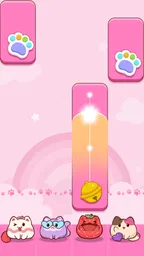
Cat Tiles: Cute Piano Game review
 Analysis by Appsdrops
I’d describe Cat Tiles: Cute Piano Game as a light music game built around a simple appeal: tapping along to piano-style tiles while enjoying a cat-themed presentation. It makes the most sense when you want a quick, playful distraction rather than a deep music lesson or a demanding rhythm challenge. I like that clear identity, though it also sets expectations: the fun comes from short bursts of timing and attention, not from learning an instrument.
What the tapping-and-music format does well
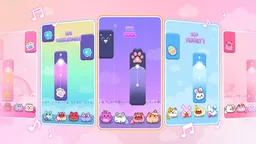
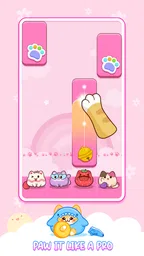
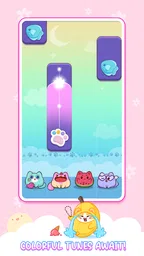
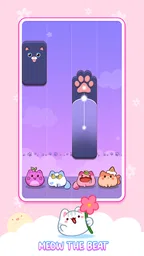
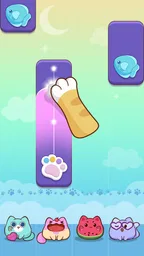
In this kind of game, the basic pleasure is immediate. You watch the tiles, respond to their movement, and try to keep your taps in time. That makes it easy to pick up without needing musical experience, and the cute visual theme gives the familiar piano-tile idea a softer, more cheerful mood. For a casual player, that combination is a stronger reason to try it than any promise of serious musical practice.
As a music game from WingsMob, it sits in a familiar corner of mobile play: rhythm-focused tapping that can fill a few spare minutes. The key trade-off is that accessibility usually comes at the expense of depth. If you are looking for detailed music theory, instrument technique, or a realistic piano experience, this is not the role I would expect it to fill. I’d treat it as a game with musical flavor, rather than a substitute for a piano app or lessons.
One practical way to enjoy it is to use it as a short attention reset. A quick session during a break can give you something more active than scrolling, while still being easy to stop when you need to return to work or errands. Because the central interaction is tapping, it also suits moments when you want a straightforward challenge and don’t want to spend time learning complicated controls.
The cat theme is part of the appeal, but it is worth separating atmosphere from substance. A cute presentation can make a familiar format feel more inviting, especially for younger players or anyone who prefers cheerful games. It does not, by itself, make the rhythm play more musically demanding. My advice is to choose it for the blend of approachable taps and playful style, not because you expect a full-fledged piano simulator.
A useful way to approach a session
When I play a tile-based rhythm game, I find it helps to focus on the upcoming pattern rather than react to every tile at the last instant. That is a general play habit, not a claim about a special mode in this game: keeping your eyes slightly ahead can make timing feel less frantic. If a run starts to feel tense, pause and return later rather than treating every attempt as a score chase. The point here is casual enjoyment, and short sessions are a natural fit for that.
Another useful trade-off is where and how you play. A rhythm game asks for visual attention and well-timed touches, so it is better suited to a calm moment than to multitasking. If you are on a crowded commute or trying to watch something else, the very thing that makes tapping engaging can become a nuisance. I’d save it for a moment when you can give the screen a little focus.
The game is free, which makes trying it a low-commitment decision. It has an Everyone age rating, so its intended audience is broad, and the listed minimum operating-system requirement is 7.1. That helps people decide whether an older device may be suitable, though I’d still check the app store’s compatibility details for the particular phone or tablet before installing. The current version is 2.4.3.
Why its familiar format can still work
Compared with a conventional piano-learning app, this is the lighter choice: it prioritizes tapping and play over instruction. Compared with a general rhythm game, its cat-centered identity gives it a more whimsical feel, which may be precisely what you want if intense visuals or a competitive tone put you off. The format itself is not unusual, so the decision comes down to whether this presentation and level of casualness match your taste.
There is also a useful distinction between playing for rhythm and playing for music. A tile game can encourage attention to timing and hand coordination, but that does not automatically translate into piano skill. If your goal is to understand notes, practice melodies, or build a routine around an instrument, choose a dedicated learning tool instead. If you simply want a musical game that asks you to react and keep a rhythm, this one is more aligned with that goal.
Where the limits matter
The straightforward tapping concept is also the main limitation. Players who enjoy steadily expanding systems, expressive control, or a strong sense of progression may find the basic premise wears thin. I would not recommend it as your only game if you want complex strategy or a long-form challenge. Its appeal is strongest when you are in the mood for something accessible, not when you want a game that keeps adding layers to master.
Rhythm games can also be unforgiving when your attention slips. A missed tap may feel more frustrating than it would in a slower puzzle game, because timing is central to the interaction. If you tend to play while distracted, you may enjoy the look and idea but not get much satisfaction from the actual sessions. Playing with your full attention, even briefly, is a better test of whether it suits you.
I’d also be cautious about expecting every session to feel like a fresh musical experience. The appeal of a simple tile mechanic depends on whether you enjoy repeating a clear action and trying to do it more smoothly. If repetition is what you find soothing, that can be a strength. If you need frequent changes in mechanics to stay interested, the same simplicity may be a reason to move on.
Who is most likely to enjoy it?
I’d point casual players toward it if they like cute themes, quick reactions, and music-flavored play without a learning curve. It could also suit families looking for an approachable game with an Everyone rating, though a parent should still decide whether any particular app fits a child’s habits and device use. For someone who wants a small, self-contained activity between daily tasks, the tap-and-rhythm premise is easy to understand and easy to try.
It is less suited to aspiring pianists who want structured practice, experienced rhythm-game fans seeking demanding depth, or players who dislike touch-based timing challenges. Those audiences are not wrong to skip it; they simply want something different from what this game’s core idea offers. I’d choose a piano tutor for learning, or a more involved rhythm title for a tougher test, rather than asking a cute casual game to do both jobs.
The game has an average rating of 4.5 from around 23,000 ratings, and it has passed 10 million installs. Those figures suggest that many people have given it a try, but they do not tell me whether its particular rhythm and presentation will suit you. I’d use them as a sign of broad interest, not as a guarantee that every player will enjoy its pace or repetition.
My verdict: a pleasant pick for short musical breaks
Cat Tiles: Cute Piano Game has a clear, approachable premise and a cheerful cat-themed identity. I’d recommend giving it a try if you want a free, casual music game that asks for quick taps rather than musical knowledge. Its strongest use is a short break when you can focus on the screen and enjoy a simple rhythm challenge.
My recommendation comes with a boundary: don’t expect a piano-learning tool or a deep rhythm system. The familiar format may become repetitive, and it is not ideal for distracted play or for someone who wants sustained complexity. Released on October 27, 2023, the game has a clear place for players who value easy access and a playful mood. If that describes you, it is worth trying; if you want instruction or a more demanding musical challenge, another kind of app will serve you better.
Overall, I see it as a small, low-pressure option rather than a must-have. WingsMob’s game is most convincing when you approach it on its own terms: a cat-themed tapping game for spare moments, not a replacement for learning piano or for a more substantial rhythm experience.
What we like
- Cute cat visuals give the piano game a cheerful style.
- Simple tap controls are easy for new players to learn.
- Short rounds make it convenient for quick play sessions.
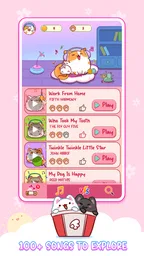
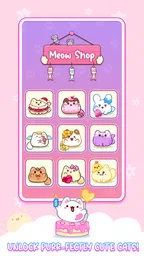
- Unlockable songs add goals beyond achieving a high score.
- The game can suit players who enjoy casual rhythm challenges.
What could be better
- Fast note patterns can become difficult on smaller screens.
- Repeated tracks may make long play sessions feel less varied.
- Missing notes can quickly disrupt a successful run.
- Some content may require progress before it becomes available.
- Frequent tapping may be uncomfortable during extended play.







