

Bebi: Baby Games for 2-4y kids review
 Analysis by Appsdrops
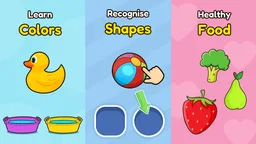
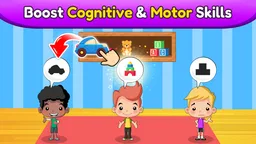
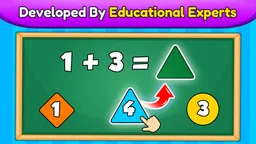
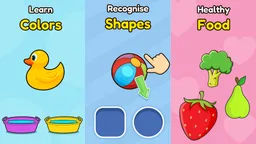
Choosing a game for a toddler is less about finding the most activities and more about finding something a child can understand without turning a short break into a battle over the phone. Bebi: Baby Games for 2-4y kids is an educational game for preschoolers, built around early-learning themes such as colors, shapes, puzzles, and letters. I’d consider it for a parent who wants a simple, child-friendly activity to share with a young learner, rather than a substitute for books, conversation, or hands-on play.
The appeal is easy to see: Bebi Family: preschool learning games for kids has made a free game that is rated for Everyone, and it has drawn an average rating of 4.6 from around 244,000 ratings. That kind of popularity makes it worth considering, but it doesn’t tell me whether it suits a particular child. Age, attention span, tolerance for screen time, and whether an adult can sit nearby matter more than the overall score.
What to look for in a preschool learning game
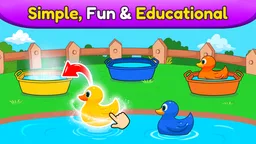
For children around the toddler and preschool years, I look for activities with a clear goal, familiar concepts, and controls that don’t require reading. A child should be able to make a choice, see what happens, and try again without needing an adult to explain a complicated menu. The advertised focus on early concepts makes Bebi a plausible fit for that kind of short, guided session.
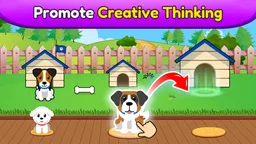
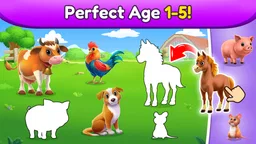
I also ask whether an app encourages a useful interaction or merely keeps a child tapping. A puzzle can prompt a parent to ask, “What shape do you see?” or “Where could this piece go?” That conversation is the real educational value; the screen is a prompt, not a teacher. I would use Bebi alongside ordinary play, pointing out colors in a room or looking for shapes in a picture book after a game session.
It is worth setting expectations before installing. A collection of learning activities can offer variety, but variety alone does not guarantee a carefully staged curriculum or steady progress. If you need a structured program with a defined lesson path, progress tracking, or detailed guidance for adults, compare those needs directly with the app’s available activities rather than assuming a preschool game provides them.
Where Bebi fits naturally into a family routine
The strongest use case is a short, supervised moment when a child wants something interactive and an adult can stay close. For example, while waiting for an appointment, I might offer one brief activity, then use the same color or shape as a prompt in the surroundings. That turns the game into a bridge to the real world instead of a way to occupy a child indefinitely.
Its subject matter also makes it easier to adapt to a child’s mood. If letters are frustrating that day, a parent can steer the moment toward a more familiar concept such as color recognition or a simple puzzle. This is a practical advantage of a broad early-learning theme: families can follow a child’s interest rather than insist that every session feel like a lesson.
A useful tip is to let the child take the first turn, then narrate rather than quiz. “You found the blue one” is gentler than repeatedly asking for the right answer. If the child starts tapping without looking, loses interest, or gets upset, I’d stop rather than trying to stretch the session. A toddler’s attention is a better guide than an adult’s desire to finish an activity.
Another small but valuable workflow is to make the phone handoff predictable. I’d tell the child what the activity is for and what happens afterwards—perhaps one game while waiting, then a snack or a book. This does not rely on a special feature; it is a way to keep a learning app from becoming an open-ended demand for more screen time.
The game is free to start, while in-app purchases range from $1.49 to $129.99 per item. That wide spread is a reason to check the purchase options with an adult before handing over a device. I would also review the store’s purchase controls and any family settings available on the device, so a toddler cannot make an unintended purchase. The app’s summary emphasizes an ad-free experience, which may appeal to parents who want fewer interruptions, but it is still sensible to check the current app experience and settings yourself.
How it compares with other ways to learn
Compared with a basic alphabet or matching game, Bebi’s wider mix of preschool themes may be more useful when a child’s interests shift quickly. A single-purpose app can be the better choice when a parent wants to practice one specific skill repeatedly, with little distraction from other topics. The trade-off is breadth versus focus: Bebi’s range is attractive for casual exploration, while a narrowly designed activity may make a particular learning goal easier to keep front and center.
Compared with paper puzzles, blocks, or picture books, a screen-based game offers immediate interaction and can be convenient when toys are impractical. Physical play, however, gives a child different kinds of practice: handling pieces, moving around, and sharing an activity without a device. I would not replace those experiences with Bebi. It makes more sense as one option in a small rotation, especially for a supervised pause or a moment when a child is curious about a familiar concept.
Parents who want independent entertainment should be cautious. Even a game designed for young children may need help with navigation, device handoff, or understanding an activity. If you cannot supervise at all, a toy or book that does not involve a screen may be a better fit. And if your child becomes distressed when a device is put away, the convenience of an app may not outweigh the difficulty of ending the session.
There is also a difference between “educational” and “personalized.” I would treat Bebi as a source of activities, not assume it will identify a child’s weak spots or adapt like a tutor. For a family looking for formal instruction, a teacher-recommended resource or a more explicitly structured learning tool may be preferable. For everyday exposure to early concepts, a light, parent-guided game can be enough.
What to consider before installing
The game is listed as free, but the available in-app purchases mean “free” should not be read as a promise that every option is included without payment. If a child finds an activity they enjoy, check what is available before making a purchase, and decide whether that cost makes sense for your family. I would avoid buying anything simply to keep a toddler calm in the moment; that can create confusing expectations around both the game and spending.
Compatibility is another practical check. Bebi’s listed minimum operating system is 7.1, and its current version is 10.09.86. Before installing on an older device, I’d confirm that the app is offered for that device in the relevant app store. The age rating is Everyone, but that is not a recommendation to leave a young child alone with a phone; adult supervision still matters.
Popularity can be reassuring when deciding whether an app is worth a look: Bebi has over 10 million installs and around 20,000 written reviews. I see those figures as context, not proof that it will suit every family. A child who likes puzzles and early-learning activities may respond well, while another who prefers pretend play, outdoor movement, or stories may be happier with something else.
If you try it, make the first session a joint one. Watch whether your child understands what to do, whether the activities invite attention rather than frantic tapping, and how easily they accept stopping. Those observations will tell you more than a long session or a high rating. They also help you decide whether to keep Bebi in a regular rotation or uninstall it without feeling you have missed an essential learning tool.
My recommendation for the right household
Bebi: Baby Games for 2-4y kids is worth trying if you want a free, approachable way to introduce preschool concepts during brief, adult-supervised moments. Its appeal lies in the combination of familiar early-learning themes and a format that can fit into everyday waiting time. I would keep sessions short, talk with the child about what is happening, and follow the game with an offline activity when possible.
I would skip it if your priority is a formal, measurable learning plan, if your child needs help staying calm when screen time ends, or if you prefer activities that do not involve a device. In those cases, a focused teaching resource, a physical puzzle, or a shared book may be a better match. For families who want a flexible educational game rather than a replacement for play or teaching, Bebi is a sensible option to test and judge by the child’s response.
What we like
- Designed for toddlers with simple touch controls.
- Offers activities suited to ages two through four.
- Bright visuals can help hold young children's attention.
- Includes games that encourage early learning through play.
- Suitable for short play sessions with a parent nearby.
What could be better
- Some activities may require adult guidance.
- Young children may need time to learn the controls.
- Screen time should be limited for toddlers.
- The experience may feel repetitive after frequent play.
- Availability of features may vary by device or version.







