




Bebefinn Town: Kids House Game review
 Analysis by Appsdrops
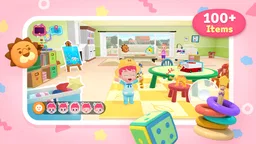
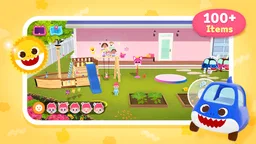
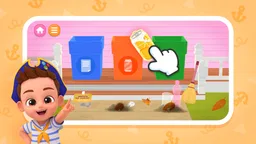
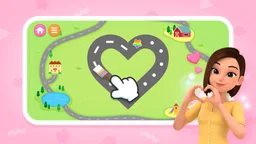
When I want a young child to have a short, playful activity that feels familiar rather than like a lesson, I can see the appeal of Bebefinn Town: Kids House Game. It is an educational game built around Bebefinn’s baby-house setting and nearby town, made by The Pinkfong Company. The idea is to let children explore that world through learning games. That gives it a warmer, more character-led feel than a plain drill app, though parents should still decide whether its style and purchase model fit their household.
How a typical play session works
I would treat the game as a small destination for supervised play, not as a complete curriculum or a substitute for offline activities. A useful first session is simple: let your child look around, notice which activities draw their attention, and then stay nearby while they try one. This gives you a chance to see whether the controls and pace suit them before making the game part of a daily routine.
That first look matters because the setting is part of the appeal. A child who already enjoys Bebefinn may be motivated by seeing a familiar world, while a child who does not know the characters may need time to understand what to explore. Rather than directing every tap, I’d let the child lead and use the game as a prompt for conversation: ask what they noticed, what they want to try next, or how an activity connects to something they do at home.
For a realistic everyday use, imagine a short wait before dinner or while a parent finishes a small household task. I’d offer one bounded play session, stay within earshot, and give a warning before putting the device away. The game can occupy that gap, but it is better not to assume that every child will stop easily just because the activity is educational. A familiar closing habit—finish the current activity, say what was fun, then switch to dinner—can make transitions calmer than abruptly taking the device.
The game is free to start, which makes trying it less of a commitment, but it includes in-app purchases priced from $8.99 to $109.99 per item. That range is important in a family setting: I would check purchase controls on the device before handing it over, and explain that any prompts to buy something are for the adult to handle. A child-friendly theme does not remove the need for an adult to manage spending and decide what is appropriate.
What the learning angle does—and doesn’t—mean
As an educational game, it is best approached as playful practice rather than a structured course. The confirmed description points to a baby house and town with learning games, but that alone does not justify expecting a specific lesson sequence, progress report, or skill outcome. I’d judge its value by whether a child remains curious, engages with the activities, and is happy to talk or play afterward—not by treating screen time as proof of measurable learning.
That distinction is useful when comparing it with common alternatives. Alphabet or number drill apps tend to make a narrow skill the center of attention; open-ended pretend play can invite more imagination but may ask a young child to supply the structure themselves. Bebefinn Town sits closer to character-based exploration, which may be a comfortable middle ground for children who like familiar faces and guided activities. If your priority is a carefully sequenced school-readiness program, I would look for an app that clearly explains its learning path instead.
Settings to check before passing over the device
The game’s age rating is Everyone, but that does not tell me whether its pace, prompts, or purchase options suit a particular child. I’d first open it with the child present and see how they respond: can they follow what is happening, do they tap confidently, and do they become frustrated when they cannot immediately find what they want? Those observations are more useful than assuming all children of the same age will have the same experience.
Next, check the device’s purchase protections rather than relying on the child to recognize a payment screen. Because purchases are available at a wide range of prices, I would make sure an adult must approve them and keep the device’s payment method out of easy reach during independent play. This is a practical safeguard, not a criticism of the game: children often tap through prompts quickly, especially when they are focused on a character or activity.
It is also worth checking the device’s system compatibility before downloading. The game requires Android 8.0 or later, so an older Android device may not be suitable. The current version is 3.5; if the app is already installed, I’d keep it updated through the usual app-store process, while still checking that the device has enough room and that the child’s profile or household controls are set the way you want.
One small but useful habit is to establish the rules before play begins: where the device may be used, whether the sound stays on, and what happens when the session ends. These are household choices, not special game functions, but they reduce the chance that a child expects unrestricted access. If you want quiet play in a shared space, test the sound and controls yourself first rather than discovering a volume issue in the middle of a meal or a waiting room.
Repeatable habits that make play smoother
Experienced use does not require secret shortcuts. I’d make the child’s first few sessions predictable: begin together, allow a little independent exploring once they understand the interaction, then finish at a natural pause. Repeating that sequence helps a young player know what to expect without turning the game into a rigid task. If the child becomes restless or starts tapping randomly, that is a good cue to stop rather than push for one more activity.
Another helpful pattern is to connect an activity to something familiar away from the screen. If a child plays in the house-and-town setting, you can invite them afterward to name a room, describe a place, or pretend to visit a neighbor with toys. I would keep this light and let the child choose the direction. The point is not to invent a lesson the game may not provide; it is to use its familiar setting as a bridge into conversation and imaginative play.
For families with more than one child, I would avoid assuming that a shared device automatically makes the experience cooperative. One child may want to explore while another wants to tap quickly, so taking turns can prevent arguments. A simple “your turn, then mine” routine works better than asking children to negotiate every screen interaction themselves. If siblings have very different ages or interests, the game may be more satisfying as a one-child activity with an adult nearby.
It can also help to treat free access and paid options separately. Let the child explore what is available without promising that every locked or purchasable item will be unlocked. If a purchase seems worth considering, review it later as an adult rather than deciding under pressure while a child is asking. With items ranging from $8.99 to $109.99, the sensible choice is to make any decision calmly and with a clear understanding of the amount involved.
Where the experience has limits
The clearest limitation is that a character-led world will not suit every child. Some children want a direct task with a clear answer; others prefer construction, drawing, or unrestricted pretend play. If your child loses interest in familiar characters quickly, the Bebefinn setting may not hold attention for long. In that case, a simple puzzle game or an offline activity may be a better fit than trying to persuade them that this one is educational.
I would also keep expectations measured because the overall rating is 3.0 from around 790 ratings, alongside 17 written reviews. That is a mixed signal, not a verdict on how one child will respond. The game has more than 500,000 installs, so plenty of families have tried it, but popularity does not guarantee a smooth fit for your device or routine. I’d use a brief trial period and observe the child’s reaction rather than making a long-term commitment based on the character alone.
Cost is another real trade-off. The initial download is free, but the in-app purchase range means families should not assume that every part of the experience is included at no cost. If you want a completely purchase-free environment, device-level restrictions are essential; if you would rather avoid managing those settings, a paid app with a clear one-time price may be less stressful. The right comparison depends on whether you value trying the game first or prefer predictable spending.
There is also a difference between a game that encourages learning and one designed to track learning. I would not choose this title as the sole tool for practicing a particular subject, because its public description emphasizes playful exploration and learning games rather than a formal curriculum. For targeted practice, a focused educational app, a book, or a parent-led activity may offer more direct control. Bebefinn Town is more appealing when the goal is an enjoyable, familiar screen activity with a learning flavor.
Who I’d recommend it to
I’d consider it for a young child who already likes Bebefinn, enjoys exploring a recognizable setting, and benefits from an adult helping set boundaries around screen time. It may also suit a parent looking for a free starting point before deciding whether a character-based educational game belongs in the family’s rotation. The Everyone age rating is reassuring as a broad content classification, but I would still watch the child’s first session and use the device’s purchase safeguards.
I would skip it if you need a clearly structured teaching plan, a guaranteed no-purchase experience, or a game that keeps a child engaged without adult involvement. It may also be a poor choice for a child who finds character-led games distracting or who becomes upset when asked to stop. In those situations, a narrower learning app, a no-cost offline activity, or a different style of game may be easier to manage.
Overall, Bebefinn Town: Kids House Game
What we like
- Simple tap controls are easy for young children to learn.
- Familiar home settings make pretend play feel approachable.
- Short activities suit brief play sessions.
- Bright character animations help hold children's attention.
- Open-ended play lets children explore at their own pace.
What could be better
- Some activities may feel repetitive after several sessions.
- Young players may need help navigating menus.
- Touchscreen play can lead to accidental taps.
- The game may require an internet connection for some features.
- Parents should check in-app purchases before handing over the device.







