
Baby Phone & Kids Games review
 Analysis by Appsdrops
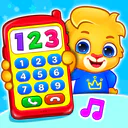
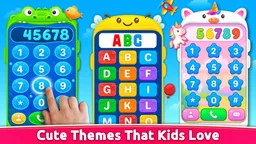
Some children’s apps ask for a lot of attention from the grown-up holding the phone. Baby Phone & Kids Games is aimed at a simpler moment: letting a toddler explore playful phone-style activities while encountering sounds, numbers, and letters. I see its appeal less as a teaching program with a formal path and more as a small, screen-based activity to share with a young child when a real phone needs to stay out of little hands.
That distinction matters. The game is educational, but I would treat it as a playful introduction rather than a substitute for conversation, books, or hands-on learning. Its broad mix of early-learning themes gives parents several ways to start an interaction, while its phone concept makes the experience immediately familiar to children who like copying what adults do.
What the playful phone format is good for
Made by RV AppStudios, this free game is intended for children and toddlers, and its age rating is Everyone. It has an average rating of 4.5 from around 7,800 ratings, alongside more than 5 million installs. Those figures suggest that it has reached a wide audience, but they do not tell me whether a particular child will enjoy its sounds or stay interested for more than a few minutes.
The strongest use case is a short, supervised play break. A caregiver can sit beside a toddler, let them choose an activity, and turn the sounds or number prompts into a back-and-forth game: “Can you find that sound again?” or “Let’s say the number together.” That kind of shared play makes the app more useful than simply handing over a device and hoping learning happens by itself.
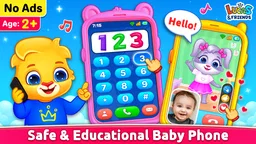
The phone framing is also practical for pretend play. A child can imitate calling or responding without needing to handle an actual phone call or browse an adult’s device. I would still keep the activity within sight and treat any phone-call theme as make-believe, rather than assuming it behaves like a real calling feature. For a parent seeking a safe-feeling alternative to letting a child tap around a personal phone, that distinction is the point.
Its mix of sounds, numbers, and ABCs may suit a child whose attention shifts quickly between kinds of play. Instead of insisting that a toddler sit through one lesson, an adult can follow the child’s curiosity and use whichever prompt gets a response. The trade-off is that a broad collection can feel less focused than a dedicated alphabet or counting app. If your immediate goal is repeated letter practice, a narrowly designed activity may make it easier to keep the session on that one skill.
Making a few minutes more meaningful
One useful approach is to choose a single small goal before opening the game. For example, during a quiet moment before dinner, I would invite a child to explore one sound or a short number sequence, then pause the screen and repeat it together away from the device. This keeps the app from becoming background noise and gives the child a chance to connect the prompt with a real voice and conversation.
Another helpful habit is to let the child lead the tapping but let the adult lead the pacing. Toddlers often enjoy repeating the same action, which can be a strength for recognition, but endless tapping can also turn the experience into sensory stimulation without much engagement. A gentle pause, a question, or a related object in the room can make the moment more interactive without demanding that the game itself provide a full lesson plan.
For instance, if a child responds to a sound, you might look around for something that makes a similar noise, or simply imitate it together. If the child is interested in numbers, count a few toys after the on-screen activity. These are modest extensions, not special functions of the game; they are ways to make a short digital prompt useful in everyday life.
Progress without turning play into pressure
I would not approach this as a game that needs to be completed or mastered. For toddlers, repeating a sound or revisiting a familiar interaction can be more valuable than moving quickly through a sequence. Parents who want visible milestones, structured lessons, or a clear record of what a child has learned may find this format too open-ended. The appeal is low-pressure exploration, not a documented curriculum.
That open-ended quality is both a benefit and a limitation. It lets a child dip in briefly without the commitment of a long lesson, but it also means the grown-up may need to supply the learning context. If a child taps rapidly without listening, it is reasonable to stop or switch to an offline activity rather than expecting the game to hold attention indefinitely. I would use it as one option in a varied routine, not as a daily requirement or a measure of progress.
It can also help to set expectations before handing over the device. A simple “we’ll play for a little while, then put the phone away” gives the activity a natural boundary. That advice is especially useful with a pretend phone interface, since the familiar format could make a child want to keep playing. The app’s concept invites imitation; an adult can make clear that this is a game on a shared device, not an unrestricted personal phone.
Free to install, with spending kept in perspective
The game is free, which makes it easy to try without an upfront purchase. That is the clearest verified point about cost, and it is enough to say that downloading it does not require paying a listed purchase price. It is not enough to make claims about every possible in-app transaction or other spending arrangement, so I would not assume details beyond the free entry point.
For a parent deciding whether to try it, the practical move is to check the app’s current store page and device settings before a child uses the phone independently. This is sensible for any children’s app, particularly when a device has payment methods or other apps within reach. I would also set up the device so a toddler cannot accidentally leave the game and start tapping through unrelated content. That is a household safeguard, not a claim about a feature inside this game.
There is no competitive advantage to buy into in the way there might be in a multiplayer contest: this is an educational game for young children, not a ranked competition. I would judge fairness here in terms of whether the play experience is suitable and whether a child is being pushed toward spending, but the free price alone does not answer every question about monetization. A careful parent should verify any purchase controls on the device rather than infer a policy from the download price.
How it compares with common alternatives
Compared with a paper alphabet book, this game can offer sound-led interaction and a more toy-like phone premise, while a book has no screen and makes it easier to slow down, point, and talk. Compared with a dedicated counting app, its range of themes may be more appealing when a toddler wants variety, but a specialist tool is likely the better fit when a parent wants concentrated practice in one area. I would choose based on the moment, not assume one format replaces the others.
It also differs from handing over a video. A phone-style activity suggests tapping and responding rather than passively watching, which gives an adult opportunities to take turns with the child. Still, an interactive screen is not automatically educational in every use. If the child is tired, overstimulated, or only tapping for noise, a story, a toy, or a face-to-face game may be the kinder choice.
Another trade-off is that the same familiar phone framing that attracts a child can blur boundaries if adults are not clear about device use. I would keep the session brief, sit nearby, and make the difference between pretend play and real calls explicit in simple language. Families that prefer screen-free routines or want an app with a tightly sequenced learning path may reasonably choose something else.
What to check before handing over the device
The game was released on July 1, 2025, and is listed for Everyone. Those details make it straightforward to assess at a glance, but the most important question is still how it fits your child’s age, temperament, and usual screen routine. A general age rating is not a promise that every activity will suit every toddler, so I would stay close enough to see how the child reacts and help interpret what appears on screen.
Parents may also wonder whether the game is best for independent play. I would not make that its main job. A young child may be able to explore simple interactions, but the learning value is likely stronger when an adult names what the child hears or sees and responds to their choices. If you need a reliably hands-off activity, this may not meet that need as well as a simple toy or a preselected video.
Another likely question is whether it can replace a more formal learning app. I would say no: its broad, playful premise is better suited to early exploration than to a measured teaching plan. If your child is ready for deliberate letter recognition or sustained number work, look for an option built around that specific goal and use this game as a lighter change of pace.
Finally, should a parent install it because of its rating and reach? The 4.5 average and more than 5 million installs offer a useful sign that many people have tried it, but they are not a guarantee of quality for your household. I would use those figures as context, then make the decision based on whether the phone-style play, short activities, and adult-supervised approach fit your child.
My trust verdict for families
My overall view is that this is a reasonable free option for a short, shared activity with a toddler who enjoys sounds, letters, numbers, and pretend phone play. Its strongest value is the chance to turn familiar phone behavior into a moment of guided interaction, rather than handing over a real device for unrestricted exploration. The game’s wide appeal is easy to understand, though it should not be mistaken for a complete early-learning program.
I would recommend trying it when you want a brief prompt for talking and playing together, not when you need a structured course, a screen-free solution, or a guaranteed way to occupy a child alone. Keep expectations modest, set device boundaries, and let the child’s reaction guide the session. Used that way, it can be a convenient little addition to a toddler’s play options without putting unnecessary pressure on either the child or the parent.
RV AppStudios has made a game whose central idea is easy for a young child to grasp, and its free starting point lowers the barrier to seeing whether that idea works at home. I would keep it in the category of occasional, supervised play: useful for a few minutes, best when an adult joins in, and entirely optional when a book, toy, or conversation is the better fit. For families comfortable with that balance, Baby Phone & Kids Games is worth a careful try.
What we like
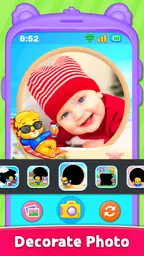
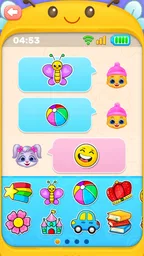
- Bright visuals make the menus appealing to young children.
- Simple touch controls are easy for toddlers to explore.
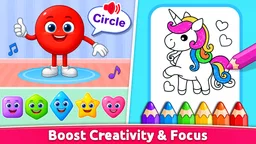
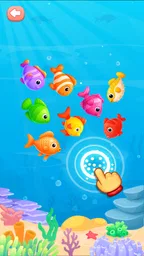
- Mini-games offer variety beyond pretend phone calls.
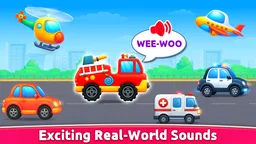
- Animal sounds add an engaging audio element.
- The playful phone interface encourages imaginative role-play.
What could be better
- Some activities may be too easy for older children.
- Repeated sounds and tunes can become tiring for adults.
- Young children may exit games or change settings by mistake.
- Frequent play may offer limited long-term challenge.
- The app may include ads or optional purchases.







