
Baby Games: Piano & Baby Phone review
 Analysis by Appsdrops
I like the idea of a children’s game that gives a toddler something to explore without turning play into a lesson they have to get right. Baby Games: Piano & Baby Phone is an educational game built around musical play and familiar pretend-phone interactions. Its appeal is less about reaching a final goal than about giving little hands sounds and activities to investigate. In my view, that makes it most useful for short, supervised moments, rather than as a game designed to hold a child’s attention for a long session.
What gives a young player a reason to begin
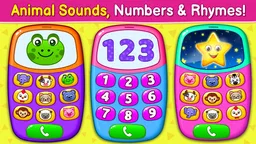
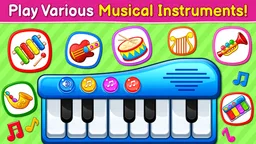
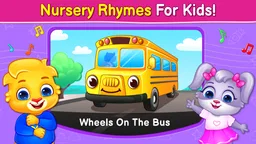
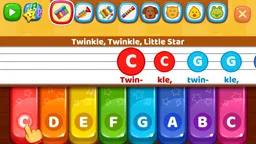
The simplest early goal is to tap, listen, and try another sound. A baby piano and other musical instruments invite experimentation, while nursery-rhyme play offers a more recognizable starting point for children who enjoy familiar melodies. The baby-phone framing adds a different kind of pretend play, so the experience is not limited to repeating notes. For a young child, moving between sounds and make-believe can be more inviting than an activity that asks them to follow instructions from the outset.
I’d introduce it by sitting with the child and letting them choose what to touch, rather than demonstrating every activity at once. A toddler who is still learning how taps affect a screen may benefit from seeing one simple interaction first: touch a musical control, pause to hear the result, and then try another. That small rhythm—action, sound, reaction—helps make the play understandable without needing a formal tutorial or a parent to turn it into a lesson.
There is also a useful distinction between open-ended exploration and structured learning. This game’s described focus is playful music and nursery rhymes, not a course with a clear sequence of skills to master. If your aim is to encourage curiosity about sounds, that is a sensible fit. If you want a child to practise a particular instrument technique, read notation, or progress through a carefully graded curriculum, I would choose a dedicated music-learning app instead.
Progress that a child can actually notice
For very young players, progress does not need to mean a score or a row of completed levels. Here, the immediate feedback is the sound that follows a tap. A child can notice that different musical choices produce different results, then repeat a favourite action or try another. That kind of feedback is simple, but it gives a parent an opportunity to name what the child is hearing: a tune, a note, or a change in sound.
I would treat those moments as the meaningful progress signal, not assume there is a long-term reward track behind them. The known activities support playful interaction, but I wouldn’t promise a particular unlock, achievement system, or growing set of challenges. That matters for expectations: a child who enjoys hearing and exploring sounds may be satisfied with repetition, while one who expects new goals and prizes may lose interest sooner.
One practical tip is to use the game as a prompt for play away from the screen. After a few minutes with the piano or instruments, I might invite a child to tap a table softly, clap a rhythm, or sing along to a familiar rhyme. This makes the app a starting point rather than the whole activity, and it helps a parent see whether the child is responding to the music itself or simply enjoying the screen interaction.
Why the pace suits brief play, with a caveat
The experience sounds best suited to a child setting their own pace: tap, listen, repeat, and move on when ready. That is a comfortable rhythm for a toddler, especially when an adult is nearby to help make sense of the activity. Unlike a conventional game built around increasingly demanding stages, musical exploration can stay approachable because the child does not have to keep up with a timer or beat a difficult opponent to enjoy a moment.
The trade-off is that open-ended play may not provide much of a difficulty curve. A child who wants to discover sounds can return to the same activity happily, but a more goal-driven player may ask what comes next. I would not use it as a substitute for games that introduce gradually harder puzzles or clear milestones. Its strength is low-pressure participation; its limitation is that low pressure can also mean limited challenge for children who are ready for more.
For a realistic everyday use, imagine a short wait at home while dinner is being prepared. I would sit nearby, offer the child a chance to explore the musical activities, and keep the session brief enough that it remains a shared diversion rather than an automatic way to fill every quiet moment. A parent can join in by naming sounds or humming a rhyme, then put the device away and continue the game with singing or clapping. That approach makes the app more engaging without expecting it to provide endless novelty.
Engagement without a need to keep chasing rewards
Some children’s games lean heavily on streaks, collectibles, or escalating tasks to encourage repeated use. I would not choose this one on the assumption that it has those systems. Its likely staying power comes from the direct pleasure of making sounds and revisiting familiar musical play. That can be a healthier fit for a very young child who does not need a reward loop to enjoy a few minutes of exploration, but it also means parents should not expect a stream of new targets to keep an older child invested.
If you are deciding whether it can occupy a child independently, I’d be cautious. The content is aimed at a young audience, but age suitability does not make supervision unnecessary. An adult can help a child navigate, notice when they are getting frustrated, and set a natural stopping point. For a child who tends to tap rapidly without listening, slowing down and taking turns can make the activity more purposeful: the adult chooses a sound, the child responds, and then they switch.
Another useful trade-off is between this sort of app and a physical toy piano. A real instrument encourages hand movement away from a screen and can be shared without handing over a device. This game is more convenient when a phone or tablet is already at hand and a child wants varied musical interactions in one place. I’d pick the physical toy for hands-on play as the main activity, and use the app as an occasional companion rather than a replacement.
Who is likely to enjoy it—and who may not
RV AppStudios makes this free educational game, and its Everyone age rating makes it suitable for a broad audience. It has a 4.4 average from around 62,000 ratings, with more than 50 million installs. Those figures suggest that many families have tried it, but they don’t tell me whether it will suit a particular child. The better question is whether your child likes music, repeated sounds, and simple pretend play.
I’d consider it for a toddler who enjoys pressing keys, hearing immediate responses, or joining in with nursery rhymes. It may also suit a parent looking for a low-commitment activity to share during a quiet moment. Children who prefer clear missions, competitive play, or a steadily increasing challenge may be better served by a different kind of game. And if your priority is screen-free musical practice, a small keyboard, shaker, or singing game is the more direct option.
The game is free, which makes it easy to try without treating it as a major purchase decision. I would still judge it by how the child uses it: does the play lead to listening, singing, or curious experimentation, or does it become aimless tapping? If the first, it can earn a place in a short routine. If the second, there is no need to push it; a song together or a physical toy may work better that day.
My verdict on its goals and staying power
Baby Games: Piano & Baby Phone is best understood as a small musical playground, not a progression-heavy game. Its early goals are easy to grasp, its feedback arrives through sound, and its relaxed pace suits brief sessions with a caregiver nearby. The same simplicity may limit its appeal for children looking for harder challenges or a clear trail of unlocks, so I would not recommend it as a long-term substitute for structured learning or more goal-focused play.
Overall, I’d recommend giving it a try if you want an accessible way to introduce musical exploration and nursery-rhyme play on a device you already use. Keep expectations modest, join in when you can, and let the child’s interest decide when to stop. For the right age and moment, that combination of easy entry and low-pressure play is more valuable than a complicated reward system; for a child who needs sustained challenge, another option will be a better match.
What we like
- Simple controls make it easy for toddlers to explore independently.
- Bright visuals and playful sounds can hold a young child's attention.
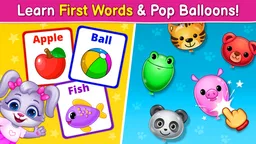
- Mini-games offer variety beyond the piano and pretend phone.
- Short activities suit quick play sessions.
- Offline access lets children play without an internet connection.
What could be better
- Some activities may feel repetitive after frequent play.
- Loud sound effects can be disruptive without volume adjustments.
- Advertisements may interrupt play in the free version.
- Touchscreen gestures can trigger unintended actions for very young children.
- The app may collect usage data depending on its privacy settings.







