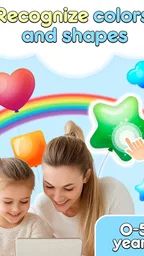
Baby Balloons pop review
 Analysis by Appsdrops
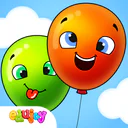
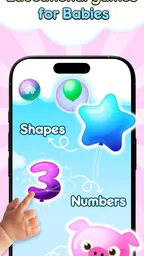
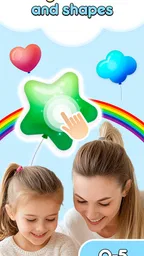
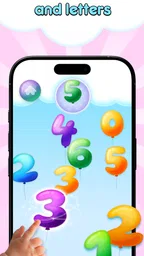
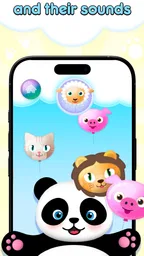
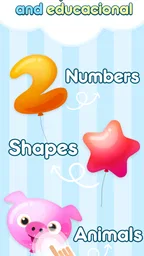
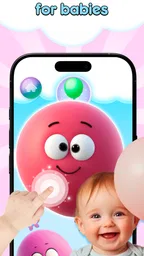
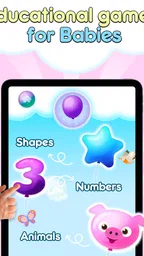
I see Baby Balloons pop as a small, focused game for introducing very young children to tapping and touch-screen play. Its central idea is simple: children pop balloons and bubbles, with the experience framed as educational sensory play. That narrow focus is also its main strength. It is easy for a parent to understand what the game is for, and easy to decide whether a child who enjoys bright, responsive screen interactions might find it appealing.
What you get without paying upfront
The game is free to download, which makes it straightforward to try before deciding whether it belongs in a child’s routine. It also offers optional in-app purchases, with items priced from $0.99 to $6.49. I would treat those as a separate decision rather than assume they are necessary: the free entry point is the clearest value, while any extra spending should depend on what the child actually gets from the game and what the purchase unlocks in practice.
That distinction matters for a children’s game. A free download is not the same as a promise that every element is available without payment, so I would check the purchase prompts with the child’s device settings and keep buying decisions in the adult’s hands. If you are installing it for a toddler, it is sensible to explore the app yourself first, before handing over the phone or tablet. That lets you see how the play feels and avoid an unexpected purchase becoming part of the child’s experience.
AppQuiz develops the game, which sits in the educational-games category. It is rated for Everyone, and its long-running presence has helped it reach over 10 million installs. Its average rating is 4.4 from around 49,000 ratings, alongside roughly 1,500 written reviews. Those figures suggest that many families have tried it, but they cannot tell you whether its style will suit your child; age, patience, and interest in tapping games matter much more than popularity alone.
A focused kind of play
The value here is not a broad curriculum or a complicated set of lessons. It is a simple activity built around noticing objects on screen and touching them. For a child who is still learning how a tablet responds, that can make the first few minutes of independent interaction less intimidating than a game with menus, rules, or several competing tasks.
I would think of it as a short activity rather than a complete learning plan. Popping objects can invite attention and hand-eye coordination, but a parent should not mistake a sensory game for a substitute for conversation, physical play, or guided learning. A useful way to make the screen time more meaningful is to sit with the child and name what appears, ask them to point before tapping, or take turns. That small change turns solitary repetition into a shared moment without demanding that the app provide a lesson structure it is not known for.
For example, during a brief wait at a clinic or while an adult finishes preparing a meal, a caregiver could offer a few minutes of supervised play and then put the device away. The game’s uncomplicated premise makes that kind of short session easier to manage than an activity that requires remembering a sequence or reaching a stopping point. I would still set the time limit myself: a simple game can be easy to keep tapping through, and the adult is better placed to notice when a child is ready to move on.
Where its simplicity helps—and where it can fall short
Compared with educational apps that teach letters, numbers, or matching through structured challenges, this one appears aimed at a more basic interaction: see an object, reach for it, and enjoy the response. That makes it a more approachable choice for a very young child who is not ready for instructions or puzzles. It is less suitable if you want measurable progression, a variety of learning goals, or activities that change substantially as a child develops.
There is a trade-off in that narrow design. Repetition can be calming and accessible, especially when a child wants the same action again and again. It can also become stale quickly for children who want new rules, varied tasks, or a sense of achievement. I would not choose it as the only app in a child’s learning folder; it makes more sense as one occasional, low-pressure option among books, music, conversation, and offline toys.
Another practical trade-off is adult supervision around purchases. Since optional items are available, I would not leave the game open with payment controls accessible to a child. Before a first session, check the device’s purchase settings and show the child how to play without entering account or payment screens. This is an easy precaution, and it keeps the free-to-try appeal from turning into an avoidable expense.
The version currently listed is 23.7, and the game requires operating system 7.1 or later. That makes checking device compatibility worthwhile before planning to use it on an older phone or tablet. The game has been available since June 28, 2011, so it is not a new release; that history may reassure families looking for an established title, but it does not by itself guarantee that the content will feel fresh to a particular child.
Who is most likely to get value
I would consider it for a caregiver seeking a simple first touch-screen activity for a young child, particularly one who enjoys tapping colourful objects and does not need a complex goal. It may also suit families who want a short distraction that an adult can join in with, rather than a game that expects a child to read or follow detailed directions. The Everyone age rating is a broad content signal, not a recommendation that every toddler should use a screen without an adult nearby.
It is probably not the right pick for a parent specifically seeking a structured preschool course, progress tracking, or a broad collection of subject-based exercises. In that case, a more varied educational app—or a non-screen activity—will likely deliver more of what you want. Likewise, older children who already understand touch controls may outgrow the central action quickly. I would use the child’s response during a brief trial as the deciding factor rather than assume that a high install count means it will hold their attention.
One helpful way to judge the fit is to watch what the child does after the novelty wears off. If they keep exploring the screen with interest and can stop when prompted, the game may serve as a convenient occasional activity. If they become frustrated, demand it continuously, or lose interest almost immediately, there is little reason to spend on optional items. The free download makes that trial possible, while the adult’s boundaries determine whether it remains a useful tool rather than a default distraction.
My verdict on whether it is worth trying
For me, Baby Balloons pop makes sense as a modest, free-to-start sensory game, not as a full educational package. Its appeal is the low barrier to entry and a premise a very young child can grasp; its limits are the same simplicity and the presence of optional purchases. I would try it with a child who likes tapping games, stay nearby for the first session, and avoid paying for extras until there is a clear reason to do so.
If you want a quick, straightforward screen activity and are comfortable setting limits, it is worth considering. If you need varied lessons, sustained challenge, or a purchase-free experience with no optional spending to manage, I would look elsewhere. The best value is likely to come from using it briefly and interactively—then moving on to play that involves talking, touching real objects, and exploring away from the screen.
Overall, I see it as a reasonable option for a specific moment in a young child’s day, rather than an app that needs to become part of every routine. Keep the adult in control of purchases and session length, and let the child’s actual interest guide the decision. Under those conditions, its simple balloon-and-bubble play can be enough; without that fit, the free download alone is not a reason to keep it installed.
What we like
- Simple tap controls are easy for young children to understand.
- Bright balloon visuals can hold a toddler’s attention.
- Short play sessions suit quick breaks and waiting periods.
- The basic popping activity requires little explanation.
- The game can support simple hand-eye coordination practice.
What could be better
- Repeated popping may become monotonous after a short time.
- Fast-moving balloons can frustrate children who are still developing motor skills.
- The activity offers limited variety compared with fuller kids’ games.
- Young children may need an adult nearby while using the device.
- Check the store listing for ads or in-app purchases before downloading.







