123 Numbers - Count & Tracing review
 Analysis by Appsdrops
When I hand a young child a phone or tablet for a few minutes, I want the activity to have a clear purpose and not demand a long explanation from me. 123 Numbers - Count & Tracing is aimed at that early-learning moment: it gives children a place to practise recognizing numbers, tracing them, and counting, with the experience framed as a game rather than a worksheet. My first impression is that its value lies in making a small learning task approachable, not in replacing a parent, teacher, or broader maths program.
What to expect from a number-learning game
This is an educational game from RV AppStudios for children at the very beginning of number learning. It is free, rated for Everyone, and has reached over ten million installs. Its average rating is 4.7 from around twenty-three thousand ratings, which suggests it has found a large audience, though those figures cannot tell you whether its style suits your particular child.
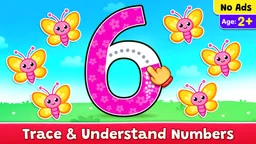
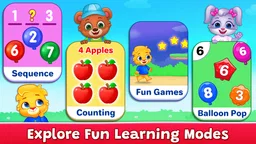
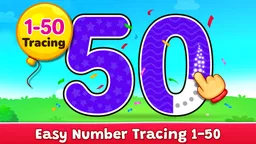
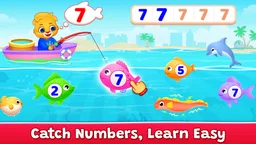
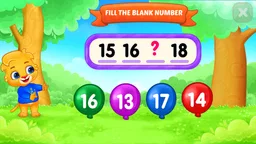
The central idea is straightforward: children encounter numbers, practise tracing their shapes, and work on counting through different modes. That combination matters because knowing what a number looks like, forming its shape, and connecting it to a quantity are related but distinct skills. A child who can recite numbers in order may still need practice recognizing a numeral on its own; another may recognize it but find tracing difficult. An activity that touches more than one of these skills can give a parent a useful starting point for noticing where support is needed.
I would approach it as a short, guided activity rather than a digital babysitter. The game can make practice feel inviting, but a young child may still benefit from someone nearby to encourage a retry, ask what they counted, or connect a number on screen to something in the room. That little bit of conversation is often the difference between tapping through an activity and thinking about what the number means.
Getting ready for a calm first session
Before handing over the device, I would open the game myself and take a moment to see how its activities are presented. That simple preview helps you point a child toward number tracing or counting without trying to explain the whole app at once. It also lets you set a small goal: for example, practise one number together, then stop while the child still feels successful.
For a first-time user, the best setup is usually less about changing settings and more about choosing the right moment. Try it when the child is rested and you can sit close enough to help if the instructions are unfamiliar. If the screen is shared with other apps or the child tends to tap quickly, keeping the session brief and staying present can make it easier to focus on the number rather than treating every screen as something to rush through.
I would also avoid turning the first attempt into a test. A child may need a few tries to understand that tracing means following the number’s shape, not simply touching it anywhere. Use a relaxed prompt such as “Let’s follow the line together,” then let the child take the next turn. The aim is to make the interaction feel safe enough for experimenting, especially if number writing is still new.
The first small win: trace, then connect
A practical first success is completing a tracing activity with the child and then asking them to find the same number somewhere familiar. If they have just worked with a numeral, you might count that many blocks, snacks, or toys together. This does not require extra app features; it is a way to carry the on-screen practice into ordinary life, where numbers stand for actual amounts.
That pairing also helps you see what the child has understood. Can they follow the number’s shape but not name it? Can they say the number but lose track when counting objects? Those are different moments to support, and the app’s emphasis on both tracing and counting gives you a natural reason to notice the distinction. I find this more useful than praising speed or treating a completed screen as proof that a concept is fully learned.
A realistic routine might be a few minutes after breakfast while a caregiver is nearby: practise a number, count a small group of familiar objects, and finish before attention fades. The game can provide the prompt, while the objects give counting a concrete purpose. If the child is eager to continue, you can return another time rather than stretching a short success into a tiring session.
Where children may get confused
Tracing and counting can look like one general “numbers” skill to adults, but children do not always connect them automatically. A child might trace confidently without understanding the amount represented, or count aloud from memory without matching one spoken number to one object. When that happens, I would slow the interaction down: point to each object as you count, and name the numeral separately instead of asking the child to do everything at once.
Another likely source of friction is interpreting a game instruction. Early learners may tap the screen before they have taken in what an activity asks them to do. Rather than immediately taking the device and completing it for them, show one example or describe the next action in plain language, then give them another turn. This keeps the child involved and helps you distinguish a confusing instruction from a skill that simply needs practice.
Attention is another real limit. A child who enjoys one mode may not want to switch to another, and repeated practice can become frustrating if they are tired. I would treat stopping as a useful choice, not a failure: revisit the activity later, or bring counting into play with everyday objects. The game is most helpful when it supports a child’s interest instead of competing with their mood.
How it fits alongside other ways to learn
Compared with paper number worksheets, a game can feel more inviting to a child who resists sitting down to practise. It also puts tracing and counting in the same broad experience, rather than requiring you to gather separate materials for each. Worksheets may still be better when you want to practise pencil control on paper or see how a child forms numerals without a screen; the app is not a substitute for that kind of hands-on work.
Compared with a parent-led counting activity, the game offers a ready-made prompt, but it cannot read a child’s hesitation or explain a concept in the way you can. And compared with a broad collection of learning games, this one is more narrowly focused on early numbers. That focus is a strength if your immediate aim is number recognition, tracing, or counting practice. It is a reason to look elsewhere if you want a wider set of subjects or a lesson plan that covers more than these foundations.
One useful trade-off is that digital practice can make repetition easier to offer, while real objects make quantities easier to understand. I would use both: let the game introduce a numeral or invite a tracing attempt, then use toys, fruit, or steps on the way to another room to make counting tangible. This simple handoff prevents screen time from becoming the only context in which the child encounters numbers.
Who will get the most from it
I can see this working well for caregivers who want a low-pressure way to introduce number shapes and counting, especially when a child responds better to an interactive activity than to a page of exercises. It may also be useful as a short practice option between other activities, provided an adult is available to help a first-time player understand what to do and to connect screen practice with everyday examples.
It is less suitable as the main learning resource for a child who already handles basic number recognition and counting comfortably. In that case, a more challenging maths activity or hands-on problem solving may be a better next step. It may also be the wrong choice for a family specifically seeking a screen-free approach, or for someone who needs detailed instruction tailored to a child’s individual learning needs. A game can support practice, but it cannot replace that personal guidance.
Because the game is free, it is easy to try without treating it as a major purchase decision. Still, free access alone is not a reason to keep a child using it if the activities cause frustration or fail to hold their interest. I would judge it by whether the child is willing to return to number practice and whether you can make the learning meaningful beyond the device.
A sensible next step after the first session
Once a child has completed a comfortable first attempt, build on the part that held their attention. If tracing was appealing, ask them to draw a similar shape in the air or on paper with you. If counting was the favourite, count a small set of objects together and let the child move each one as they say the number. These follow-ups do not need to become formal lessons; they simply make the app’s central ideas easier to use outside it.
RV AppStudios released 123 Numbers on April 11, 2017, and the game has accumulated more than four hundred reviews alongside its large audience. For me, that makes it an established option to consider, not a guarantee that every child will enjoy it or learn at the same pace. The most useful measure is what happens in your own short trial: does your child understand how to begin, stay engaged long enough to practise, and respond well when you connect a screen activity to real objects?
My recommendation is to start with one calm, shared session and keep the goal modest: follow a number’s shape, then count a few things together. The strongest use of 123 Numbers is as a friendly first step into number practice, with an adult turning screen activity into a real-world connection. If that approach fits your child, it can be a handy part of an early-learning routine; if they need more challenge, deeper teaching, or a screen-free experience, another option will serve them better.
What we like
- Gentle animations make counting practice feel welcoming for young children.
- Tracing activities help children practice number formation with touch controls.
- Short activities are suitable for brief learning sessions.
- Visual prompts can support early learners who are not reading yet.
- The playful format may encourage children to practice independently.
What could be better
- The content may feel too simple for children who already know basic numbers.
- Touch accuracy can affect tracing results on smaller screens.
- Repeated activities may become less engaging over time.
- Adult guidance may be needed to keep younger children focused.
- Compatibility and available features can vary by device and app version.







