

Zipper Lock Screen: Zip Style review
 Analysis by Appsdrops
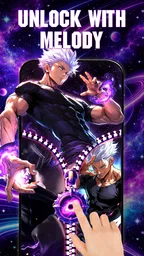
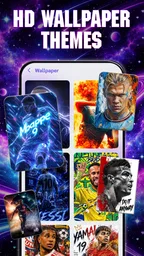
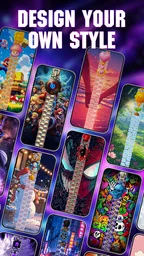
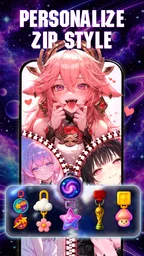
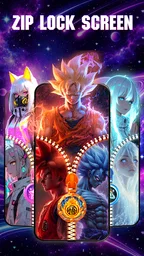
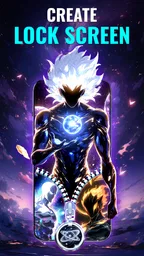
I like a lock screen that feels personal, but I don’t want to spend an evening rebuilding my phone’s whole look just to get there. Zipper Lock Screen: Zip Style takes a focused approach: it makes the act of opening the screen part of the customization, using zipper themes and live wallpapers rather than treating the lock screen as a static picture. That gives it a clear appeal if you enjoy playful visual touches and want your phone to feel less like everyone else’s.
From a plain lock screen to a personal one
The app sits in the personalization category, and I think that is the right way to judge it. It is not a replacement for Android’s security settings or a general launcher makeover. Its purpose is narrower: add a themed zipper effect to the lock-screen experience and pair that with a live wallpaper. If you want a small visual change rather than a complete redesign, that focus can be a strength.
In everyday use, the starting point is simple: you have a phone whose lock screen is functional but visually forgettable. You open the app, look for a style that suits you, and make choices that shape the screen you will see whenever you pick up the device. I would approach it as a quick personal project, not a deep customization toolkit. The most useful question is not “How many settings can I change?” but “Will I enjoy seeing and using this effect repeatedly?”
The app is made by MGlobal and is free to install. It has an Everyone age rating, which makes its intended audience broad, though a parent should still use their own judgement about a child’s screen habits and phone setup. The version is 1.2611.14, and it runs on Android 7.0 or later. Those details matter most if you are using an older handset: check the operating-system requirement before making it part of your setup.
Choosing a look that works beyond the preview
My practical advice is to choose a zipper theme for the way it will look on your actual phone, not just because a preview catches your eye. A lock screen has to coexist with the time, notifications, and whatever information you routinely check at a glance. A very busy image or a strong visual effect may look striking in isolation but make that everyday glance less comfortable.
Try to think about the wallpaper and zipper as one composition. A theme that contrasts clearly with its background is easier to read visually; a similar color or texture can make the effect feel less distinct. This is a useful trade-off to consider before settling on a style: the most decorative option is not necessarily the one that will stay appealing after dozens of unlocks a day.
I would also make one change at a time and then use the phone normally for a while. That gives you a better sense of whether the look feels right in bright daylight, indoors, and when you are in a hurry. If the screen feels cluttered or the effect draws too much attention, switch to a calmer combination rather than trying to force yourself to like a theme that only looked good in a preview.
The everyday unlock is the real test
Here is the kind of scenario where the app makes sense: you are carrying groceries, your phone buzzes, and you want to check the notification quickly. A zipper-style lock screen turns that routine interaction into a small visual moment. That can be fun when you have time to enjoy it, but the same flourish may feel like an extra step when you only need to glance at something and move on.
That difference is important. A decorative lock screen is experienced repeatedly, so even a tiny interaction can either become part of the phone’s character or a source of mild impatience. I would test the flow during ordinary tasks—checking a message, taking the phone out briefly, or unlocking it while walking—rather than deciding from a single setup session. If the effect feels natural after repeated use, it is doing its job. If you start wishing the screen would get out of the way, a simpler lock screen is probably better for you.
There is also a useful distinction between visual personalization and practical security. I would keep the phone’s normal security choices in mind and avoid assuming that a themed zipper effect is a substitute for a PIN, password, or other protection you rely on. Think of the app as changing the presentation of the lock-screen experience, not as a reason to weaken the way you protect personal information.
Where the handoff to Android matters
A lock screen sits at a handoff point: you move from the phone being asleep or locked to using Android itself. That means your experience depends not only on the theme but also on how the app’s presentation fits with your device’s existing screen behavior. Before making the effect your daily setup, check whether the result still lets you reach the information and controls you normally expect from the lock screen.
Notifications are a good example. If you rely on reading message previews without fully opening the phone, make sure the customized appearance does not make those details harder to notice. Similarly, if your routine involves unlocking quickly to use a camera or another shortcut, prioritize that practical path over a visual effect. The best setup is the one that adds personality without interrupting the habits you already depend on.
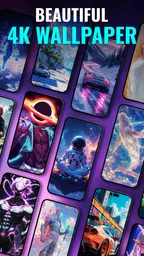
This is one reason I would not treat a live wallpaper as automatically better than a still image. Motion and animated presentation can make a screen feel more expressive, but a static background may be preferable if you want a quieter look or if visual simplicity matters more than novelty. I would compare the two by living with each style for a little while, rather than assuming the more animated option will be the more enjoyable one.
How it compares with ordinary wallpaper choices
The usual alternative in this part of personalization is to select a picture and leave the rest of the lock screen alone. That route is straightforward and tends to suit people who want a recognizable photo, a clean background, or minimal change to how their phone behaves. This app offers a more characterful direction: the zipper theme is part of the interaction, not just decoration behind the clock.
That distinction makes the choice fairly clear. If you only want a new background, your phone’s existing wallpaper controls may already be enough. If you want the unlocking moment itself to look themed, this app is more relevant. I would not recommend it to someone seeking a broad package of icons, widgets, or a fully redesigned home screen; its appeal is specifically the lock-screen treatment.
For people who change their look often, a focused app can be easier to evaluate than a large customization suite. You can decide whether this particular style brings enough enjoyment to justify keeping it. On the other hand, if you expect many interconnected controls and a unified redesign across the whole phone, a broader personalization option is likely a better match.
What the reception and install history suggest
Zipper Lock Screen: Zip Style has an average rating of 4.8 from around 7,500 ratings, with more than 1 million installs. Those figures suggest that plenty of people have been drawn to the idea, but I would treat them as a signal of broad interest rather than proof that it will suit every phone or personal routine. A visual effect can be appealing to one person and distracting to another.
It has 21 written reviews, so I would not rely on a large body of detailed user commentary to answer every practical question. Instead, I would install it with a clear expectation: try the theme, see how it feels in your usual unlock routine, and keep it only if the result improves the experience for you. The app is free, which makes that trial easier to consider, but your time and attention still matter.
One small but useful approach is to take note of your current lock-screen habits before changing anything. Do you mostly check notifications, unlock immediately, or enjoy looking at the wallpaper? That answer helps you judge the result fairly. If your main priority is quick access, a decorative interaction has to earn its place. If you enjoy adding personality to frequent everyday actions, the same detail may be exactly what you wanted.
When the style stops being useful
The main limitation is inherent in the idea: a zipper effect is a specific look, not a neutral design choice. It can feel playful and distinctive, but it will not suit someone who prefers a restrained screen or wants the lock screen to disappear into the background. A theme that initially feels fresh may also become repetitive because the same visual moment returns whenever you use the phone.
There is a practical limit, too. Any customization that sits between you and your usual phone routine deserves a real-world test. If it makes notifications less convenient to read, slows a familiar action, or simply feels like decoration you have to work around, the visual payoff may not be worth it. I would rather return to a plain setup than keep an effect out of obligation.
People who are especially sensitive to motion or prefer a quiet interface should be cautious about choosing a live presentation. That does not mean it will be a problem for everyone; it means the right choice depends on what you find comfortable during repeated use. A quick first impression is not enough to settle that question, so I would give the screen a normal day of use before deciding.
My recommendation after following the full routine
I would recommend this app to someone who wants the lock screen to feel more playful and likes the idea of making an ordinary unlock visually distinctive. It is most compelling when you enjoy the theme as part of using the phone, rather than expecting a major change to the whole Android experience. Its focused purpose is easy to understand, and the free price makes it reasonable to try if your device meets the Android requirement.
I would skip it if your first priority is the fastest, quietest route from locked phone to task, or if you want broad control over every part of your interface. In that case, a standard wallpaper or a more comprehensive customization tool is a better fit. For everyone else, I would choose a readable theme, check how it sits with notifications, and judge it during the small moments when you actually reach for your phone.
My overall view is that the app is best treated as a personal finishing touch, not an essential utility. Its appeal comes from turning a familiar screen into something with more character; its weakness is that the same flourish can become friction if it gets in the way. If you enjoy expressive lock screens and are willing to prioritize usability over the most dramatic look, it is worth trying and keeping only if it feels good in your daily routine.
What we like
- Zip-style unlocking adds a playful touch to the lock screen.
- The zipper effect makes unlocking feel more interactive.
- Useful for personalizing a phone beyond its default lock screen.
- A simple concept that is easy to understand.
- Offers a distinctive look for users who enjoy novelty themes.
What could be better
- The zipper animation may slow access to notifications.
- Lock-screen customization can vary by Android version.
- A themed lock screen may not match every wallpaper.
- The novelty may wear off after repeated use.
- Check requested permissions before enabling the app.





