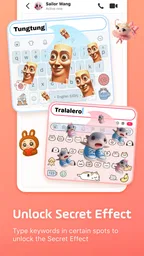
Facemoji AI Emoji Keyboard review
 Analysis by Appsdrops
I see Facemoji AI Emoji Keyboard as a good choice for anyone who wants their phone’s typing experience to feel more expressive, rather than simply faster. Its appeal is the mix of visual tools—emoji, stickers, fonts and themes—in one personalization app. That can make everyday chats more fun, but it also means you’re choosing a keyboard that puts decoration front and center. If you prefer a plain layout or want a keyboard primarily for efficient text entry, the extra options may feel like clutter.
A keyboard built around personality
Facemoji AI Emoji Keyboard is a free personalization app from Nexileap. Its central idea is straightforward: give you more ways to shape how messages look, without requiring you to make every conversation a production. The app has been available since April 27, 2016, and its current version is 3.7.0. It is rated Teen, and it runs on Android 6.0 or later.
The scale of its audience suggests this approach has broad appeal: it has more than 100 million installs and a 4.7 average from around 1.5 million ratings. Those figures don’t tell me whether its style will suit you, but they do make it easier to see why a keyboard with a large range of visual choices has found a following. The practical question is whether you’ll use those choices often enough to justify changing your everyday keyboard.
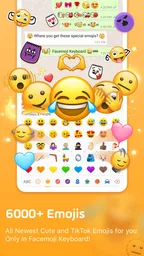
The app’s range is its strongest argument. It offers more than 6,000 emoji alongside fonts, themes, stickers and a custom AI keyboard. I like the idea of having these options together: instead of switching between separate tools every time I want to add a sticker or change the visual tone of a message, I can treat the keyboard as a place to customize the whole typing experience.
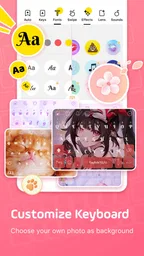
That convenience matters most in casual conversations. A quick emoji can soften a brief reply, while a sticker or a different type style can make a greeting feel more personal. Themes also let the keyboard look less like a default system tool. These are small changes, but they can make frequent messaging feel more like your own space rather than a sequence of identical text boxes.
Where the extra choice helps
The size of the emoji collection is useful when you regularly reach for something more specific than a smile or thumbs-up. Rather than relying on the same handful of reactions, you can explore a broader set to find one that matches the mood. The trade-off is that a large collection works best when you enjoy browsing; if you only use a few familiar symbols, the headline number matters less than how quickly you can reach your favorites.
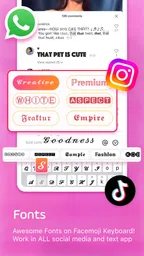
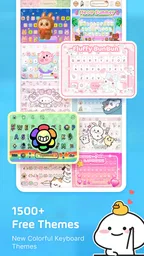
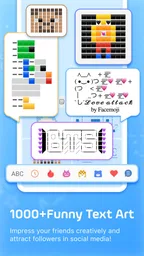
Fonts and themes serve different purposes, and it helps to think of them that way. A theme changes the feel of the keyboard itself, while decorative text changes the appearance of what you send. I’d use a theme for a lasting personal touch and save stylized lettering for occasional messages, such as a playful greeting or a caption. Using novelty styling in every sentence can make ordinary communication harder to scan.
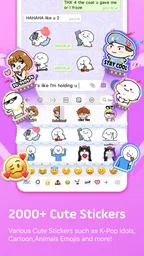
Stickers are particularly suited to quick exchanges where an image says more than a typed reaction. They can give a chat a warmer, more playful tone, especially among friends who already use visual replies. But stickers are not a universal replacement for words: in a work conversation, a practical question or a message to someone who prefers direct communication, a simple text reply is usually clearer.
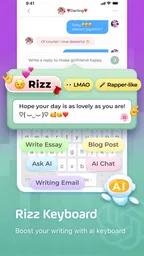
The custom AI keyboard is part of the app’s appeal, but I would treat it as an extra reason to explore rather than assume it will transform every typing task. The more important test is whether the keyboard feels comfortable for the messages you actually send. If you’re considering switching, try the visual options in low-stakes chats first, then judge the everyday typing experience separately from the novelty of the customization.
How I’d use it in everyday chats
Picture a family group chat where someone shares a photo and everyone responds at once. I’d use an emoji for a quick reaction, then perhaps a sticker when a plain symbol feels too flat. If I’m sending a birthday greeting, a different font or a themed keyboard can add a little personality without needing to edit an image elsewhere. The useful part is having several styles close to the point where I’m already typing.
A more deliberate workflow is to keep the keyboard’s appearance expressive while keeping most outgoing text readable. I’d choose a theme I enjoy seeing every day, then reserve unusual lettering and stickers for moments where they add meaning. That avoids the common trap of customizing everything simply because the options are available. It also makes the special touches feel less repetitive.
For someone who messages in more than one social context, I’d make a distinction between casual and practical use. A playful visual reply can work well with friends, while a plain sentence is safer when the recipient may not interpret a sticker or decorative text as intended. Facemoji’s breadth makes it tempting to personalize every interaction, but good judgment about the audience matters more than the number of available effects.
The trade-off: more decoration, more decisions
The main limitation I see is choice overload. Thousands of emoji and several kinds of customization are appealing in theory, but they can also turn a quick message into a search for the perfect reaction. If your priority is getting words onto the screen with minimal distraction, a simpler keyboard may suit you better. Facemoji makes the most sense when exploring visual options is part of the fun, not an obstacle you have to work around.
There is also a difference between personalizing a keyboard and improving basic typing. A themed appearance or a decorative font may make the experience feel fresher, but that alone doesn’t make someone a faster or more accurate typist. I’d avoid choosing the app solely because of its visual range if your real frustration is typing comfort. In that case, compare it with the keyboard already on your phone and focus on which one feels easiest to use for a full day of ordinary messages.
Another practical consideration is consistency across conversations. A sticker or stylized character may look different from the rest of a message, and decorative text can draw attention away from what you’re trying to say. That isn’t a flaw unique to this app so much as a consequence of the kind of customization it offers. My rule would be simple: use visual flourishes when they help set a tone, not as a substitute for clarity.
The app is free to install, with in-app purchases ranging from $0.49 to $144.99 per item. That broad span makes it worth checking what an optional purchase covers before spending; I wouldn’t assume that every visual choice requires payment, nor that every item will be useful to you. Start by exploring what you can do without buying anything, then decide whether a specific extra is worth it. The app’s appeal should be clear from your own use before you consider paying for more.
Who should try it—and who may prefer another keyboard
I’d recommend Facemoji AI Emoji Keyboard to people who spend a lot of time in casual chats and enjoy changing the look of their messages. It is particularly suited to anyone who already uses stickers and emoji as a regular part of conversation, or who wants a keyboard that feels more personal than the standard one. The broad mix of customization tools gives those users room to experiment without having to treat every message the same way.
It is a less convincing fit for people who rarely use emoji, prefer uncluttered interfaces, or want their keyboard to stay out of sight. If you mainly write work messages, long notes or practical replies, a basic keyboard may be more comfortable simply because it asks less of your attention. Likewise, if you want only a new look for the keyboard and have no interest in stickers or decorative text, a more focused theme option may be enough.
Compared with the usual alternatives in this category, Facemoji’s distinguishing strength is the breadth of expression it brings together: emoji, stickers, fonts and themes sit under one personalization-focused idea. A standard phone keyboard is usually the simpler choice for routine typing, while a single-purpose sticker or font tool may be easier if you only want one kind of decoration. Facemoji is the better match when you want to explore several forms of visual expression and don’t mind a busier experience.
For the best first impression, I’d avoid changing everything at once. Pick a theme, use the keyboard normally for a few conversations, and then try stickers or stylized text when a message gives you a reason. This makes it easier to tell whether the app genuinely fits your habits or whether the initial attraction is just the novelty of seeing so many options. It also helps you spot which parts you’ll return to and which you can ignore.
A clear recommendation for expressive texters
My verdict is that Facemoji is worth trying if personalization is part of what you enjoy about messaging. Its range of emoji, stickers, themes and fonts gives everyday chats more room for expression, and the free entry point makes it easy to see whether that style suits you. The large audience and strong average rating are reassuring signs of popularity, but the right choice still depends on whether you want decoration built into your typing routine.
I wouldn’t recommend it as an automatic upgrade for everyone. If you value speed, simplicity and a low-distraction layout above visual variety, stick with a simpler keyboard or compare options that focus more directly on typing. But if you often wish your replies had a little more personality, Facemoji offers a practical way to add it. Used selectively, its expressive tools can make chats feel more like yours without turning every message into a performance.
What we like
- Offers a large emoji and sticker library for expressive chats.
- AI tools can help create custom emojis and avatars.
- Includes themes that let you personalize the keyboard's appearance.
- Supports multiple languages and typing layouts.
- Shortcuts and suggestions can speed up everyday messaging.
What could be better
- Some content and features may require in-app purchases.
- AI-generated results may not always match your prompt.
- The keyboard may need broad permissions to enable its features.
- Frequent suggestions can feel distracting while typing.
- Some themes and stickers may use more storage over time.





